Getly
GetlyBlender Add-ons
CAD Pro Suite
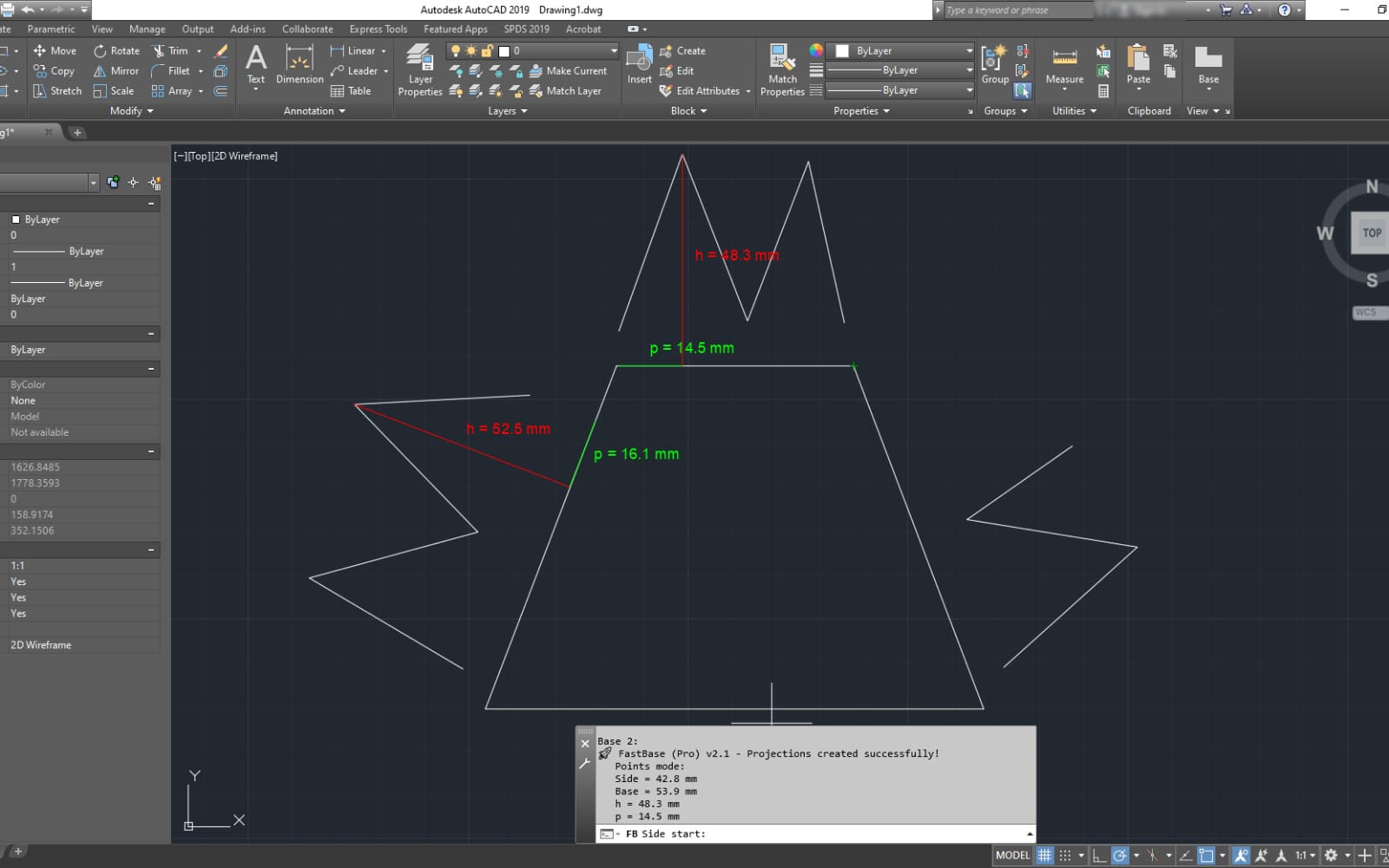
Professional CAD toolkit for Blender. Precision measurements, CAD-style snapping, technical drawings with title blocks, dimension tools, and DXF/STEP/IGES import/export — all in one addon.
Product Description
CAD Pro Suite transforms Blender into a professional CAD platform with
engineering-grade precision tools, technical drawing capabilities,
and industry-standard file format support — features typically found
in AutoCAD or Inventor, now directly inside Blender.
Units & Precision System
Work in any unit you need. Full metric support from micrometers to
kilometers and imperial from mils to yards. Enter values naturally —
type "150mm", "6.5in", or "1m" and the addon understands. Three
coordinate input modes: absolute, relative (@50,25,0), and polar
(@100<45). Configurable decimal precision from 0 to 6 places with
automatic unit conversion between all supported types.
CAD-Style Snapping
11 professional snap types for precise object placement:
- Endpoint, Midpoint, Center
- Intersection, Perpendicular, Tangent
- Nearest, Quadrant, Node
- Parallel, Extension
Angle snapping with configurable increments from 5 to 90 degrees.
Visual snap indicators with customizable colors and size for clear
feedback.
Measurement Tools
Measure anything in your scene with engineering accuracy:
- Distance measurement in 2D and 3D
- Angle measurement between points or edges
- Area calculation for selected faces
- Volume calculation for mesh objects
- Perimeter measurement
- Radius and circle fitting
- Bounding box and center of mass computation
All results display in your selected unit system with proper
formatting.
Dimension Tools
Add professional dimensions to your models:
- Linear, Aligned, Angular, Radius, Diameter, Arc Length, Ordinate
- Three style presets — ISO, ASME, DIN
- Configurable arrows — closed filled, open, dot, tick
- Tolerance display with upper and lower bounds
- Custom text and unit suffixes
- Flexible text positioning — above, centered, outside
CAD Primitives
Create geometry with exact specifications:
- Point — place at precise coordinates
- Line — from two points or length and angle
- Rectangle — with exact width and height
- Circle — by radius or diameter
- Arc — multiple creation methods
- Polygon — regular polygons with any number of sides
Technical Drawings
Generate professional technical drawings following international
standards:
- Sheet formats — ISO (A0–A4), ANSI (A–E), GOST, and custom sizes
- Drawing scales — from 10:1 to 1:100
- Title blocks — ISO, GOST, ANSI, DIN templates with automatic field
population
- 11 view types — front, back, left, right, top, bottom, isometric,
section, detail, auxiliary
- Projection methods — first-angle (European) and third-angle
(American)
- Hidden lines — dashed, dotted, and phantom line styles
- Centerlines — automatic generation for symmetrical objects
Annotations & Symbols
Complete annotation toolkit for technical documentation:
- Text annotations and leaders
- Balloons for part numbering
- Surface finish symbols
- Weld symbols
- GD&T (Geometric Dimensioning and Tolerancing) symbols
Geometric Constraints
Apply parametric constraints to maintain design intent:
- Horizontal and Vertical alignment
- Parallel and Perpendicular relationships
- Fixed positions and Coincident points
- Equal lengths and Symmetric placement
- Collinear and Concentric constraints
Import & Export
Work with industry-standard CAD file formats:
- DXF — import and export, supporting AutoCAD versions from R12 to
R2018
- DWG — support via ODA File Converter
- STEP — AP203, AP214, AP242 standards
- IGES — full import and export
- SVG — vector export for web and graphics
- PDF — drawing export for documentation
Customizable Preferences
- Default unit system and precision
- Snap indicator appearance
- Dimension and constraint colors
- Default sheet size and title block style
- Company and designer name fields
- File format version defaults
- Keyboard shortcuts
Requirements
- Blender 4.2 or newer
- Optional: ODA File Converter for DWG support
- No other external dependencies
- Works on Windows, macOS, and Linux
What you get
1 file · 97.87 KB
- cad_pro_suite.zipZIP · 97.87 KB
Blender Add-ons
CAD Pro Suite
Professional CAD toolkit for Blender. Precision measurements, CAD-style snapping, technical drawings with title blocks, dimension tools, and DXF/STEP/IGES import/export — all in one addon.
Tags
Frequently asked questions
Do I get access instantly?
Yes. This is a digital product — you can download it right after checkout, straight from your library.
Can I use it for commercial projects?
Licence terms are set by the seller. Check the product description before you buy — it states any limits on personal, commercial or client use.
What's your refund policy?
You're covered by a 30-day money-back guarantee. If something isn't right, request a refund from your order and the Getly team reviews it.
What file formats and sizes will I get?
You'll download 1 file — ZIP — 97.87 KB in total.
Do I get free updates?
Yes — when the seller ships a new version, you can re-download the latest files from your library at no extra cost. Check the changelog for recent updates.
Price
$9.99