Getly
3ds Max Plugins & Scripts
3Ds Max - UV Selection Preservation
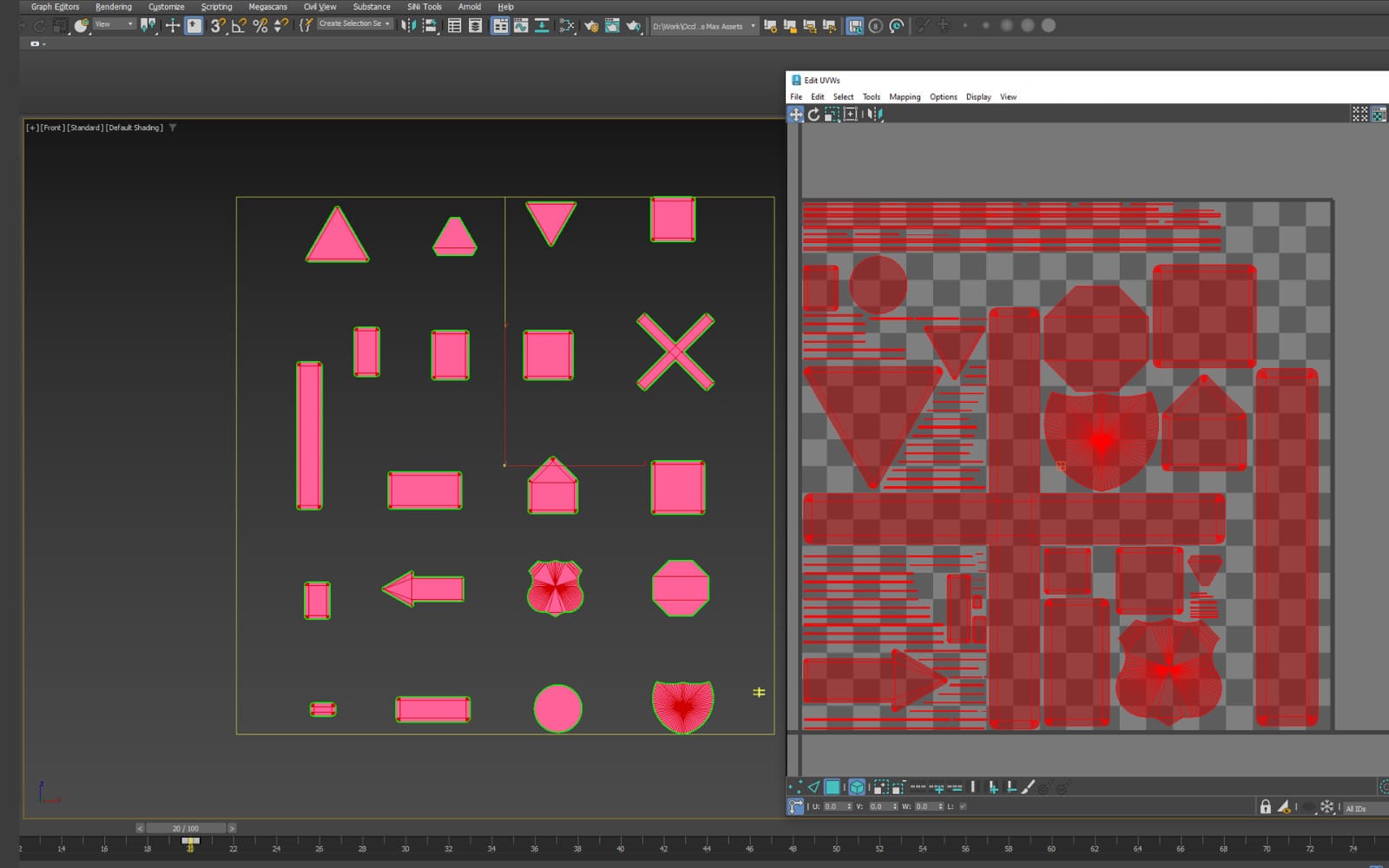
This tool allows you to select faces, verts or edges in the UV editor for 3ds max, and transfer that selection to the geometry itself. Great for creating LOD's
What you get: 1 file · 89.56 KB · MS
See purchase optionsProduct description
Keep your UV work intact. “3Ds Max - UV Selection Preservation” is a 3ds max script that lets you pick faces, verts, or edges inside the UV editor, then carry that same selection over to the actual geometry in 3ds Max. You get a cleaner workflow for mapping decisions and faster iteration when you build LODs.
Key features
Preserve that UV selection and transfer it to the geometry itself.
Use the transferred selection to streamline modeling steps that depend on UV-defined areas.
Helps you create LODs with less manual re-selection.
Why this workflow matters for LODs
LOD creation often requires you to work with specific regions repeatedly. This tool keeps your selection grounded in the UV editor, then moves it back to the geometry so you can apply changes to the exact faces, verts, or edges you marked in UV space.
Buy “3Ds Max - UV Selection Preservation” if you want to stop re-building the same selection after you switch from UV edits to geometry edits. It focuses on one job: preserving your UV selection and using it on the model, so you can move through LOD work with fewer back-and-forth steps.
What you get
Files: 1 .ms file (3Ds Max Script)
Size: 90kb
Tested On
3Ds Max 2023-2027
What you get
1 file · 89.56 KB
- CBG - UV Selection Preservation-V3.0.msMS · 89.56 KB
3ds Max Plugins & Scripts
3Ds Max - UV Selection Preservation
This tool allows you to select faces, verts or edges in the UV editor for 3ds max, and transfer that selection to the geometry itself. Great for creating LOD's
Included in Getly Pro
Download this and 7,800+ other products with one subscription, from $9.99 a month.
Join Getly ProTags
Frequently asked questions
Do I get access instantly?
Yes. This is a digital product - you can download it right after checkout, straight from your library.
Can I use it for commercial projects?
Yes. Commercial use is allowed: use it in your own business and in things you sell. You may not resell or redistribute the file itself.
What's your refund policy?
You can request a refund within 30 days. If something isn't right, request it from your order and the Getly team reviews it.
What file formats and sizes will I get?
You'll download 1 file - MS - 89.56 KB in total.
Do I get free updates?
Yes - when the seller ships a new version, you can re-download the latest files from your library at no extra cost. Check the changelog for recent updates.
Price
$5.00