Getly
Getly
By the end of this guide, you can ask a model for JSON or a markdown table with clear rules, test the result, and repair failures without rewriting the whole prompt. You will also know when a format instruction needs a schema, an example, or a separate validation step.
Start with the job, not the format
Write down the decision the output must support. A product catalog may need fields for name, price, category, license, and delivery format. A content audit may need one row per page with a title, word count, issue, and recommended action.
Then choose the smallest format that fits the job. JSON suits software, spreadsheets, databases, and repeatable workflows because each value sits inside a named field. A markdown table suits a human reader who needs to scan rows and columns. A paragraph suits explanation, but it creates extra work when someone needs to extract exact fields.
Give the model a single output job. If you ask for a table, a summary, three social captions, and a critique in the same response, the model must divide its attention between competing structures. Split those tasks into separate calls or ask for one JSON object with clearly named sections.
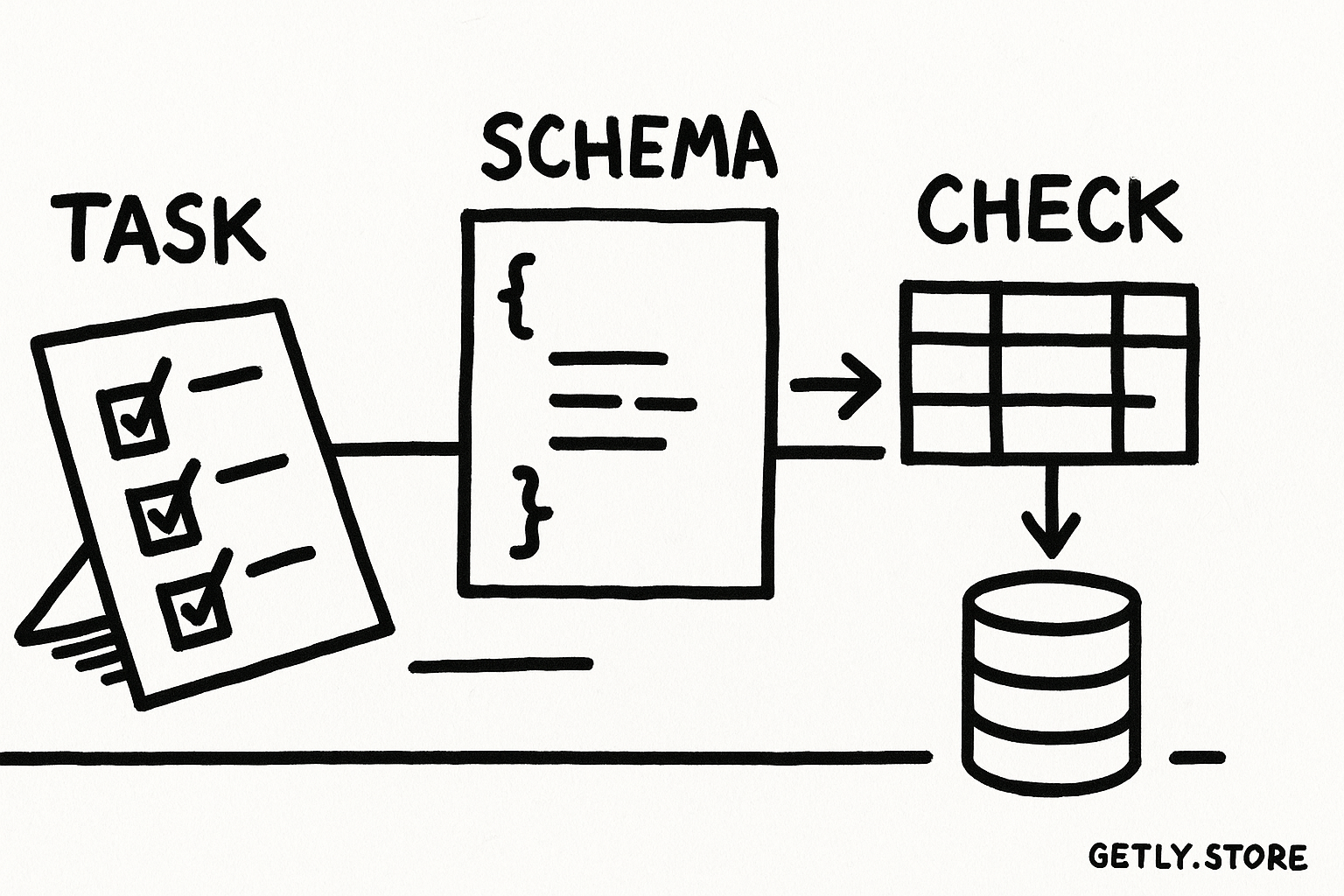
Name the task
State the decision or workflow that will use the result.
Choose the format
Use JSON for machines and markdown tables for visual comparison.
Define each field
Give every field a type, rule, and example where ambiguity could appear.
Check the result
Validate syntax first, then inspect meaning and completeness.
Build a JSON request that a parser can trust
JSON works best when you describe its shape before you request its contents. State the top-level type, field names, value types, required fields, and rules for empty values. Tell the model whether it should return an object, an array, or an object that contains an array.
For example, a product comparison request can use this contract:
Return one JSON object with this shape:
{
  "products": [
    {
      "name": "string",
      "price": "number",
      "currency": "string",
      "best_for": "string",
      "pros": ["string"],
      "cons": ["string"]
    }
  ]
}

Rules:
- Use a number for price, without a currency symbol.
- Use an ISO currency code such as USD.
- Use an array for pros and cons, even when each array has one item.
- Return valid JSON only. Do not add a preface or code fence.
This request removes several common choices. The model does not need to decide whether to write $19 or 19, whether one benefit should become a string or an array, or whether to wrap the response in commentary.
Use field descriptions for terms that carry business meaning. Define “best_for” with a useful boundary, such as “one customer type and one use case.” Define a price rule such as “use the listed base price, not a discounted price.” A type declaration alone cannot resolve those choices.
Ask for a small sample when you design the schema. Two or three records expose inconsistent field names, mixed number formats, and unclear empty-value rules before you connect the prompt to an automation.
Do
- Specify one root type and exact field names.
- Define numbers, dates, arrays, and empty values.
- Separate output rules from research or writing instructions.
Don't
- Ask for “clean JSON” without showing the shape.
- Mix camelCase, snake_case, and natural-language labels.
- Request JSON plus a paragraph outside the object.
Make markdown tables readable and stable
Markdown tables need fewer technical rules than JSON, but they need stronger decisions about columns. Each column should answer one question. A crowded table forces readers to parse paragraphs inside cells, and long cells make row comparisons difficult.
State the column order and row rule. “Create one row per product” prevents the model from combining similar products into one row. “Keep each cell under 18 words” encourages useful compression. “Use a blank cell for missing information” creates a consistent visual result, while a defined placeholder can help a later import process.
| Instruction | Why it helps | Example |
|---|---|---|
| One row per item | Stops the model from merging records | One row per digital product |
| Fixed column order | Keeps every row comparable | Name, format, audience, price |
| Short cell limit | Preserves scanability | Up to 18 words per cell |
| Defined missing-value rule | Prevents mixed placeholders | Use an em dash |
Ask the model to output the header separator with the correct number of columns. A row with an extra pipe character can split one cell into two. Pipe characters inside product names, URLs, or explanations create the same problem, so instruct the model to replace them with a slash or remove them.
Markdown tables cannot express every data type cleanly. Nested lists, multiple paragraphs, and long explanations belong outside the table. Keep the table for comparison, then ask for a short note below it if the reader needs context.
Understand why format instructions fail
Models generate likely text one piece at a time. They do not treat “return JSON” as a parser or compiler would. A model can follow the requested structure for most of a response, then add a friendly sentence, omit a quote, or close the wrong bracket.
Ambiguous words create another failure point. “Include the price” leaves the model to choose a number, a currency symbol, a range, or a sentence. “List the main benefits” leaves the item count and writing style open. Replace broad instructions with observable tests: “price must be a number in USD” and “benefits must contain two to four short strings.”
Conflicting instructions also damage format reliability. “Return valid JSON” conflicts with “explain your reasoning after the object.” “Use a compact table” conflicts with “include a detailed paragraph in every cell.” Put the format requirement last, and remove any instruction that asks for material outside that format.
Long inputs raise the chance of drift because the model must track more names, exceptions, and examples. Keep the contract short. Move stable rules into a reusable template, and send only the records needed for the current task.
Use examples as tests, not decoration
A good example demonstrates the difficult cases. Include a decimal price, an item with two categories, a missing field, and text that contains punctuation. Show the exact result you expect for each case. Avoid examples that contradict the written schema. The model will often imitate the example when the prose and example disagree.
Keep examples small enough for a reader to compare against the rules. One valid example and one edge case usually teach more than a large sample with no explanation.
Validate in two passes
Syntax validation answers one question: can a tool parse the output? It catches missing commas, unclosed brackets, invalid quotes, and extra commentary around JSON. A JSON parser or schema validator can perform this check before your workflow saves or publishes the result.
Meaning validation answers a different question: does the content follow the contract? Check required fields, allowed categories, number ranges, date formats, row counts, and duplicate records. A response can parse perfectly while assigning the wrong category or inventing a price.
Use a repair loop that sends the smallest useful error back to the model. Quote the failing path and rule: “products[2].price must be a number, but the response contains from $19. Return the corrected JSON object only.” A targeted repair gives the model less room to change valid fields.
Ask for a fresh complete object when your software needs a complete object. Ask for a JSON Patch or a list of field changes only when your workflow explicitly supports partial updates. Mixing those two repair styles can overwrite good values or create duplicate records.
Run a repeatable prompt workflow
Save the prompt contract with the workflow that consumes it. Record the model output, the validation errors, and the final correction during testing. This record helps you improve the rule that caused the failure instead of adding random extra instructions.
Test ordinary cases and boundary cases. Include an empty result, a long product name, a duplicate item, a price with decimals, and a value containing a quotation mark. Test the same prompt several times when consistency matters. If one run produces an array and another produces an object, tighten the root-type instruction and add a matching example.
Keep the format separate from quality criteria. First require valid JSON or a fixed table. Then define accuracy, tone, length, and source rules. This separation makes each failure easier to diagnose and lets you change the writing brief without breaking the parser contract.
| Check | Question | Action after failure |
|---|---|---|
| Root structure | Did the response use the requested object, array, or table? | Clarify the root shape and remove extra output requests |
| Field types | Did each value use the required type? | Add a type rule and a counterexample |
| Required values | Did every record include the fields the workflow needs? | List required fields and the empty-value policy |
| Meaning | Does each value match the stated business rule? | Send the exact field error for targeted repair |
Common mistakes
- Relying on “format exactly.” Replace the vague command with a schema, fixed columns, and a valid example.
- Changing field names mid-prompt. Pick one spelling and repeat it in the schema, rules, and example.
- Accepting prose around JSON. Tell the model to return the object only, then reject any response that contains text outside the object.
- Using a table as a database. Move detailed notes and nested information into JSON or separate prose.
- Repairing without an error path. Name the exact field, expected type, and invalid value.
- Adding more instructions after every failure. Find the ambiguous rule, rewrite it as a test, and remove contradictions.
TL;DR
Define the task before choosing JSON or a markdown table. Describe the exact shape, names, types, row rules, and missing-value policy. Use difficult examples to expose ambiguity. Validate syntax and meaning in separate passes, then repair only the field that failed. Format instructions work best when your prompt gives the model a contract that another tool can check.
Frequently asked questions
Should I ask for JSON or a markdown table?
Ask for JSON when software, a spreadsheet, or an automation will process the result. Ask for a markdown table when a reader needs to compare a small set of records on screen.
Why does a model add text around valid JSON?
The model may interpret a helpful preface or closing note as part of the conversation unless you request the object only. Remove conflicting requests and validate the complete response before parsing it.
What should I include in a JSON schema prompt?
Include the root type, exact field names, value types, required fields, allowed values, empty-value policy, and rules for dates, prices, arrays, or other ambiguous fields.
How can I fix one invalid field without changing the whole result?
Send the exact field path, the expected type or rule, and the invalid value. Request the smallest correction your workflow supports, such as a corrected complete object or a defined patch.