Getly
Getly
By the end of this guide, you can decide when an expert role improves an AI task, write a role prompt that changes the work, and test the result against a plain prompt. You can also separate useful expertise cues from decorative phrases that add confidence without adding quality.
The method works for product descriptions, customer replies, lesson plans, design briefs, research summaries, and other digital-product workflows. You will build the task first, add a role only where it changes the task, then review the output against criteria you can inspect.
Start with the job, not the title
Write the task in one sentence before you choose a role. “Write five Instagram replies for customers asking about delivery times” gives the model a job, an audience, and an output. “Act as a marketing expert” gives it a costume.
A useful role supplies a point of view that fits the task. A conversion copywriter may focus on clarity, objections, and a next step. A curriculum designer may focus on learning goals, sequence, and practice. A legal reviewer may flag risky claims, but that role does not turn a generated answer into legal advice.
Ask what decisions the role should influence. If you cannot name a decision, remove the role and use a direct instruction instead. “Use plain language, mention the delivery window, and end with one question” gives the model observable work to perform.
Do
- Name the audience, outcome, format, and limits.
- Describe the expert’s review criteria.
Don't
- Stack titles such as “world-class, elite, genius strategist.”
- Expect a title to supply missing facts or judgment.
Know what an expert role can change
A role prompt can steer attention. It can tell the model to inspect a sales page for objections, a code explanation for beginner mistakes, or a product tutorial for missing steps. The role works when the task contains a real professional lens.
A role prompt cannot create private experience, verify current facts, inspect a file you have not shared, or guarantee a correct answer. “Act as a certified accountant” does not provide your tax records. “Act as a doctor” does not provide an examination. “Act as a trend forecaster” does not prove a prediction.
Use role language as a compact quality brief. Replace status claims with actions:
- “Review this product page like a conversion copywriter. Identify the buyer’s hesitation, then rewrite the opening with one concrete benefit.”
- “Review this worksheet like a primary-school teacher. Mark instructions that a learner could misread, then rewrite them in shorter steps.”
- “Review this prompt like a test editor. Find ambiguous requirements and list one test for each requirement.”
Each version tells the model what to notice and what to return. The title supports the instruction, but the instruction carries the task.
Spot the placebo
Role prompting becomes a placebo when the wording sounds authoritative but leaves the work unchanged. You can detect that effect with a simple comparison. Run the same task once with a plain prompt and once with the proposed role. Keep the source material, output format, and constraints identical.
Then compare specific qualities. Did the role version find a different risk? Did it use the requested structure more consistently? Did it make a recommendation that follows the named professional lens? If both outputs make the same errors and follow the same reasoning, the role probably added little.
Do not judge the role by tone. A response can sound more polished while missing the buyer’s actual concern. Score the output against criteria such as factual support, audience fit, completeness, and instruction compliance.
These percentages form a practical review budget, not a research finding. Spend most of your attention on the task, source material, and constraints. Treat the role as a smaller steering layer.
Build a role prompt that earns its place
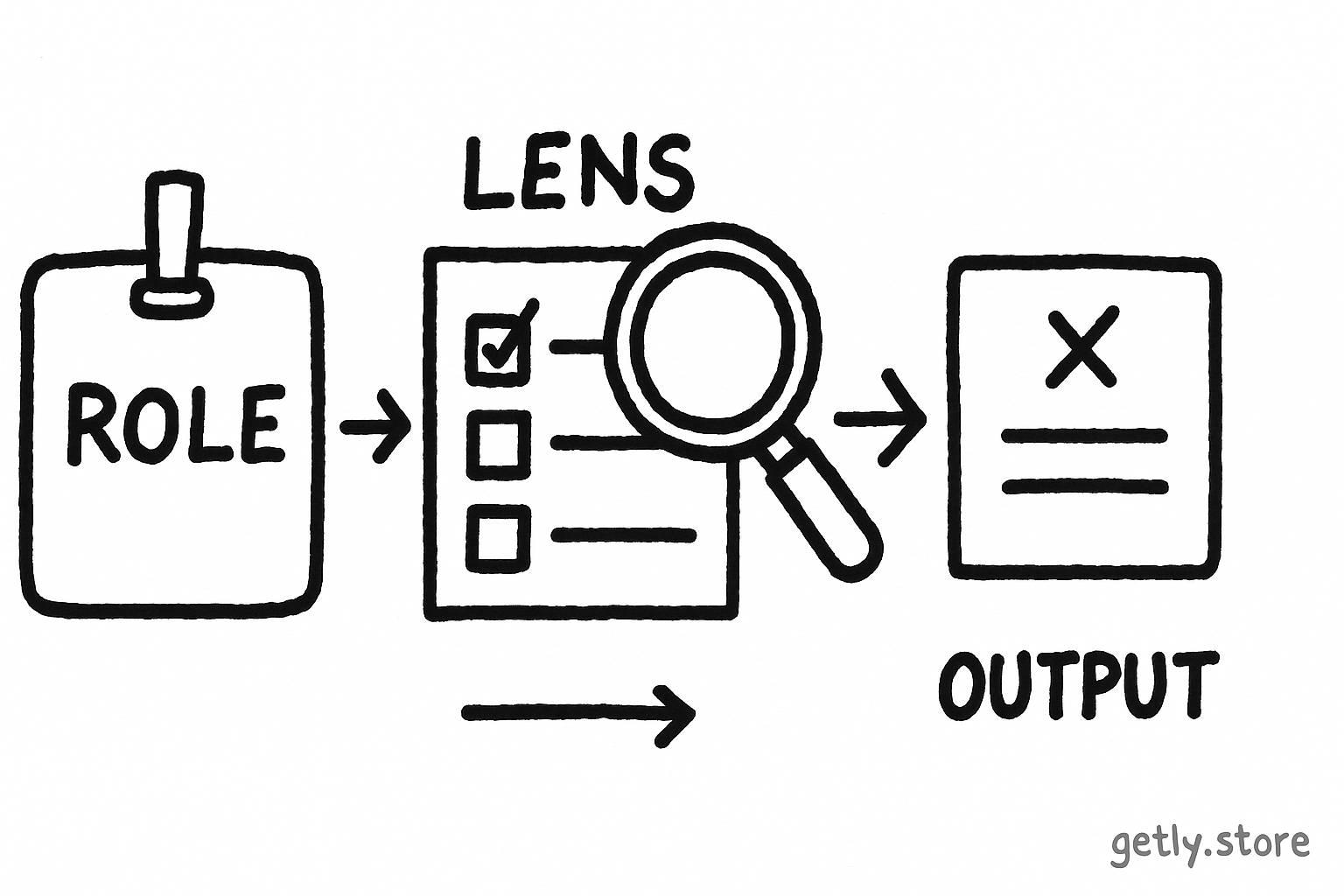
Use five parts when a role fits the job. You can shorten the prompt after you confirm that each part affects the output.
- Role: Name one relevant practice, such as “conversion copywriter” or “instructional editor.”
- Situation: Explain the product, audience, stage, and purpose. Include the source text or attach the material the model must inspect.
- Lens: State the professional questions. Ask a copywriter to check promise, proof, objections, and next step.
- Output: Set the format, length, number of options, and order. A table, numbered list, or revised draft gives you something easy to inspect.
- Boundaries: Tell the model what it must not invent and what it should flag. Ask it to mark unsupported claims instead of filling gaps.
Here is a reusable pattern:
“Act as a [relevant practitioner]. Review [material] for [audience] who want [outcome]. Check [two or four professional criteria]. Return [format]. Use only the supplied facts, flag unsupported claims, and explain each change in one sentence.”
For a digital product, you might write: “Act as an ecommerce copywriter. Review this product description for beginner creators buying a social-media template pack. Check whether the promise, included files, use case, and next step appear clearly. Return a revised description followed by four flagged claims. Use only the supplied product details.”
The phrase “use only the supplied product details” creates a review boundary. It does not make the model infallible, so you still check the description against the actual files and offer.
Define the outcome
State what a finished answer must help the reader do.
Choose the lens
Select one practitioner whose criteria match the decision.
Add evidence
Supply the source text, examples, audience details, and product limits.
Specify the return
Request a format that lets you compare and edit the answer.
Test the role
Compare the role prompt with a plain prompt using the same scoring criteria.
Use role prompts in a repeatable workflow
Start with a plain version of the task. Save the output and note two or four defects. Then add the role and professional lens. This order shows you what the role changed instead of letting a confident first answer set your expectations.
Next, ask for a critique before a rewrite. A critique exposes the model’s criteria, while a rewrite can hide weak reasoning behind smooth prose. For a product page, request a table with four columns: claim, evidence in the source, buyer concern, and recommended change. After that review, request the revised copy.
Use examples when you need a house style. Give one approved reply and one reply that fails, then explain the difference. A role such as “brand voice editor” can help the model apply those examples, but the examples carry the specific voice.
Finish with a human check. Confirm prices, file types, access instructions, licenses, measurements, dates, and claims against the product itself. Creators can use this step before publishing a listing. Buyers can use it before relying on a generated summary or adapting a purchased asset.
Match the role to the decision
Choose a role based on the decision you need to make, not the prestige of the title. A product creator might use these pairings:
- Buyer clarity: conversion copywriter. Check promise, proof, objections, and next action.
- Teaching quality: instructional designer. Check learning goal, sequence, examples, and practice.
- Visual direction: art director. Check hierarchy, audience fit, contrast, and consistency against a supplied brief.
- Support replies: customer-care editor. Check empathy, directness, policy boundaries, and escalation points.
A creator selling social-media templates could ask a conversion copywriter to improve a sales page, then ask a customer-care editor to draft replies about file access. The two roles should not share one giant prompt. Separate tasks produce cleaner criteria and make errors easier to trace.
For routine drafting, skip the role when direct constraints already cover the need. “Write six replies, each under 35 words, with one answer and one next step” may outperform “act as a customer-service expert” because the first instruction defines the output precisely.
Common mistakes and a practical test
Creators often confuse authority with evidence. A prestigious role can encourage a fluent answer, but fluency does not verify a product claim. Supply the source material and request claim flags.
Buyers often ask one role to solve unrelated problems. A “senior business expert” may write copy, estimate demand, judge design, and give financial advice in one pass. Split those jobs and give each one a suitable lens.
Both groups can over-specify the persona. A biography full of awards, years, and grand adjectives consumes attention without defining a useful action. Keep the role to the practice and the review criteria.
Many prompts skip the comparison. Run a plain prompt and a role prompt. Give each answer the same five-point score for accuracy, audience fit, completeness, instruction compliance, and useful specificity. A role earns its place when it improves a criterion you care about without creating new unsupported claims.
Keep the stronger prompt as a template. Remove any line that fails to affect the score. That habit turns role prompting into a small experiment instead of a superstition.
TL;DR
- Write the job before naming an expert.
- Use one role when its professional lens changes what the model should inspect.
- Replace status language with criteria, evidence, boundaries, and an output format.
- Compare a plain prompt with the role version on the same task.
- Verify factual claims, product details, and safety-sensitive advice yourself.
Frequently asked questions
Does saying “act as an expert” give an AI expert knowledge?
No. The phrase can steer attention toward a professional viewpoint, but it cannot supply private experience, missing evidence, current verification, or guaranteed judgment.
When does role prompting help?
Role prompting helps when a task needs a specific lens, such as checking sales copy for buyer objections or checking a lesson for sequence and practice. Name the lens and the actions you want the role to perform.
How can I tell if a role prompt acts as a placebo?
Run the same task with and without the role. Keep the source material, format, and constraints unchanged. Score both outputs for accuracy, audience fit, completeness, instruction compliance, and useful specificity.
Should I use several expert roles in one prompt?
Use separate prompts for unrelated decisions. A copywriter, visual reviewer, and customer-care editor apply different criteria, so separate reviews make their recommendations easier to judge and apply.
What should creators verify after an AI role prompt produces copy?
Check prices, file types, included items, access instructions, licenses, dates, measurements, and every factual claim against the actual product and offer before publishing.