Getly
GetlyBusiness & Money
Freelancer Finance Tracker — Notion Budget Template | Income, Expenses, Invoices & Client CRM for Self-Employed
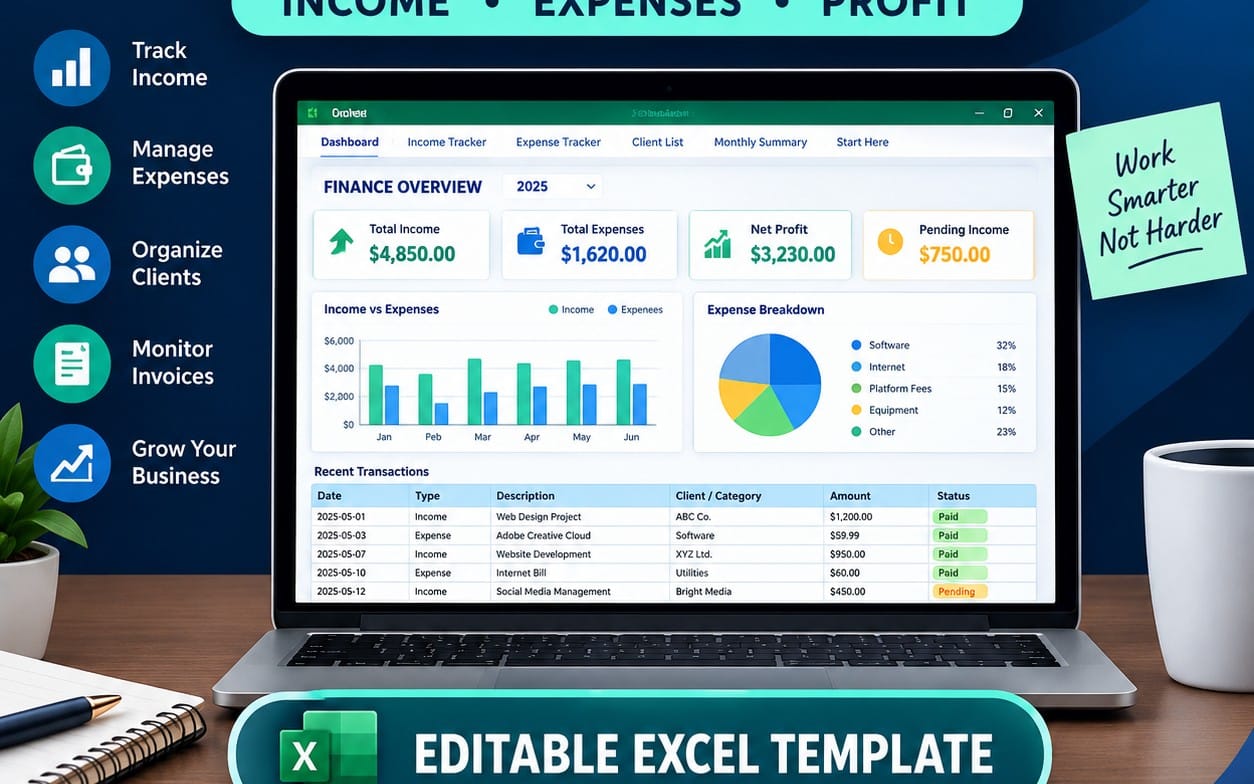
Stop juggling spreadsheets. Run your entire freelance money system from one connected Notion hub — income, expenses, invoices, clients, goals & subscriptions. Set up in under 5 minutes.
What you get: 1 file · 200 Bytes · TXT
See purchase optionsProduct description
💼 FREELANCER FINANCE OS
7 connected sections. Built for freelancers
who are done tracking money in 3 different places.
──────────────────────────────────
❌ SOUND FAMILIAR?
• Your income is in one spreadsheet
• Your expenses are in another
• Invoices are buried in your email
• You have no idea which clients
are actually worth your time
• Subscriptions renew and you
only notice when the charge hits
• Tax season means a full weekend
of digging through old receipts
This template fixes all of that.
In one workspace.
──────────────────────────────────
✅ WHAT'S INSIDE
─ 🏠 HOME DASHBOARD ─
The first thing you see every time
you open the workspace.
Your monthly income, expenses, and
net profit — all calculated automatically
from the other sections.
No manual entry on the dashboard itself.
It just updates.
─ 💰 INCOME TRACKER ─
Log every payment with:
• Client (linked to your Client database)
• Amount
• Date received
• Category (freelance / product / other)
• Status (received / pending / overdue)
• Monthly label (auto-calculated by formula)
Filter by month. Group by client.
Group by category.
See what's paid, what's pending,
and what's late — at a glance.
─ 💸 EXPENSE TRACKER ─
Every expense logged with:
• Description
• Amount
• Date
• Category (15 built-in:
tools / software / education /
transport / food / rent /
bills / marketing / domain & hosting / other)
• Payment method (card / cash / crypto)
• Receipt upload
• Tax-deductible checkbox (one click —
for tax season)
No more guessing what you spent money on
or scrambling for receipts in March.
─ 🧾 INVOICE MANAGER ─
Every invoice tracked with:
• Invoice number (INV-001 format)
• Client (linked to Client database)
• Total amount
• Issue date
• Due date
• Status (paid / pending / overdue)
• Amount paid
• Balance remaining (formula — automatic)
• Overdue flag (formula — automatic)
The template detects overdue invoices
for you. No manual checking.
If today is past the due date
and status isn't "paid,"
it flags it automatically.
─ 👥 CLIENT TRACKER ─
Every client stored with:
• Name, email, phone, website
• Status (active / inactive / lead)
• Total revenue from this client
(auto-calculated from Income Tracker)
• Number of projects
(auto-calculated from Income Tracker)
• Last worked date
• Notes
You'll know in 10 seconds
who your most valuable clients are.
No calculating. No guessing.
─ 🎯 FINANCIAL GOALS ─
Set any savings or purchase goal with:
• Goal name
• Target amount
• Amount saved so far
• Visual progress bar
(fills automatically as you update savings)
• Target date
• Priority (urgent / important / long-term)
The progress bar uses a formula
to show exactly how close you are.
No manual updates needed —
change the "saved" number
and the bar moves.
─ 🔄 SUBSCRIPTION TRACKER ─
Every recurring payment logged with:
• Service name
• Monthly cost
• Renewal date
• Billing cycle (monthly / quarterly / yearly)
• Active checkbox
• Category (work / personal)
• Annualized cost (formula — automatic)
See the total you're spending on
subscriptions every year.
Most freelancers are surprised
by this number.
─ 📋 MONTHLY REVIEW ─
One entry per month containing:
• Total income (linked from Income Tracker)
• Total expenses (linked from Expense Tracker)
• Net profit (calculated automatically)
• Profit margin % (calculated automatically)
• Best client this month
• Biggest expense category
• What went well
• What needs to improve
• Goal for next month
Close the month in one page.
See the full picture in one view.
──────────────────────────────────
⚙️ HOW IT'S CONNECTED
Every database talks to the others.
Income Tracker → links to → Client Tracker
Invoice Manager → links to → Client Tracker
Client Tracker → pulls from → Income Tracker
Monthly Review → pulls from → Income + Expenses
Dashboard → pulls from → everything
Add a payment once.
Your client's total revenue updates.
Your monthly profit updates.
Your dashboard updates.
You never enter the same number twice.
──────────────────────────────────
🔥 [GET FREELANCER FINANCE OS →]
──────────────────────────────────
💰 WHAT THIS REPLACES
Tool Monthly Annual
─────────────────────────────────────────────
QuickBooks Self-Employed $30/mo $360/yr
FreshBooks (Lite) $19/mo $228/yr
Invoice tracking app $10/mo $120/yr
─────────────────────────────────────────────
Total $59/mo $708/yr
Freelancer Finance OS $39 once
forever no renewals
──────────────────────────────────
🔥 [START TRACKING YOUR MONEY →]
──────────────────────────────────
📦 WHAT YOU GET
✅ Complete Notion template
— ready to duplicate in one click
✅ All 8 sections fully built
✅ All databases, relations,
formulas, and views pre-configured
✅ 15 expense categories pre-loaded
✅ Sample data included
— see it working immediately
— delete in one click when ready
✅ Quick Start Guide inside the template
✅ Lifetime access to updates
Setup:
Duplicate → delete sample data →
log your first entry.
Under 5 minutes.
──────────────────────────────────
👤 THIS IS FOR YOU IF:
✅ You're a freelancer, consultant,
or contractor with variable income
✅ You track money in more than one place
✅ You want to know which clients
are actually profitable
✅ You lose time every month
reconciling income and expenses
✅ Tax season stresses you out
because your records are scattered
This is NOT for large teams,
multi-user accounting, or tax filing.
──────────────────────────────────
💳 PRICING
⭐ PRO — $39 (one-time)
Complete template.
All 8 sections.
All formulas.
All views.
Lifetime updates.
Pay once. Use forever.
──────────────────────────────────
❓ FREQUENTLY ASKED QUESTIONS
Q: Do I need a paid Notion plan?
A: No. Works fully on Notion's free plan.
Q: How do I get the template?
A: After purchase you receive a
duplicate link. Click it and the
entire workspace copies into
your own Notion account instantly.
Q: Can I edit it?
A: Yes. Every database, category,
formula, and view is fully editable.
Q: Is there a refund policy?
A: Because the template is delivered
instantly via duplicate link,
all sales are final.
Q: Will I get future updates?
A: Yes. All updates are included
free for life.
Q: Does it work for non-freelancers?
A: Yes. Contractors, consultants,
creators, and anyone with variable
income use it successfully.
Q: Does it file my taxes?
A: No. It organizes your numbers
and flags deductible expenses.
You still file taxes yourself
or with your accountant —
but your records will be clean
and ready.
Q: Can I use it in any currency?
A: Yes. The number fields work
with any currency.
Many users track in USD, EUR,
GBP, or local currency.
──────────────────────────────────
🔥 READY TO SEE WHERE YOUR MONEY GOES?
One click to duplicate.
Under 5 minutes to set up.
Every number connected from day one.
[GET FREELANCER FINANCE OS — $59→]
Pay once. No subscription. No renewals.
Works on Notion Free.
What you get
1 file · 200 Bytes
- Notion links.txtTXT · 200 Bytes
Business & Money
Freelancer Finance Tracker — Notion Budget Template | Income, Expenses, Invoices & Client CRM for Self-Employed
Stop juggling spreadsheets. Run your entire freelance money system from one connected Notion hub — income, expenses, invoices, clients, goals & subscriptions. Set up in under 5 minutes.
Included in Getly ProGet Pro
Tags
Frequently asked questions
Do I get access instantly?
Yes. This is a digital product - you can download it right after checkout, straight from your library.
Can I use it for commercial projects?
Personal use only. Use it for yourself - not in work you sell or hand to a client - and do not resell or redistribute the file.
What's your refund policy?
You can request a refund within 30 days. If something isn't right, request it from your order and the Getly team reviews it.
What file formats and sizes will I get?
You'll download 1 file - TXT - 200 Bytes in total.
Do I get free updates?
Yes - when the seller ships a new version, you can re-download the latest files from your library at no extra cost. Check the changelog for recent updates.
Price
$22.00