Getly
Getly
Spring is the season of color and contrast, and 2026 brings sharper, more creative editing tools to accelerate your workflow. Whether you shoot portraits, landscapes, or stock photography assets 2026, the right Lightroom presets and LUTs can transform your images in minutes without losing nuance.
In this guide, you’ll discover the top 10 Lightroom presets and LUTs for spring photography in 2026, plus practical tips to combine them with templates, stock assets, and Getly Pro for unlimited downloads. Ready to level up your edits and speed up your publishing cycle? Let’s dive in.
Lightroom presets 2026 for Spring Photography
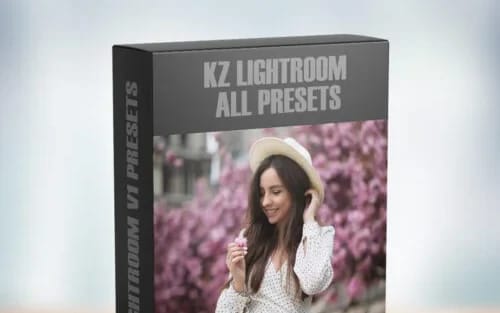
During 2026, creators increasingly lean on curated Lightroom presets to reproduce consistent spring moods-from airy mornings to blooming florals. The secret isn’t just color; it’s controlled contrast, tone mapping, and color grading that respects skin tones and foliage alike. The top picks below emphasize two core spring vibes: bright, uplifting scenes and nature-inspired tones that enhance greens and petal pinks without oversaturation.
To test a few in your own library, start with a short-list of 2–3 packs and rotate them by subject. For fast experimentation, you can preview edits with visual search to see how the tones look on different crops and lighting. If you’re browsing for a ready-made bundle, you’ll also find these presets on the Lightroom presets 2026 collection page.
Bright, airy spring palettes
The Bright, airy palette is designed to lift shadows slightly and boost clean whites, making landscapes and portraits feel fresh. Use it for sunlit mornings, garden shoots, and cheerful stock scenes that demand optimism. This vibe pairs well with gentle vignettes and subtle split-toning to keep skies believable rather than flat.
Implementation tip: combine a preset from the Bright family with a soft, cool white balance to avoid yellowish highlights in sunsets. You can explore a dedicated set for this mood in the Spring 2026 presets, and you might also check out related color packs like the Spring Colors Pack for extra versatility.
Earthy greens and floral tones
Another strong direction for spring shoots is earthy greens with floral accents. These presets emphasize natural foliage, wood textures, and flower petals, while keeping skin tones intact and avoiding oversaturation. It’s ideal for outdoor scenes, weddings, and nature-focused stock photography assets 2026 that need a grounded, authentic look.
Pro tip: pair green-forward presets with a slightly raised luminance on greens to prevent foliage from looking flat. For instant access, grab a tested combo from the Lightroom presets 2026 catalog and, if you want more, browse the broader palette options at browse Getly.
Pro tip: If you edit many images at once, save an adjustment preset as a base and apply individualized tweaks later. This keeps your spring look consistent while preserving subject-specific detail.
LUTs for photography 2026 to boost color science
Look-up Tables (LUTs) are a powerful companion to Lightroom presets, translating your color decisions into consistent, repeatable results across devices and screens. In 2026, LUTs for photography focus on preserving skin tones while enhancing greens, sky gradients, and floral hues. They’re particularly valuable for edgier lookbooks, outdoor campaigns, and stock image pipelines where speed matters.
When pairing LUTs with a preset, remember the synergy: presets streamline tonal balance, LUTs refine the color pipeline. Start with a base preset you trust and apply a LUT designed for spring’s light profiles. Check the LUTs for photography 2026 collection for tested combinations that work across camera profiles, from RAW to JPEG exports.
Cinematic spring LUTs
Cinematic LUTs bring a filmic warmth to spring scenes, adding soft contrast and nuanced shadows that resemble mid-contrast film stock. They work well for outdoor portraits and travel photography used in stock libraries that require a cinematic edge without sacrificing realism.
Tip: apply a subtle LUT to the shadows to preserve detail in shaded garden corners and under-leaf textures. If you’re not sure where to begin, explore some pre-bundled cinematic kits available on Getly and compare them using the compare products feature to pick the best fit for your subject matter.
Natural daylight LUTs
Natural daylight LUTs aim to preserve the integrity of sunlight-cool morning light, neutral midday, and warm golden-hour tones-without introducing artificial color shifts. They’re excellent for images that will live in stock marketplaces where consistent color fidelity matters across devices.
For a fast win, try a daylight-focused LUT and combine it with a warm highlight tweak to make petals glow rather than appear flat. You can find ready-to-use daylight LUTs in the LUTs for photography 2026 collection and test them on a sample batch before committing to a full shoot set.
Warning: LUTs can dramatically shift color if your exposure is off. Always start with a calibrated histogram and review skin tones first to avoid color-bleed issues across your audience.
Photo editing templates 2026 for spring campaigns
Templates save you time without sacrificing customization. Photo editing templates 2026 focus on batch-processing workflows that are especially useful for spring campaigns, social media bursts, and stock photo releases. These templates integrate seamlessly with Lightroom presets and LUTs, delivering repeatable edits for large batches while leaving room for final polish on standout images.
Template-driven workflows also help you scale. If you often deliver 200–500 images per project, templates reduce the grind while ensuring brand consistency. Explore template bundles that fit your niche-portraits, landscapes, product shoots, and seasonal campaigns.
Template packs for social and stock
Social-ready templates optimize aspect ratios, sharpening, and color balance for platforms like Instagram, Pinterest, and stock marketplaces. They are ideal when you want a cohesive feed or a consistent catalog appearance across a portfolio. Look for templates that include export presets for multiple resolutions and file sizes.
Recommended starting point: pick a template pack that supports both Lightroom and Photoshop or a bundled set that includes export settings for social crops. For a quick jump, explore the photo editing templates 2026 catalog and try a few layouts with a sample of your spring shots.
Workflow automation for spring shoots
Automation reduces repetitive steps, enabling you to focus on composition and storytelling. Use templates to predefine color grading and sharpening, then apply them across batches of images from a single shoot. With automation, your post-production timeline can shrink from days to hours, which matters when you’re delivering time-sensitive spring campaigns.
Bonus: integration with the Getly API and developer hub lets you customize automation rules, access the rest API, and automate exports directly to your preferred cloud drive. See the developer hub for setup guidance and example scripts.
Success story: A lifestyle photographer reduced editing time by 40% after adopting a spring-focused editing template kit and LUT + preset workflow. You can replicate this efficiency by pairing templates with the right presets and LUTs in Getly Pro for unlimited downloads.
Stock photography assets 2026 to streamline editing
Stock photography assets 2026 are the accelerants you need when tight deadlines collide with creative ambition. From scene-relevant textures to background plates and subtle overlays, stock assets help you fill gaps in composition, color, and lighting while preserving the spring mood across the entire catalog.
When selecting assets, consider how well they complement your presets and LUTs. A greens-forward asset pack works nicely with earthy tones, while floral overlays can add depth to garden portraits without overwhelming the subject.
Before/after showcases using assets
View real-world before/after examples to understand how stock assets transform raw captures into ready-to-publish images. The best showcases reveal how a single asset-like a meadow texture or a soft bloom overlay-can elevate an entire shoot lineup.
If you’re curious about practical results, visit the stock asset pack pages such as Stock Photography Assets 2026 and compare them against your current edits with comparison tools.
How to choose assets for weddings and nature
Weddings demand reliable skin tones and flattering color science, while nature shoots benefit from textures and overlays that enhance detail without overprocessing. Create a short list of 3–5 asset types you know you’ll use most-textures for close-ups, overlays for sky drama, and background plates for composite scenes-and test them against your go-to presets.
Tip: curate a dedicated spring-collection folder in Getly to keep assets organized. You can also explore bundled stock packs that align with your preferred look on the browse Getly page and pin favorites for quick access.
Common mistake: mixing too many edits with stock overlays can produce an unnatural look. Use assets sparingly and rely on a base preset + LUT as your controlling layer.
Spring photography presets: bundles and value on Getly
Spring photography presets are at the heart of modern workflow efficiency. Bundles on Getly group related looks-such as bright daylight, golden hour, and floral greens-so you can switch moods without reinventing the wheel. Bundled options also reduce licensing friction and help you plan seasonal marketing calendars with confidence.
One of the biggest benefits of bundles is the value. Creators keep 80% of revenue on Getly, which means better margins when you buy in bulk and apply across multiple shoots. If you’re a creator, you’ll appreciate how the bundles are structured for multi-license usage and flexible terms. 80% of revenue goes to the creators-an inviting incentive to publish your own spring-ready sets on Getly.
Curated bundles
Curated bundles pull together the most compatible presets, LUTs, and templates for spring projects. They’re designed for quick deployment-simply download, apply, and adjust for your subject. Look for bundles that explicitly mention compatibility with stock photography assets 2026 for a smoother end-to-end workflow.
To start exploring, visit the Spring Colors Preset Pack and other curated bundles on browse Getly. If you’re curious about revenue opportunities, explore the affiliate marketplace to earn by sharing top kits with your audience.
Multi-license options
Licensing is as important as the edits themselves. Look for bundles that offer multi-license options-personal, commercial, and extended commercial-so you can reuse edits across multiple client projects without renegotiating terms. This flexibility is essential for agencies, freelancers, and stock producers who want scalable workflows in 2026.
For those exploring monetization strategies, you can promote bundles via the affiliate program and earn commissions on referrals. If you’re ready to take the plunge, start selling on Getly and publish your own spring-themed asset collections that benefit from the platform’s powerful search features.
Success note: A wedding photographer combined a 3-pack of spring presets with LUTs and templates, delivering a complete post-production kit that shaved hours off editing while maintaining consistent branding for an entire season.
Maximize impact with Lightroom presets, LUTs, and photo editing templates 2026
To stay ahead in 2026, combine your Lightroom presets and LUTs with a robust set of photo editing templates. Templates help you standardize exports, create social-ready crops, and deliver finished imagery to clients or stock platforms with minimal tweaks. The most effective creators maintain a modular approach: a base editing stack (preset + LUT), plus templates for export and social distribution.
In practice, a typical spring workflow might look like: import RAWs → apply a base preset → refine with a spring LUT → batch-export using a social-template → review one or two standout images for tweaks. This approach keeps your process fast, consistent, and scalable, while still allowing room for creative variation where it matters most.
Leverage AI-powered search and visual search
Getly’s AI-powered search and visual search capabilities help you locate the perfect preset, LUT, or template in seconds. If you’re working on a tight deadline or need to align with a specific client brief-say a garden campaign with pastel florals-visual search can surface the exact look you need across your entire catalog.
Pro tip: use the visual search results to assemble a cohesive spring edit suite and then lock in a set of favorites for rapid delivery. If you want to scale your catalog, combine this with the Getly API and integrate search results into your own products or client portals via the developer hub.
Automation and licensing
Automation isn’t just about speed-it’s about predictable outcomes. Use auto-generated invoices for clients, bundle licensing data with your exports, and ensure consistent usage rights across campaigns. For developers, the REST API makes it possible to customize workflows, check licensing statuses, and automate delivery to customers or collaborators.
Try a test run with a small batch of spring images and monitor how the automation affects turnaround times. The Getly Pro catalog (/pro/browse) offers unlimited downloads that can support large seasonal projects without hitting personal download limits.
“Spring photography in 2026 is less about chasing the perfect preset and more about building a reliable, scalable workflow that respects color science and client needs.”
Tip: keep a “spring vault” of go-to edits and templates, so you’re always ready to respond to seasonal briefs with confident, high-quality results.
- Use a mix of Lightroom presets 2026 and LUTs for consistent spring tones across your portfolio.
- Combine templates with automated export workflows to save hours per project.
- Leverage Getly Pro for unlimited downloads and fast access to a broad catalog.
- Explore stock photography assets 2026 to quickly fill gaps and maintain a cohesive spring aesthetic.
Ready to put these ideas into action? Browse the Getly catalog for Lightroom presets 2026, LUTs for photography 2026, and photo editing templates 2026, then pair them with stock photography assets 2026 to create a powerful spring-ready catalog. If you’re considering monetization or partnerships, check out the affiliate program and referral program to grow your revenue alongside your portfolio. For more resources, you can also explore the marketplace requests to request specific assets that match your spring vision.
And if you’re ready to take the next step in publishing and licensing, learn how to start selling on Getly or upgrade to Getly Pro for the full suite of tools, including advanced analytics, A/B testing for product listings, and a developer API for custom integrations.