Getly
Getly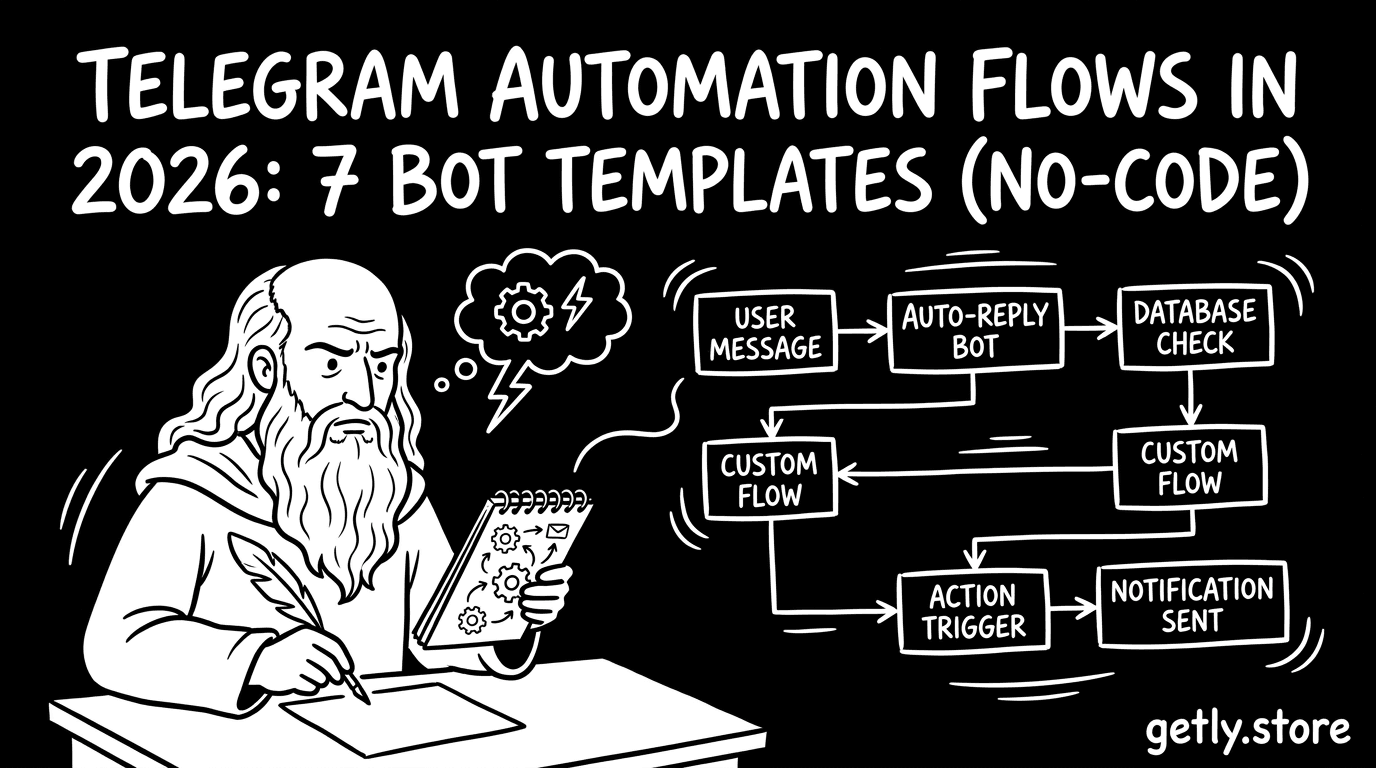
Telegram stays one of the fastest ways to turn “a chat” into a working system: lead capture, payments, onboarding, reminders, support triage. In 2026, the creators who win build clear telegram automation flows and then package them as reusable telegram bot templates buyers can deploy without months of development.
This guide gives you 7 production-style flow patterns (each mapped to a telegram mini app template angle) and a checklist for how to sell telegram bot templates that actually match buyer outcomes.
- You build stronger telegram automation flows by defining triggers, states, and handoffs (not just “commands”).
- 7 templates below cover the most purchased use cases: support, onboarding, lead gen, reservations, quizzes, content delivery, and ops.
- No-code telegram bot templates sell best when you include onboarding steps, sample data, and clear license usage.
- Package templates as telegram mini app template bundles when your buyer needs a UI surface in-chat.
What is a telegram automation flow in 2026?
A telegram automation flow is a repeatable sequence of events that moves a user from a starting action to a completed outcome inside Telegram. You design it around triggers (messages, button taps, form answers), decision points (tags, filters, rules), and next steps (assign a role, send a resource, start a workflow).
In 2026, buyers expect templates to include the “glue” around the bot: form questions, state tracking, admin views, and the handoff from conversational input to a clear action. If your flow only reacts to commands, you will ship a bot. If your flow guides users through a process, you ship automation.
Flow components buyers look for
Most buyers judge a telegram bot template by how quickly they can get a working result. You can speed that by making the flow visible and modular. Break the bot behavior into small blocks: entry, qualification, data capture, confirmation, fulfillment, and support.
- Trigger layer: /start, inline buttons, callback data, keywords.
- State layer: where the user sits in the conversation.
- Data layer: what fields you collect, validate, and store.
- Rules layer: routing logic (tags, segments, admin assignment).
- Fulfillment layer: deliver file, schedule reminder, or create a ticket.
- Fallback layer: error handling and “contact support” path.
Mini app vs. bot-only flows
A bot-only flow lives fully in chat messages and inline buttons. A telegram mini app template adds a UI step that feels more like a lightweight web app inside Telegram. Many buyers switch to mini apps when they need structured input screens, richer previews, or multi-step forms with better UX.
When you sell, you can frame this as “chat automation plus a UI layer.” That angle maps neatly to telegram mini app template buyers who want faster setup and fewer UI design questions.
How to choose the best telegram bot templates to sell?
The best telegram bot templates match a buyer’s workflow, not just their industry. You sell more when your template turns uncertainty into a checklist: the buyer knows what the bot asks, what data it stores, and what it does at the end.
Start by selecting templates with clear outcomes and low buyer risk. A buyer should be able to launch in a weekend, then iterate. If you promise “enterprise support automation,” buyers will ask for custom integrations. If you deliver “triage support with labeled categories and admin review,” buyers can test immediately.
Pick templates with repeatable value
Choose use cases that repeat daily: questions, registrations, reservations, quizzes, content drops, course onboarding, and basic admin operations. These map to automation flows that stay stable even when the buyer’s content changes.
- Lead capture and qualification
- Support triage and routing
- Registration and appointment scheduling
- Quizzes and evaluations
- Content delivery and drip campaigns
- Order-like flows for digital downloads
- Operational assistants for internal teams
Make “no-code” a feature, not a vibe
No-code telegram bot templates sell when you define setup steps and dependencies. Buyers want to copy a workflow into their own space, swap their branding, then run. Put setup instructions in the template pack and include sample texts, sample categories, and a “first test” script they can follow.
Pro tip: Include a “demo dataset” inside your template files. Buyers test flows faster when they can see how the bot behaves with real-looking inputs.
7 telegram bot templates for real automation flows
Here are 7 telegram bot templates you can package around telegram automation flows that work for small teams, educators, and content businesses. Each template includes a recommended flow structure and the mini app template angle to increase buyer confidence.
Use these as blueprint directions. You still adapt copy, categories, and templates to your target market, but the underlying flow logic stays consistent.
1) Lead capture bot with qualification tags
This template starts with a /start flow, then routes users based on answers. You build a simple “qualify then notify” automation: capture name, role, and interest, then tag the user for follow-up.
- Trigger: button tap “Get pricing” or keyword “pricing”.
- Questions: 3-step form (role, budget range, preferred contact).
- Routing: tag + send summary to an admin group.
- Fulfillment: deliver a link or resource pack.
- Fallback: “Talk to an agent” button.
Mini app template angle: Use a mini app for the form UI so users fill fields faster than chat prompts.
2) Support triage and ticket routing bot
Support triage bots reduce chaos by turning messy messages into structured categories. Buyers use it to route questions to the right person and to prevent duplicate back-and-forth.
- Trigger: “Help” button.
- Intake: select issue category, then ask for steps to reproduce.
- Rules: prioritize by keywords and urgency buttons.
- Admin view: send a summarized “ticket” to a private admin chat.
- Resolution: a “resolved” button updates status in conversation.
Mini app template angle: Use a mini app for category selection and priority toggles.
3) Appointment booking bot (reservations)
Appointment flows succeed when they feel strict and predictable. Your job in this telegram automation flow is to make booking steps short and confirmations clear.
- Trigger: “Book a session”.
- Flow: choose service, pick date, pick time slot.
- Confirmation: send a recap message with the booking code.
- Reminders: schedule reminder messages before the appointment.
- Reschedule: offer a button to change date/time.
Mini app template angle: A mini app makes calendar selection easier than inline buttons.
4) Quiz bot for training and assessments
Quiz bots turn education into an interaction loop: question, answer, feedback, score, next steps. Buyers love them because results feel immediate.
- Trigger: “Start quiz” button.
- Question flow: multiple choice and short answer mix.
- Feedback: show correct answer explanation after selection.
- Progress: next question button until completion.
- Outcome: score summary and “download review pack.”
Mini app template angle: Use mini app for question navigation and a progress bar UI.
5) Content drip and course onboarding bot
Content drip flows keep users engaged without manual posting. Your template schedules a sequence: onboarding, daily lessons, and gated downloads.
- Trigger: onboarding “Enter the course”.
- Onboarding: collect goals and time commitment.
- Delivery: send lesson packages on a cadence.
- Gating: unlock downloads after quiz completion.
- Support: “Ask a question” inline button.
Mini app template angle: Use mini app for onboarding preferences and course dashboard.
6) Digital download license bot (product fulfillment)
Some buyers want a “purchase-like” flow: choose a product tier, confirm, then deliver the file or license. You can build this as an automation flow that feels self-serve.
- Trigger: “Get my pack” button.
- Tier selection: personal vs commercial style options.
- Delivery: send the correct file package or key.
- Verification: confirm the selected license terms text.
- Post-delivery: ask a question and collect feedback.
Mini app template angle: Mini app helps users choose tiers and preview what they get.
Success pattern: Buyers trust your template when you show the exact folder structure and what file(s) each tier unlocks. That clarity reduces support requests.
7) Ops assistant bot for internal workflows
Ops assistant flows support daily operations: checklists, reminders, approval queues, and update requests. Internal teams adopt these bots because they reduce tool switching.
- Trigger: “Daily update” command.
- Checklist: ask team members for statuses via quick buttons.
- Summaries: compile a daily digest to an admin chat.
- Escalation: flag missing updates automatically.
- Audit: store timestamps and “last submitted” state.
Mini app template angle: Use a mini app for team selection and status dashboards.
How to build no-code telegram bot templates buyers can launch?
No-code telegram bot templates win when you reduce uncertainty. You accomplish that by packaging setup, testing, and customization into the template itself, not into a vague tutorial.
Think like a buyer. They want a reliable first run, then a fast way to change text, categories, and assets. Your job as the seller is to make those edits obvious.
Template pack checklist (what to include)
Before you publish, confirm your template includes everything a buyer needs for first launch. This checklist aligns with how sellers reduce buyer friction in automation products.
- “Getting started” steps with a 5-minute test scenario
- Sample texts for every prompt and button
- Config section: branding, language, and admin chat IDs
- Category list and routing rules documentation
- FAQ inside the pack: common setup issues and fixes
- License usage notes if your template includes paid resources
Design for safe customization
Many “broken” templates fail because buyers change things in the wrong order. You can prevent this by designing your telegram automation flows so dependencies load in a safe sequence: configure admins, then questions, then delivery assets.
Common mistake: You publish a template where the buyer must guess which settings drive routing. Put the routing knobs in one place and name them clearly.
How to sell telegram bot templates with clear value signals
You sell telegram bot templates when your listing communicates outcomes, not just features. Buyers scan fast, so your listing should answer: what the bot does, how the flow behaves, and what they must set up to launch.
Strong value signals include screenshots, a flow diagram, and a “demo script” that shows exact user inputs and bot outputs. When buyers see those, they picture using the bot in their own workflow.
Listing structure that converts
Use a consistent structure. Every buyer wants the same basics: purpose, flow steps, setup time, and what they receive after purchase.
- Use-case headline (who it helps)
- Telegram automation flows summary (trigger to outcome)
- What you get (files, assets, config docs)
- Setup time estimate (based on your demo)
- Customization guide (what can change safely)
- Support expectations (what you answer vs what you don’t)
Package as telegram mini app template bundles
Mini apps increase perceived completeness. When you bundle a mini app UI with the bot flow, you reduce UX questions and make the template feel like a product instead of a set of chat commands.
If you sell multiple variations, bundle them by workflow rather than by industry. Example: “Support Triage Mini App + Admin Dashboard,” then “Quiz Mini App + Certification Summary.”
Where to place your bot templates in a digital goods catalog
You place your templates where buyers already browse for Telegram automation. A solid catalog structure helps buyers discover your templates without searching for keywords they do not know yet.
On marketplaces, buyers often discover templates by adjacent categories like education automation, business workflows, or dev-adjacent tools. You can also cross-sell related digital products that complement the bot output.
Example cross-sell angles with digital assets
If your bot delivers resources after quiz completion or onboarding, bundle that delivery with relevant digital content. For instance, you can pair a quiz bot template with education assets such as exam review packs or logos packages for onboarding branding.
- Education delivery pairing: exam review resources like /product/2026-lept-reviewer-general-education-1-625-q-a-r
- Branding pairing for mini app onboarding: /product/logos
- Advanced AI training pairing for internal automation flows: /product/ai-accountability-training-program-assigning-responsibility-governance-oversight
Pro tip: Put a “recommended content pack” section inside your bot listing. Buyers love knowing what to deliver as fulfillment assets.
FAQ: telegram automation flows and telegram bot templates
Which telegram automation flow converts best for small businesses?
The support triage and lead capture flows convert best because they map directly to daily pain. Buyers can route questions or qualify leads without changing their product or pricing. Add a clear admin handoff and a simple fallback path, and the flow keeps working.
What should I include in a telegram bot template for no-code buyers?
Include step-by-step setup, sample prompts, category lists, and a first-run demo scenario. Buyers also need a safe customization guide that explains which fields to edit first. When your template includes those pieces, buyers launch faster and ask fewer support questions.
How do telegram mini app template flows differ from bot-only flows?
Mini app flows add a UI layer that handles structured input and navigation more cleanly than chat. That matters for multi-step forms, dashboards, and progress tracking. Bot-only flows still work, but mini apps reduce friction in longer workflows.
What makes sellable telegram bot templates stand out in 2026?
Sellable templates show end-to-end behavior: triggers, states, routing logic, and fulfillment outcomes. Buyers also expect “packaged usability,” meaning configuration details, sample data, and clear editing boundaries.
Can I deliver files automatically from a bot template?
You can design automation flows that deliver content inside Telegram as part of the bot experience. The exact mechanics depend on your fulfillment setup and license handling, so include a clear “what gets delivered and when” section in your template docs.
- Telegram automation flows need triggers, states, routing rules, and fulfillment outcomes.
- Sell telegram bot templates by packaging setup, demo scripts, and safe customization in the download.
- Telegram mini app template bundles boost perceived completeness for multi-step UX.
- Use listing structure that answers buyer questions fast: what it does, how it works, and what they configure.
Telegram automation flows in 2026 reward creators who package processes, not just commands. If you want a soft next step, pick one template from the 7 above, write a 5-minute demo script, and build your product listing around the exact “trigger to outcome” sequence.