Getly
GetlySpreadsheets & Calculators
Side Hustle Income and Tax Tracker - Excel and Google Sheets
Track 2-5 hustles in one file: what each one really pays per hour after platform fees, and how much to set aside for tax.
Product Description
You have an Etsy shop, a few Upwork gigs, a delivery app, two tutoring students and a YouTube channel that finally started paying. Five kinds of money, five payout schedules, one bank account. By March it all feels like a single blurry income, and you genuinely cannot say which of those five things is worth your next free evening. This file answers that question, and the harder one behind it: how much of the money in your account was never yours to spend.
The Side Hustle Income & Tax Tracker is one Excel workbook with eight sheets. You type what landed and what you spent; the file does every piece of arithmetic between those two facts and a tax reserve you can actually trust. There are no macros, no add-ins, no account and no subscription. It opens in Excel 2016 and later, Microsoft 365, Google Sheets, LibreOffice and Apple Numbers, and it keeps working offline forever.
Everything starts on the Sources sheet, where you name your hustles once. Six rows are ready for a source name, a type, a platform, the fee percentage that platform keeps, a monthly goal and an Active or Paused status. The names you type here become the dropdown on the Income sheet and the row labels on the Dashboard, so a hustle is spelled one way in one place and the whole file agrees with itself.
The Income sheet has 120 rows already wired up. For each payout you enter the date, pick the source from the dropdown, type the gross amount and the hours you worked. The platform fee percentage looks itself up from the Sources sheet, then the fee, the net received and the dollars per hour calculate themselves. You can type over the fee percentage on any single row when a particular sale had different terms, which happens more often than platforms admit.
Platform fees are the first thing this file makes impossible to ignore. A two hundred dollar Etsy month is not two hundred dollars once listing, transaction and payment fees are taken, and YouTube keeps roughly forty-five percent of ad revenue before you see a cent, while a delivery app pays you net and takes nothing at this stage. The tracker applies each source's own rate on every row and reports fee share of gross as a headline number on the Dashboard. In the demo data that ships inside the file, 9.3 percent of gross income disappears into fees before anything else happens.
Refunds are handled the way accountants handle them rather than the way spreadsheets usually do. You do not delete the original payout, because deleting it makes your history lie and leaves the fee counted as money you spent. You log the refund as its own row with a negative gross amount. The fee reverses with it, the month comes down, the source comes down, and your tax reserve stops being larger than it should be. The demo data includes a refund so you can see exactly what the row looks like.
The Expenses sheet gives you 150 rows for money going out, with a date, the hustle it belongs to, a category, the amount, a Deductible Yes or No flag, and a note. Only the Yes rows reduce your profit and your tax reserve. The No rows stay visible, because knowing where your money actually went is useful even when the tax authority does not care. Shared costs that do not belong to one hustle, like a phone bill or an accounting app, get booked to All sources.
The Monthly sheet is twelve rows and nothing to type. For each month it sums gross income, fees, net income, deductible expenses, profit, the tax to set aside, your take-home after that reserve, and a running cumulative profit, with a bar chart of profit by month underneath. Every one of those cells is a SUMIFS over a bounded range of the Income and Expenses sheets, so a row you add this afternoon changes the page the moment you type it.
The Tax sheet turns a year of mixed payouts into one number you can act on. It shows gross income, platform fees, net income received, deductible expenses and profit before tax, then pulls your rate and your safety buffer from Settings, estimates the tax on profit, subtracts what you have already paid, and prints STILL TO SET ASIDE in a cell you cannot miss. It also gives you the set-aside per thousand dollars of net income, which is the number to keep in your head on payout day, and your effective tax rate on net income.
Underneath that sits a quarterly planner for Q1 through Q4 with net income, deductible expenses, profit, tax to set aside and a cumulative tax row, because most people with side income pay estimated tax quarterly rather than once a year. Each quarter is rounded on its own and a loss-making quarter is floored at zero, exactly the way an estimated-payment schedule behaves, which is why the four quarters can differ from the annual figure by a few cents. The file says so on the sheet rather than hoping you do not notice.
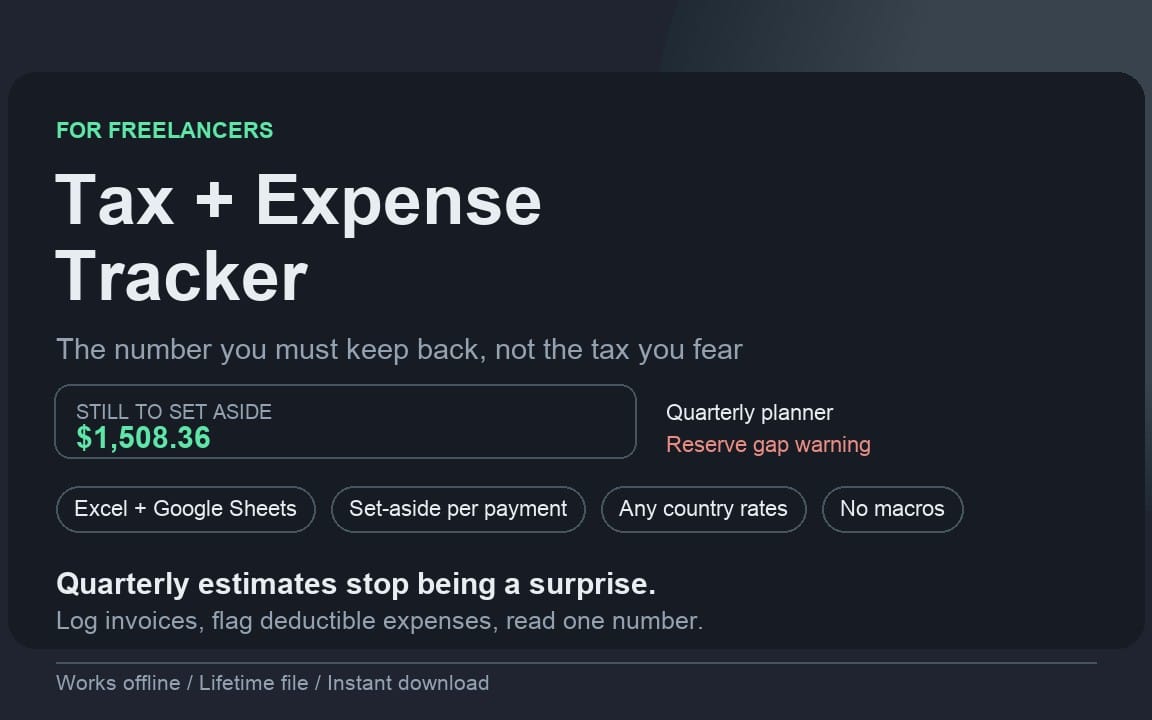
The last block on the Tax sheet is the one people quote back to us. It compares the cash you actually have against the reserve you actually owe and prints two numbers: the gap, if your cash is short of your reserve, and safely yours to spend, which is what is genuinely left after the reserve is honoured. That second number is the difference between a good month and a March you spend borrowing from yourself.
The Dashboard carries ten key figures and one table. The figures are total net income for the year, total fees paid, fee share of gross, total deductible expenses, profit before tax, tax to set aside, safely yours to spend, best source by profit, number of sources tracked and average profit per month. The table underneath breaks out every hustle side by side: gross, fees, net income, profit, hours worked and profit per hour.
That last column is the one that changes behaviour. In the demo data the delivery app grossed 5,081 dollars over 396 hours and paid 9.54 dollars an hour, while tutoring grossed less, 3,753 dollars, and paid 31.88 dollars an hour. On a bank statement those two look like roughly the same kind of money. Per hour of your life they are not close, and no amount of staring at payout emails would have told you that.
The Settings sheet is six green cells and then you are done: currency symbol, tax rate, safety buffer, fiscal year, cash on hand and tax already paid. The rate and the buffer are deliberately separate, because the rate is what you believe you owe and the buffer is what saves you when you guessed low. They are added in one single cell, C8, and every tax calculation anywhere in the workbook multiplies by that one cell and never by the rate alone. Change your rate from 22 percent to 35 percent in C6 and the monthly tax column, all four quarters, the cumulative row, STILL TO SET ASIDE and safely yours to spend all move in the same second, with no hunting for hardcoded numbers. We test exactly that before shipping.
The workbook follows one convention everywhere: green cells are yours to type in, grey cells are formulas. If a grey cell shows a number you did not expect, the answer is in the green cell it reads, not in the formula. No country rates are baked in anywhere, on purpose, because rates depend on your country, your legal form, your income level and how many hustles you declare, and a number chosen by a template author is a number that is wrong for you. You put yours in one cell.
The Start here sheet opens the file with ten short numbered steps and then names the four traps of side-hustle bookkeeping that this tracker exists to close. Mixed sources, where five income streams blur into one and a losing hustle quietly hides behind a winning one. Platform fees, where you remember the sale and forget the cut. Refunds, where deleting the original row corrupts your history. And forgetting the tax reserve, which is the trap that costs actual money, because side-hustle income arrives with no tax withheld and nine good months are followed by a bill that arrives anyway.
The file ships full of demo data so you can see a working example before you touch anything: 96 income rows and 90 expense rows across nine months and six sources, including a paused hustle and a refund. Delete it or type straight over it. The formulas are already present in all 120 income rows and all 150 expense rows, so adding your own data never means dragging a formula down a column.
Honest limits, because they matter more than another feature list. This is a tracker, not accounting software and not tax advice: it applies the rate you set to the numbers you enter, and your own rules, thresholds and deadlines are yours to confirm. It does not connect to Etsy, Upwork or your bank, so payouts are entered by hand, which takes about five minutes a week and is the reason the file works anywhere with no permissions and no data leaving your computer. What you get is one .xlsx file with eight sheets, an instant download, lifetime use and commercial use allowed.
What you get
1 file · 33.26 KB
- Side-Hustle-Income-Tax-Tracker.xlsxXLSX · 33.26 KB
Spreadsheets & Calculators
Side Hustle Income and Tax Tracker - Excel and Google Sheets
Track 2-5 hustles in one file: what each one really pays per hour after platform fees, and how much to set aside for tax.
Tags
Frequently asked questions
Do I get access instantly?
Yes. This is a digital product - you can download it right after checkout, straight from your library.
Can I use it for commercial projects?
Yes. Commercial use is allowed: use it in your own business and in things you sell. You may not resell or redistribute the file itself.
What's your refund policy?
You're covered by a 30-day money-back guarantee. If something isn't right, request a refund from your order and the Getly team reviews it.
What file formats and sizes will I get?
You'll download 1 file - XLSX - 33.26 KB in total.
Do I get free updates?
Yes - when the seller ships a new version, you can re-download the latest files from your library at no extra cost. Check the changelog for recent updates.
Price
$16.00