Getly
Getly
By the end of this guide, you can set a defensible base price, build three useful tiers, and use anchoring to help buyers compare value. You will also have a simple test plan for correcting a price without confusing your audience.
Pricing works best when you connect the product to a buyer's outcome, delivery costs, and support load. A low price can create more work than revenue, while a high first price gives you room to adjust after observing real buying behavior.
1. Define the result before you choose a price
Start with the job your product helps a buyer complete. A collection of decorative icons, a spreadsheet that prevents missed invoices, and a career template can all qualify as digital products, but buyers assign different value to each result.
Write one sentence that names the buyer, the task, and the consequence:
- “This template helps freelance designers send accurate proposals in 20 minutes.”
- “This checklist helps first-time applicants assemble a complete resume package before applying.”
Then list the buyer's current alternative. The alternative might cost money, such as hiring a consultant, or it might cost time, such as building a spreadsheet from scratch. Your price should sit below the value of a credible alternative while leaving enough room to cover creation, updates, payment processing, customer support, refunds, and promotion.
Separate the product's features from its outcomes. “Twenty spreadsheet tabs” describes contents. “A weekly view that shows overdue tasks before they become missed deadlines” describes value. Buyers compare outcomes, not the number of files in a download folder.
Name the buyer
Choose one clear customer group with a specific problem.
State the outcome
Describe the task the buyer can complete after using the product.
Price the alternative
Estimate the money, hours, or risk your product can replace.
Set a viable floor
Include support and maintenance so each sale can fund the work it creates.
2. Calculate a price floor and a value ceiling
Your price floor protects the business. Add the costs that follow each sale, then add a share of fixed costs such as software, design time, research, and marketing. If a $9 product takes you 15 minutes of support per buyer and attracts demanding customization requests, the low sticker price may produce an unattractive hourly return.
Your value ceiling protects the buyer. Estimate the measurable benefit, then discount the estimate because buyers face uncertainty. A $200 template might save a business eight hours, but the buyer may not trust the claim before trying it. A starting price of $29 or $49 can give the buyer a reasonable risk level while preserving room for higher tiers.
Use this simple range:
| Pricing input | Example | How it affects the decision |
|---|---|---|
| Sale-related work | 10 minutes of support | Raises the minimum viable price |
| Buyer time saved | 3 hours per project | Supports a higher price than a decorative download |
| Cost of a substitute | $75 freelance session | Creates room below the substitute's price |
| Buyer uncertainty | New creator with few reviews | Calls for proof, a preview, or a lower entry tier |
Do not treat the ceiling as a promise. Treat it as a boundary for testing. Your first price needs to feel credible to the buyer and worthwhile to you.
The bars show a scoring example, not a market statistic. Score each factor from 0 to 100 when you compare two products in your own catalog. A product that saves substantial time and needs little support can carry more price than a product that looks attractive but demands repeated explanation.
3. Build tiers that change the buying decision
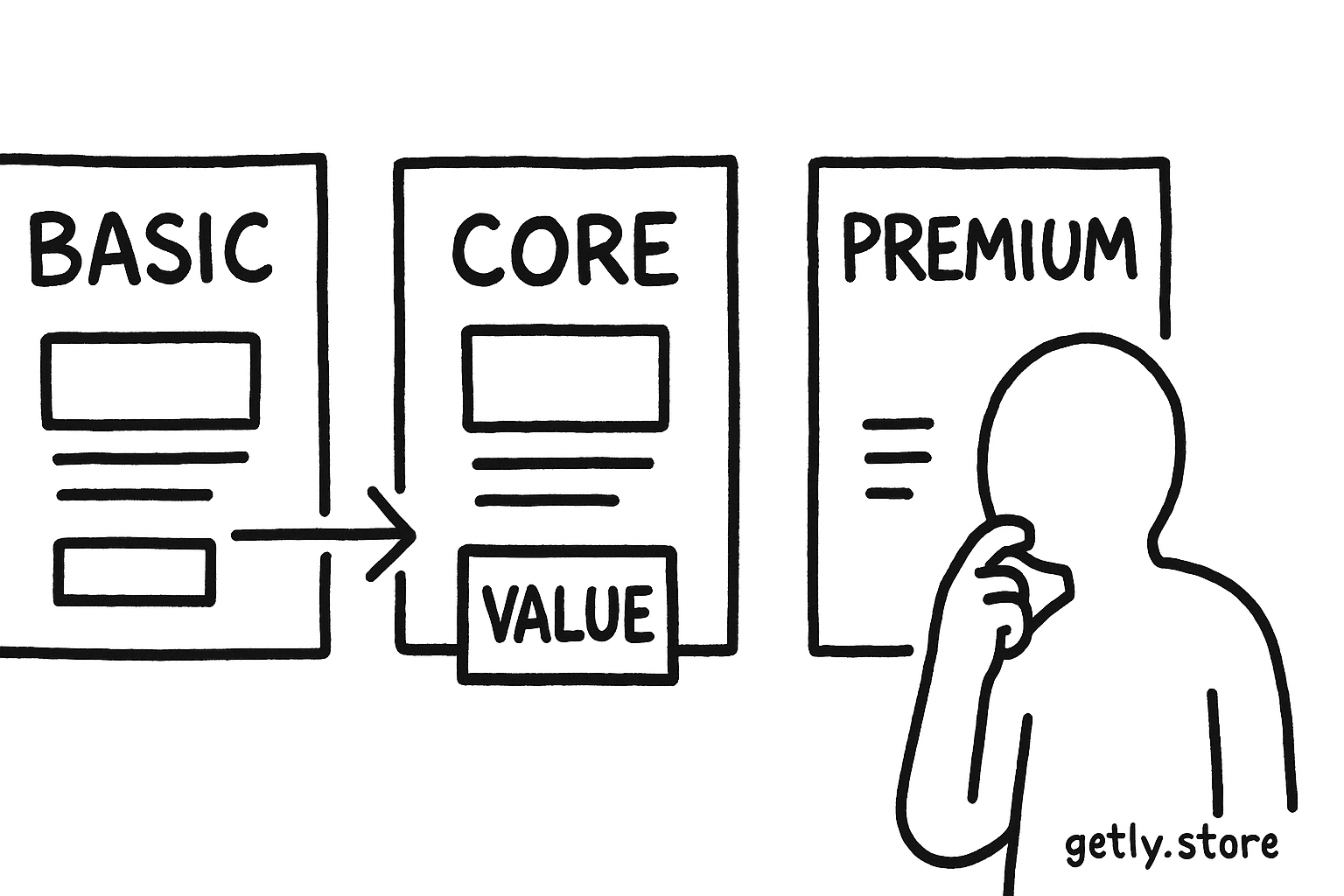
Three tiers give buyers a reference point and a choice. Each tier should solve the same core problem at a different depth. Change access, speed, convenience, customization, or support. Do not create three names for the same download.
Entry tier
Give the buyer the essential outcome. Include the core file, basic instructions, and the formats that most buyers need. Keep the price accessible enough to reduce first-purchase risk, but high enough to filter out buyers who expect custom work.
Core tier
Make this the best fit for the main customer. Add practical extras such as more layouts, examples, a setup guide, or commercial-use rights. Place this tier in the middle and explain the extra result, not just the extra file count.
Premium tier
Reserve the top tier for buyers who value speed, flexibility, or hands-on help. Include expanded licensing, editable source files, customization guidance, a larger asset library, or a short review call if you can deliver that service profitably.
Price the tiers far enough apart to make the differences visible. For example, a $19 starter, $39 core, and $89 premium structure gives the buyer a clear tradeoff. The $39 option can win attention because it offers more than the starter without carrying the full cost of the premium tier. Your actual prices should follow your floor, ceiling, audience, and support capacity.
A purchased product can help you study this structure from the buyer's side. The Freelance Proposal & Pricing Kit, for example, sits in a category where templates, guidance, and practical tools can support different levels of value. Use comparable products to examine what each tier lets a buyer accomplish, rather than copying a number without understanding the offer.
4. Use anchoring without misleading buyers
An anchor gives buyers a reference price before they judge the option you want them to consider. Your premium tier can anchor the core tier. A previous standard price can anchor a legitimate launch discount. A clearly described alternative, such as a one-hour consultation, can anchor the cost of doing the work manually.
Anchoring works because buyers rarely know the “correct” price for a new digital product. They compare the available options. The comparison becomes useful when the differences remain concrete and honest.
- Show the premium tier first if it provides a complete solution and gives the core tier a clear reason to exist.
- Label a recommended tier only when it fits the largest share of your intended buyers.
- Show a reference price only when the product had that price, or when you explain the value of the included work.
- Describe exactly what the buyer gains at each level.
Do not invent a crossed-out price, inflate a bundle's supposed value, or hide essential features in an expensive tier. Short-term clicks cannot repair the trust loss that follows a misleading comparison.
Do
- Compare tiers by outcome, access, license, and support.
- Use one clear recommended option for the main buyer.
Don't
- Call a tier “premium” when it only adds duplicate files.
- Display a reference price that buyers cannot verify.
5. Test the price with evidence
Change one major pricing variable at a time. If you change the price, sales page, thumbnail, product name, and bonus together, you will not know which change affected the result.
Track views, product-page clicks, checkout starts, completed purchases, refunds, support requests, and revenue per visitor. A lower price can raise purchases while lowering revenue per visitor. A higher price can reduce purchases while raising revenue per visitor and attracting buyers who need less help.
Run a test long enough to collect a useful set of visits and purchases rather than reacting to one sale. Compare similar traffic sources and seasons. If your audience changes, record that change beside the result.
Ask buyers what they expected to accomplish, which tier they considered, and what nearly stopped them. Their answers often reveal a packaging problem. Buyers may reject a $59 product because the page fails to explain its result, not because the product costs $59.
Review the price after you improve proof, instructions, and product quality. Better evidence can support a higher price without adding more files. A preview, sample page, short walkthrough, or specific customer result can reduce uncertainty more effectively than another bonus.
6. Common pricing mistakes
Underpricing to avoid rejection
A low price can feel safer because it lowers the emotional cost of a “no.” It also lowers revenue from every sale, anchors buyers to a cheap reference point, and can attract customers who expect extensive help for little money. If you later raise the price, early buyers may resist because they learned to value the product at the old level.
Underpricing also limits your ability to improve the product. Suppose you sell 100 copies at $10 and keep $800 after direct costs. A $25 price might produce only 50 sales, yet leave $1,000 after the same proportion of costs. The second result gives you more room for support, testing, and updates.
Adding tiers without meaningful differences
Buyers need a reason to move from one option to another. Add a useful license, faster implementation, more coverage, or direct support. Remove decorative bonuses that increase your workload without changing the buyer's outcome.
Copying a competitor's price
A competitor may have a larger audience, stronger proof, lower support costs, or a different license. Use competitor pages to map market language and package features. Set your own price from your costs, evidence, and promise.
Discounting before explaining value
A discount cannot fix unclear positioning. Write the outcome, show the contents, demonstrate the workflow, and answer likely objections first. Then use a time-bound launch price only when you can state the regular price and the reason for the change.
7. A practical pricing worksheet
Complete this worksheet before publishing or repricing:
- Write the buyer's current task and the result your product supports.
- List the cheapest credible alternative and its cost in money or time.
- Calculate your minimum viable price, including support and future maintenance.
- Choose a starter, core, and premium version with different buyer outcomes.
- Write one sentence that explains the extra value in each higher tier.
- Pick one metric, such as revenue per visitor, for the first comparison.
- Set a review date and keep the rest of the offer stable during the test.
Start with a price you can defend in one sentence. Then improve the offer's proof and packaging before you reach for another discount. A fair price gives the creator capacity to support buyers and gives the buyer a clear link between cost and result.
Frequently asked questions
How many pricing tiers should a digital product have?
Three tiers usually give buyers enough choice without creating comparison fatigue: an entry tier for the essential outcome, a core tier for the main audience, and a premium tier for added access, flexibility, licensing, or support.
Why can underpricing hurt a digital product?
Underpricing reduces revenue from every sale, limits your ability to improve support and updates, anchors buyers to a low reference price, and can attract customers who expect more help than the price can support.
What does a pricing anchor do?
A pricing anchor gives buyers a reference point for comparison. A premium tier, a legitimate former price, or a clearly described manual alternative can make the value of another option easier to judge.
How should I test a new digital product price?
Change one major pricing variable at a time, then track product-page visits, checkout starts, purchases, refunds, support requests, and revenue per visitor. Compare similar traffic and review enough activity to avoid reacting to one sale.