Getly
Getly
By the end of this guide, you will have a repeatable system for generating one character across portraits, poses, locations, and scenes. You will know how to combine a seed, reference images, fixed character wording, and style anchors without turning every prompt into a wall of text.
1. Define the character before you generate
Start with a character sheet in plain language. Record the traits that should survive every image, then separate them from details that can change with the scene.
Lock the identity traits
- Age range and gender presentation
- Skin tone, face shape, and distinctive facial features
- Hair color, length, texture, and parting
- Eye color and notable markings
- Body type and approximate height
- One or two signature clothing or accessory details
Choose details that an image model can show. “Thoughtful personality” does not guide the pixels as well as “slightly downturned eyes and a relaxed mouth.” Replace abstract labels with visible features.
Keep the identity block short enough to reuse. A useful version might read:
Character: 29-year-old woman with warm olive skin, an oval face, dark brown almond-shaped eyes, a small straight nose, shoulder-length wavy black hair with a center part, and a small silver hoop in her left ear. Average height, athletic build.
Put changing details in a second block. That block can describe a denim jacket, a red evening dress, a raincoat, or a spacesuit. Separating the blocks helps you change wardrobe and setting without rewriting the character’s face.
Do
- Describe features the camera can show.
- Repeat the identity block with the same wording.
- Give unusual features a clear location, such as “left ear.”
Don't
- Change “wavy black hair” to “dark flowing hair” in every prompt.
- Load the identity block with personality adjectives.
- Add five signature accessories that compete for attention.
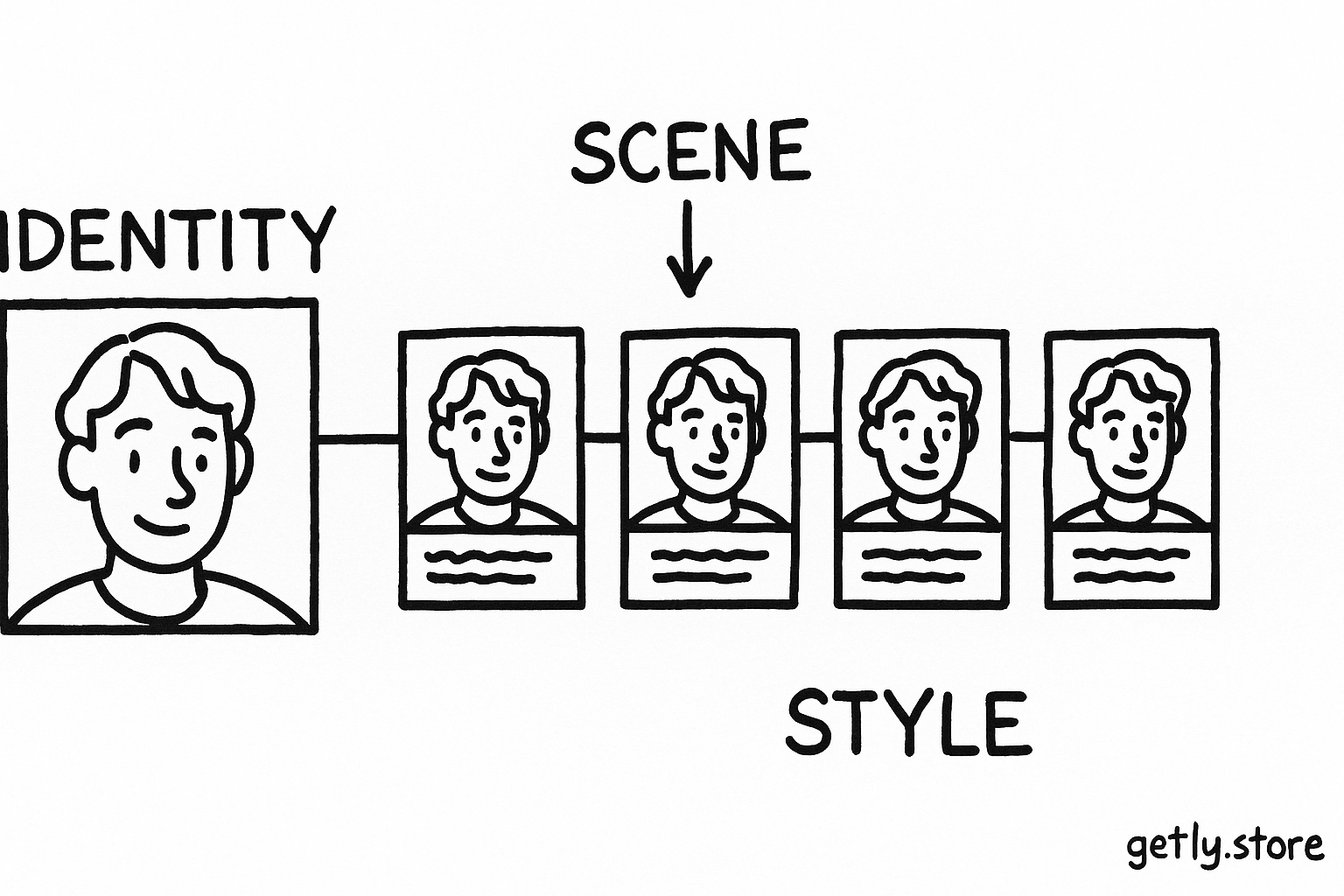
2. Build a reference phrase that stays unchanged
Reference phrasing gives the model a stable text description to match across generations. Copy the phrase exactly into each prompt. Small wording changes can shift the face, hair, or proportions, especially when the model gives equal weight to every phrase.
Use a fixed structure:
- Identity: the face, hair, body, and signature details.
- Action: what the character does and how the body sits.
- Scene: location, time, weather, and nearby objects.
- Camera: framing, lens feel, viewpoint, and lighting.
- Style anchor: the visual treatment shared by the whole series.
Keep the identity paragraph at the start of each prompt. Many systems give more attention to early text, and the opening position makes your workflow easier to audit. Put the scene after the identity, so a dramatic background does not crowd out the face description.
Use one reference phrase for one character. Do not combine three alternate descriptions and hope the model will average them. If you revise the hair from “shoulder-length wavy black hair” to “a short blunt bob,” create a new locked version and use that version from then on.
3. Use seeds as a control, not a guarantee
A seed gives a generation system a repeatable starting point for its random choices. Holding the seed steady can preserve some composition, pose, color distribution, or facial structure when you make a small prompt change.
Seeds do not create a permanent identity. A different aspect ratio, model, image strength, reference image, or major prompt edit can change the result even when the number stays the same. Treat the seed as one control in a larger process.
Begin with a simple portrait. Keep the following fixed:
- Model or generation engine
- Canvas dimensions and aspect ratio
- Seed
- Reference image settings
- Identity phrase and style anchor
Change one variable per test. If you change the pose, jacket, lighting, and seed together, you cannot tell which change caused the face to drift. Save the prompt, seed, dimensions, reference image, and selected result in a small generation log.
Create a neutral portrait
Use a simple background and front-facing pose so you can inspect facial identity.
Record the controls
Save the exact seed, dimensions, model, identity phrase, and reference settings.
Test one change
Alter only the pose, wardrobe, or location while keeping the identity block fixed.
Choose a new anchor
Select the clearest result and use it as the reference for the next round.
After you find a strong portrait, generate a small reference set. Include a front view, a three-quarter view, and a profile. Use similar lighting and a plain background at first. These views teach the system which features belong to the character rather than to one angle.
4. Add reference images without losing the identity
Reference images help the system carry visual information from one generation into another. Select images with a clear face, visible hairline, and limited occlusion. Sunglasses, hands over the face, heavy shadows, and extreme camera angles make useful references less reliable.
Choose one primary reference for identity. Add a second image only when it contributes a missing angle or feature. Two images that show different haircuts, ages, or facial expressions can pull the output in competing directions.
Match the reference strength to the task. A stronger setting can preserve the face but restrict pose and wardrobe changes. A lower setting allows more creative movement but may alter the jawline, eyes, or hair. Increase strength when the face drifts. Reduce it when every image repeats the reference pose.
Use a reference image for identity and text for intent. The image can show the character’s face and proportions, while the prompt can request “seated on a wooden stool, hands folded, three-quarter view.” This division gives the system a stable visual source and a clear action.
Use the weighting as a prompt-planning guide, not as a platform setting. Spend most of your descriptive effort on identity, then specify the action and visual treatment. A detailed background cannot repair an inconsistent face.
5. Create a style anchor for the whole series
A style anchor keeps the images in the same visual family. It should describe choices that affect the entire frame, such as medium, lighting, color palette, contrast, texture, and composition.
Write the anchor as a compact phrase:
Style anchor: editorial cinematic portrait, soft window light, muted teal and amber palette, gentle film grain, natural skin texture, medium contrast, shallow depth of field, restrained background detail.
Keep style separate from identity. “Natural skin texture” belongs in the style anchor because it affects rendering. “Small silver hoop in her left ear” belongs in the identity block because it identifies the character.
Do not stack incompatible styles. “Watercolor illustration, glossy 3D render, documentary photograph” gives the system three different visual goals. Pick one dominant medium and two or three supporting qualities.
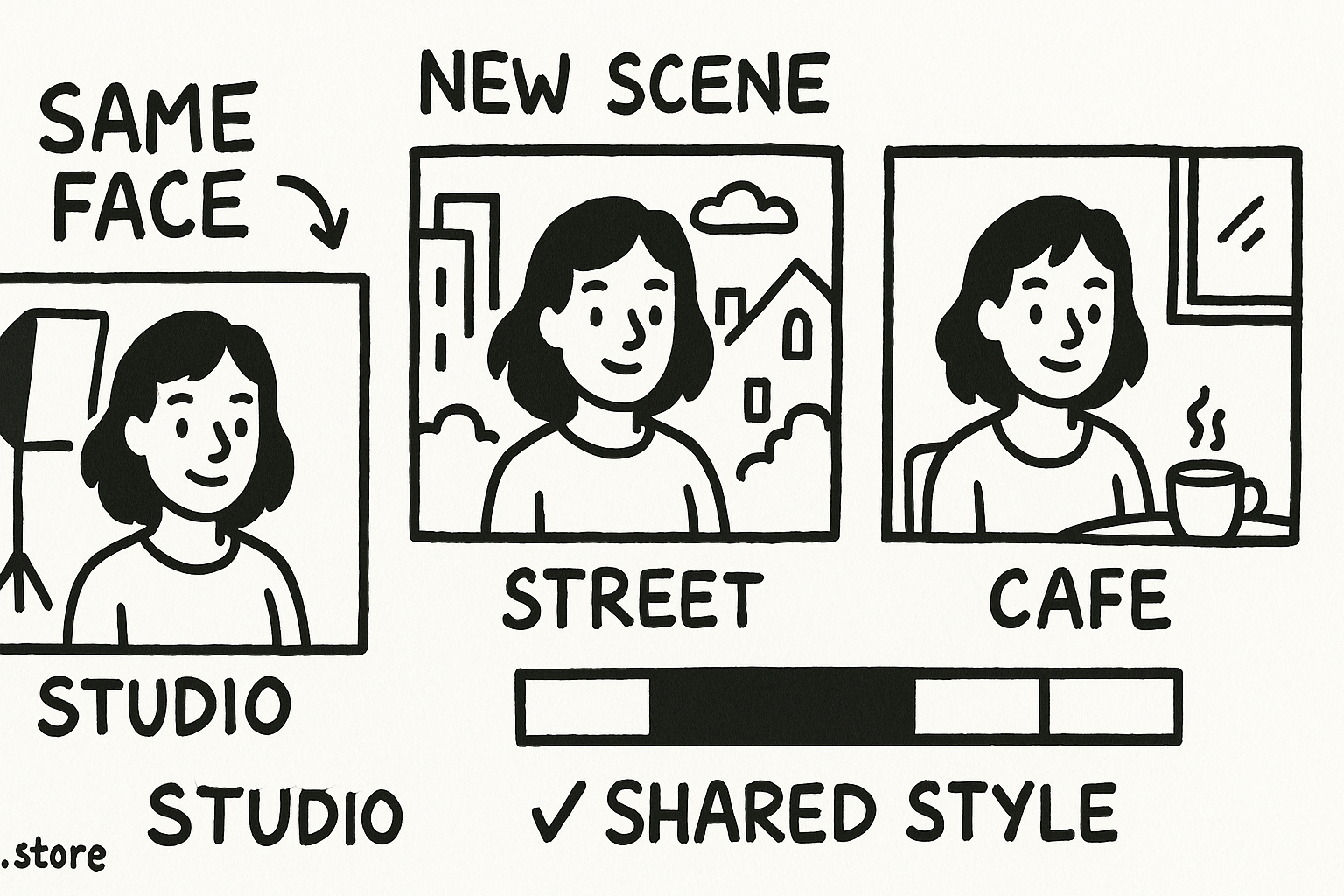
Test the anchor on different scenes before you build a large collection. Generate the character indoors, outdoors, and in a low-light setting. If the palette or texture disappears, make the anchor more concrete. “Moody” gives little direction. “Cool shadows, warm practical lights, low saturation” gives the model visible relationships to reproduce.
Creators who want a starting library of structured prompt ideas can adapt a resource such as 100 Adobe Stock AI Prompts Pack. Keep your character block separate when you adapt any template.
6. Run a consistency check before you publish
Review a batch instead of judging one attractive image. Generate four to eight results with the same identity block, then compare the face, hair, body proportions, and signature accessory side by side.
Use a simple scoring sheet:
- Face: Do the eyes, nose, mouth, and jaw keep the same relationships?
- Hair: Does the length, part, and texture remain recognizable?
- Body: Does the build stay within the chosen range?
- Signature detail: Does the accessory appear in the correct place?
- Style: Do the palette, lighting, and texture match the series?
Mark each category as a pass, revise, or fail. If the face passes but the hair fails, revise the hair phrase rather than rebuilding the entire prompt. If several categories fail together, return to the strongest reference image and restore the locked controls.
Keep rejected images in the log. They show which changes caused drift and stop you from repeating the same experiment. Save a final prompt template with bracketed fields for scene, pose, wardrobe, and camera:
Identity: [locked character phrase]. Action: [pose and gesture]. Scene: [location and objects]. Camera: [framing and viewpoint]. Style: [locked style anchor]. Controls: [seed, dimensions, reference settings].
Common mistakes that break character consistency
- Changing the reference phrase: Synonyms can change the model’s interpretation. Keep one canonical version.
- Trusting one seed: A seed can support repeatability, but it cannot replace a reference image and a stable prompt.
- Using a dramatic first reference: Start with a clear neutral portrait. Add action and unusual lighting after you establish the face.
- Overloading the prompt: Long lists of clothes, props, effects, and camera tricks compete with identity. Remove details that do not serve the scene.
- Mixing style anchors: Pick one visual language for a series. Add small variations through lighting or location.
- Ignoring image dimensions: A square portrait and a wide full-body scene ask the system to arrange the character in different ways. Test new formats as separate workflows.
Practical checklist
Before you generate a new image, confirm these six items:
- You copied the canonical identity phrase.
- You selected the correct primary reference.
- You kept the model, dimensions, and seed where the test requires them.
- You changed one major variable at a time.
- You used the same style anchor.
- You logged the result and compared it with the reference set.
This workflow gives you control without freezing the character into one pose. Lock identity, reference, and style first. Then vary the scene, action, wardrobe, and camera with enough space for the character to behave like the same person.
Frequently asked questions
Can the same seed guarantee the same character?
No. A seed can repeat some visual structure, but changes to the model, dimensions, reference settings, or prompt can alter the face. Use the seed alongside a fixed identity phrase and reference image.
How many reference images should I use?
Start with one clear primary reference. Add a front, three-quarter, and profile view only when the system needs more angles. Avoid references that show conflicting haircuts, ages, or facial features.
What belongs in a style anchor?
Describe the visual treatment shared by the series, including medium, lighting, palette, contrast, texture, and depth of field. Keep character-specific traits in the identity block.
Why does a character change when I alter the pose?
A major pose change can compete with the face description, especially when the reference image shows a different angle. Keep the identity phrase fixed, use a suitable reference view, and change one variable at a time.