 Getly
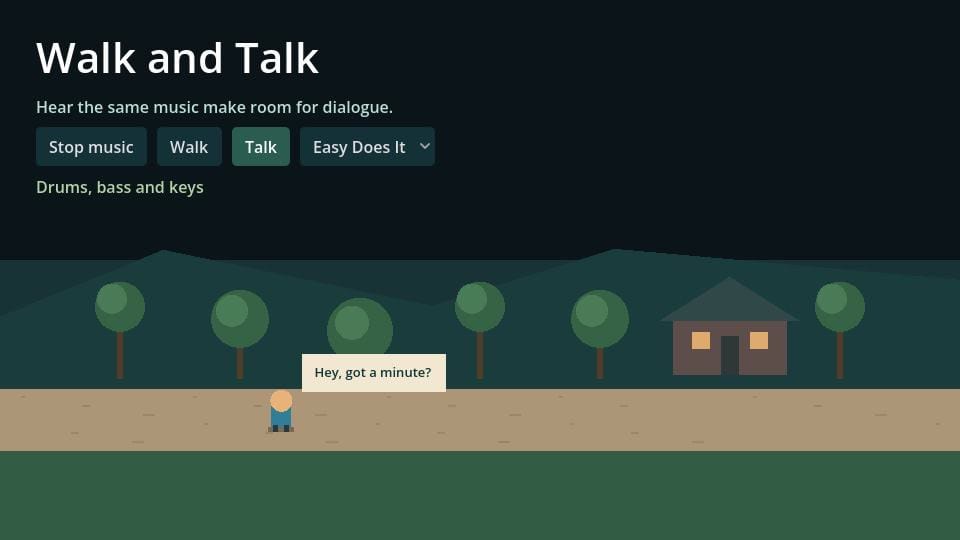
A character stops to talk. The music can keep moving underneath without getting in the way of the line.
Watch the before-and-after on YouTube. The melody fades out during dialogue and comes back when the character walks again.
https://www.youtube.com/watch?v=TTB4229zcng
How to set it up in Godot
1. Choose loops from the same song with exactly the same duration. The demo has four loops for each song: drums, bass, keys and melody.
2. Put the four streams in one AudioStreamSynchronized resource and play it once. Set each loop to start at the same point.
3. When dialogue opens, fade the melody stream down in about a quarter second. When dialogue closes, bring that stream back up. The other tracks keep playing through both transitions.
Download the Godot project attached to this post, extract it and open project.godot in Godot 4.6 or later. Press F5, start the music and switch between Walk and Talk. Both included song previews work offline.
Hear both complete songs
Look for Everyday Instrumentals on the Pixel Signal Audio YouTube channel or the Getly storefront. The $3.99 pack includes both complete songs, eight WAV stems, editable MIDI and 15-, 30- and 60-second mixes. The attached project has the product link in START HERE.txt.
https://www.youtube.com/watch?v=AMOQ9ChWPSk