Getly
Excel Templates
Mobile Detailing Profit & Route Command Center – Complete Excel Business Management System
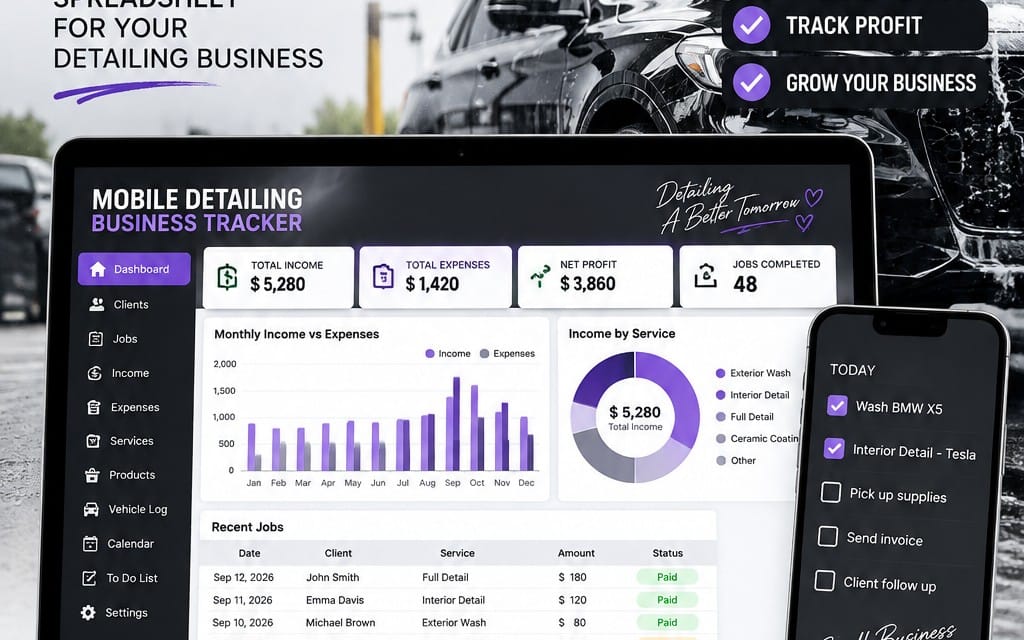
Run your mobile detailing business smarter, stay organized, and know exactly where your money goes. The Mobile Detailing Profit & Route Command Center is an all-in-one Excel business management system designed to help mobile detailers manage customers, vehicles, quotes, appointments, routes, jobs, inventory, expenses, payments, and profits — all in one place. Create professional quotes, track every job, monitor travel costs, manage products, analyze business performance, and make smarter prici
What you get: 1 file · 769.13 KB · ZIP
See purchase optionsProduct description
Mobile Detailing Profit & Route Command Center
The Complete Excel Business Management System for Mobile Detailing Professionals
Take control of your mobile detailing business — from the first customer inquiry to the final profit report.
Running a mobile detailing business involves much more than cleaning vehicles. You need to manage customers, vehicles, service packages, quotes, appointments, routes, fuel costs, products, expenses, payments, and profitability.
The Mobile Detailing Profit & Route Command Center brings these essential business operations together in one organized Excel workbook.
Whether you're starting a mobile detailing business or looking to manage an established operation more professionally, this system helps you stay organized, understand your numbers, and make better business decisions.
WHAT'S INCLUDED
1. Business Settings & Configuration
Customize the workbook to match your business:
- Business name and contact information
- Business address and operating schedule
- Fuel price, vehicle MPG, and mileage cost assumptions
- Target hourly earnings
- Default deposit percentage and sales tax rate
- Flat overhead cost per job
- Service menu, vehicle-size pricing, and add-ons
- Custom dropdown lists and rebooking intervals
2. Customer & Vehicle Management
Keep customer and vehicle information organized:
- Customer contact details and addresses
- Customer and vehicle records
- Multiple vehicles linked to one customer
- Vehicle year, make, model, color, and size
- Vehicle condition notes
- Automatic customer and vehicle IDs
- Customer lifetime revenue and completed job history
- Last service date tracking
3. Services, Packages & Pricing Setup
Build and customize your service menu:
- Create detailing services and add-ons
- Set service prices and estimated durations
- Configure vehicle-size pricing factors
- Estimate chemical and supply costs
- Create service packages
- Add multiple services and add-ons to packages
- Set package discounts
- Configure minimum charges, travel fees, and quote expiration rules
4. Professional Quote Calculator
Create detailed customer quotes with built-in calculations:
- Customer and vehicle selection
- Multiple services, add-ons, and packages per quote
- Automatic service pricing based on vehicle size
- Travel fees, discounts, and sales tax
- Deposit due and remaining balance
- Estimated service and driving time
- Estimated chemical, travel, and overhead costs
- Estimated business profit
- Estimated owner earnings per hour
- Quote expiration dates and quote status checks
Accepted quotes can be used to create jobs through the built-in Quote-to-Job workflow.
5. Appointment & Schedule Manager
Organize your bookings and daily schedule:
- Appointment dates and start times
- Customer, vehicle, and quote information
- Estimated job duration and end time
- Adjustable scheduling buffer
- Appointment status tracking
- Automatic scheduling conflict warnings
6. Route, Travel & Mileage Tracking
Understand your driving activity and travel costs:
- Record daily routes and business vehicle details
- Simple and detailed route modes
- Starting and ending odometer readings
- Total miles and driving minutes
- Estimated fuel costs
- Actual fuel cost overrides
- Link multiple jobs to one route
- Allocate shared route costs across completed jobs
- Track unallocated travel costs
7. Job Tracker & Job Management
Manage each detailing job from booking to completion:
- Create jobs from accepted quotes
- Track individual job records and service lines
- Preserve quoted prices and vehicle-size information
- Schedule and update job status
- Record actual job dates and working times
- Enter actual driving minutes and travel miles
- Record actual chemical and material costs
- Enter actual revenue overrides when necessary
- Review job check messages
- Track actual business profit and owner earnings per hour
8. Inventory & Product Management
Keep track of detailing chemicals and supplies:
- Product inventory records
- Product categories and units
- Suppliers and opening stock
- Inventory purchases
- Purchase costs, shipping, and tax
- Product usage by job
- Damaged, lost, expired, or adjusted stock
- Weighted-average product cost
- Historical material-cost tracking
- Low-stock alerts
- Inventory value and reconciliation reports
- Material costs linked to completed jobs
9. Expenses & Payment Management
Monitor business expenses and customer payments:
- Record operating expenses
- Categorize expenses
- Track recurring expenses
- Link expenses to jobs when applicable
- Record deposits and customer payments
- Track payment methods and statuses
- Record refunds
- Identify probable duplicate payments
- Monitor collected cash and outstanding balances
- View payment summaries by job, customer, month, and payment method
10. Customer Follow-Up & Repeat Business
Stay connected with customers and encourage repeat bookings:
- Track customer follow-ups
- Schedule rebooking reminders
- Manage review requests
- Track seasonal offers
- Monitor follow-up status
- View customer contact information and latest completed service
- Track repeat customer rate
- Identify customers who are due for follow-up
11. Business Dashboard
Get a clear overview of your business performance with a dedicated dashboard.
Monitor important business indicators, including:
- Total revenue
- Actual business profit
- Net profit margin
- Completed jobs
- Average profit per job
- Owner effective earnings per hour
- Total business miles
- Total travel time
- Drive-time ratio
- Outstanding customer balances
- Repeat customer percentage
- Follow-ups due
- Inventory value
- Low-stock items
- Net cash received
- Earnings compared with your target
Includes reporting period selectors, a monthly summary, and charts to help you understand your business performance.
12. Revenue & Profit Analysis
Understand where your money comes from and how your business is performing:
- Monthly revenue and profit analysis
- Materials, travel, and overhead costs
- Profit margins and averages
- Month-over-month changes
- Business mileage and net cash received
- Revenue and profit by service type
- Top customer analysis
- Revenue and profit trend chart
13. Quote vs. Actual Job Analysis
Find out whether your estimates match your real results:
- Compare estimated and actual revenue
- Compare estimated and actual material costs
- Compare estimated and actual profit
- Review estimated versus actual job performance
- Identify overestimated or underestimated jobs
- Analyze performance by service type
- Adjust comparison tolerance
14. Pricing & Target Hourly Earnings
Make smarter pricing decisions:
- Set a target monthly income
- Review available working and billable hours
- Compare target hourly earnings with actual results
- Calculate suggested price adjustments
- Review suggested prices by service
- Analyze the impact of price changes
- Evaluate pricing sensitivity
15. What-If Scenario Planner
Test business ideas before making real changes.
Adjust assumptions such as:
- Average service price
- Jobs per week
- Job duration
- Travel time and distance
- Fuel price and vehicle MPG
- Other vehicle costs per mile
- Material cost per job
- Monthly overhead
- Service radius
- Target hourly earnings
- Target monthly income
See projected monthly jobs, revenue, expenses, profit, margin, working hours, earnings per hour, and the number of jobs needed to reach your income target.
You can also test price changes and review their potential impact.
The Scenario Planner works independently and does not change your actual customer, quote, job, payment, inventory, expense, or dashboard records.
16. SIX PRINTABLE CUSTOMER FORMS
The workbook includes six dedicated printable forms designed for US Letter paper:
1. Professional Quote Form – Present service details, pricing, discounts, travel fees, tax, deposits, and balances to customers.
2. Invoice Form – Show job details, services, payments received, refunds, and outstanding balances.
3. Vehicle Intake Form – Document customer and vehicle details, arrival condition, valuables, notes, and signatures.
4. Service Checklist – Track booked services, exterior work, interior work, and final inspection.
5. Vehicle Condition Report – Record vehicle condition by area, document damage, and capture customer acknowledgment.
6. Customer Review Request – Send a thank-you message and invite customers to leave a review.
Forms can be populated using existing workbook records or printed blank.
WHY CHOOSE THIS WORKBOOK?
Instead of managing separate spreadsheets for customers, quotes, appointments, routes, jobs, inventory, expenses, and payments, you can organize these operations in one connected system.
Designed to help you:
- Keep customer and vehicle records organized.
- Create consistent, professional quotes.
- Manage appointments and detailing jobs.
- Understand fuel and travel costs.
- Track chemicals and supplies.
- Monitor expenses, payments, and refunds.
- Understand actual job profitability.
- Compare quoted results with actual performance.
- Improve service pricing.
- Plan future income and business growth.
- Encourage repeat bookings and customer reviews.
PRODUCT DETAILS
- Product type: Digital download
- Format: Microsoft Excel workbook (.xlsx)
- Includes: Excel workbook and PDF User Guide
- No physical product will be shipped.
- No macros or VBA required.
- Designed for mobile detailing business operations.
- Includes demo records marked [TEST] or [SAMPLE] to demonstrate the workflow. Clear these sample records before entering your own business data.
IMPORTANT: This is a business management and planning tool, not accounting, tax, or payment-processing software. Financial projections are estimates based on the assumptions you enter.
TAKE CONTROL OF YOUR DETAILING BUSINESS
Your time is valuable. Your routes, services, customers, and costs should work together — not live in disconnected spreadsheets.
Get the Mobile Detailing Profit & Route Command Center and bring your mobile detailing business operations into one organized workspace.
What you get
1 file · 769.13 KB
- FINAL_Mobile_Detailing_Buyer_Package.zipZIP · 769.13 KB
Excel Templates
Mobile Detailing Profit & Route Command Center – Complete Excel Business Management System
Run your mobile detailing business smarter, stay organized, and know exactly where your money goes. The Mobile Detailing Profit & Route Command Center is an all-in-one Excel business management system designed to help mobile detailers manage customers, vehicles, quotes, appointments, routes, jobs, inventory, expenses, payments, and profits — all in one place. Create professional quotes, track every job, monitor travel costs, manage products, analyze business performance, and make smarter prici
Included in Getly Pro
Download this and 7,800+ other products with one subscription, from $9.99 a month.
Join Getly ProTags
Frequently asked questions
Do I get access instantly?
Yes. This is a digital product - you can download it right after checkout, straight from your library.
Can I use it for commercial projects?
Yes. Commercial use is allowed: use it in your own business and in things you sell. You may not resell or redistribute the file itself.
What's your refund policy?
You can request a refund within 30 days. If something isn't right, request it from your order and the Getly team reviews it.
What file formats and sizes will I get?
You'll download 1 file - ZIP - 769.13 KB in total.
Do I get free updates?
Yes - when the seller ships a new version, you can re-download the latest files from your library at no extra cost. Check the changelog for recent updates.
Price
$39.99