Getly
Getly
By the end of this guide, you can turn a digital product idea into a clear SEO title, a useful description, and a shortlist of buyer search queries. You will also have a repeatable way to check whether your listing matches the words a customer might type before purchasing.
TL;DR: Match the listing to the buyer's task
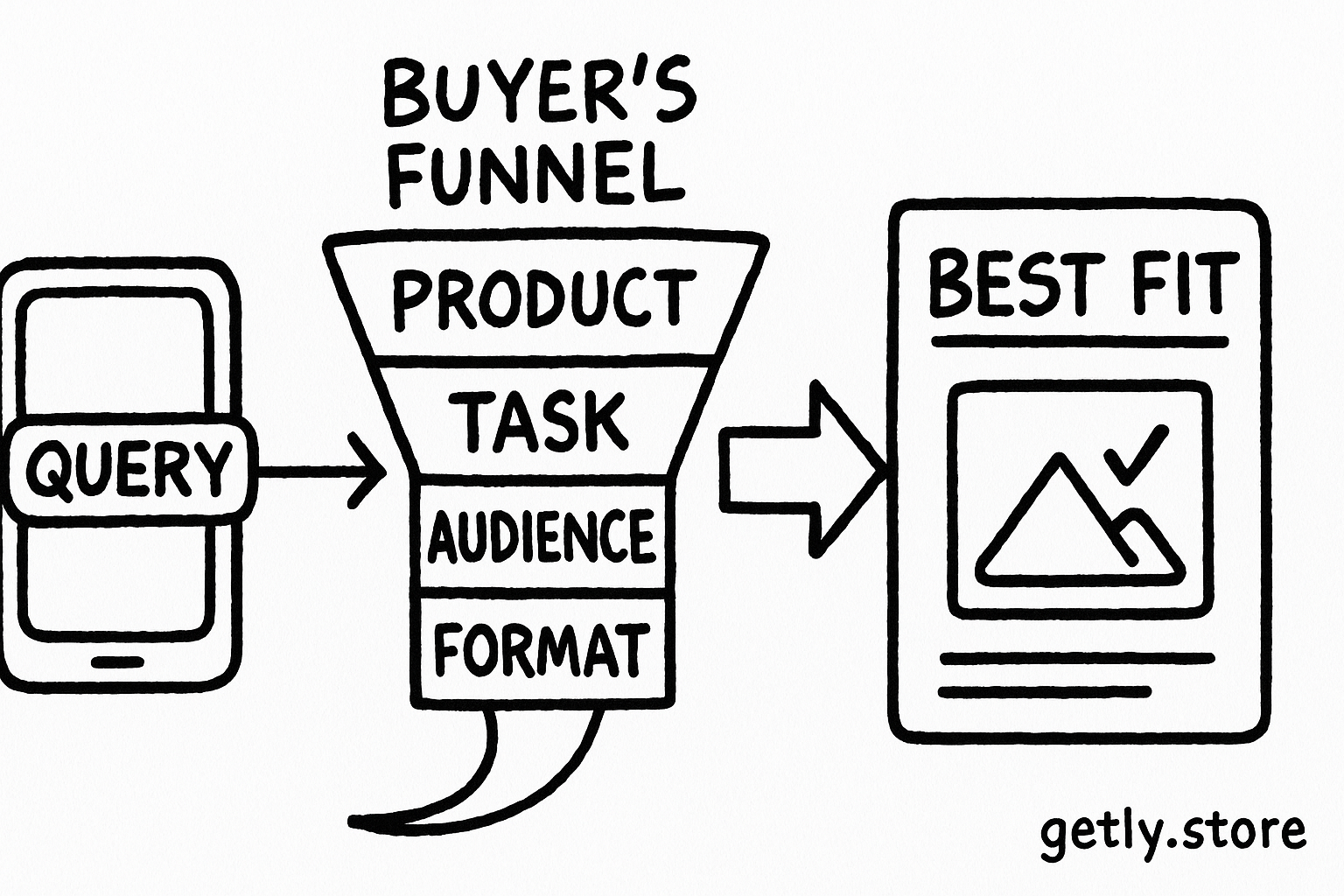
Strong product SEO starts with the buyer's job, not with a string of popular keywords. A buyer searching for “editable invoice template for freelancers” has a specific task, audience, and format in mind. Your listing should answer all three points without making the buyer decode vague marketing language.
- Put the product type and main use in the title.
- Use the description to explain the contents, format, audience, and result.
- Collect phrases from real buyer language, then group similar phrases by intent.
- Write for a human scanning a search result, not for a keyword counter.
Name the product
Write the exact asset type, such as invoice template, resume bundle, or Lightroom preset pack.
Add the buyer and task
Connect the asset to a specific use, such as freelancer invoicing or job applications.
Prove the fit
List the file format, included pages, editing tool, and practical outcome.
Start with the query behind the purchase
Buyers use different searches at different stages. A broad phrase such as “Canva templates” shows a topic. A phrase such as “editable Canva resume template for marketing jobs” shows a product, tool, audience, and purpose. The second phrase gives you more useful direction for a listing because it describes a likely purchase.
Map four parts of buyer language
- Product: template, checklist, ebook, preset, spreadsheet, prompt pack, or course.
- Task: create an invoice, plan a budget, apply for a job, organize client work, or edit photos.
- Audience: freelancer, teacher, small business owner, photographer, student, or recruiter.
- Format or tool: Canva, Notion, Excel, Google Sheets, PDF, DOCX, or Lightroom.
Write down phrases that combine at least two of these parts. “Budget spreadsheet” gives you a starting point. “Google Sheets budget spreadsheet for couples” gives you a clearer listing angle. You can still mention broader language in the description, but the title benefits from a precise main phrase.
Use autocomplete suggestions, marketplace search suggestions, customer messages, comments on related products, and your own support questions as research sources. Copy the exact wording into a working document. Then remove phrases that describe a different product or require a promise your asset cannot deliver.
Choose one primary query and a few close variants
Assign one primary query to each product page. The query should describe the product and its strongest use case. Add close variants only when they describe the same asset. For example, “freelance invoice template,” “invoice template for freelancers,” and “editable freelancer invoice” can support one page. “Small business accounting software” belongs to a different search intent and should not appear just because it sounds related.
Separate search intent before you write
| Buyer wording | Likely intent | Listing response |
|---|---|---|
| invoice template for freelancers | Find and buy an asset | Show the file type, included fields, and editing method |
| how to write an invoice | Learn a process | Explain the process in a guide or add instructions to the product |
| free invoice template PDF | Find a free download | State the price and format clearly before the click |
| best invoice software | Compare tools | Use a comparison article, not a template listing |
Intent matters because a polished listing cannot satisfy a buyer who wants a tutorial, software comparison, or free file. Match the page to the task the query signals. That match improves the chance that a visitor will understand the offer and continue reading.
Use the bars as a writing priority, not as a ranking statistic. Product type and use case usually deserve the clearest placement because they tell the buyer what the asset does. Audience and format add useful detail when they distinguish your product from similar options.
Write a title that earns the click
Put the main product phrase near the beginning of the title. Follow it with the audience, task, format, or included quantity when those details help the buyer choose. Keep the wording natural enough for a person to scan in a marketplace result.
Useful title pattern
[Product type] for [audience or task], [format or key detail]
Examples:
- Freelance Invoice Template, Editable Excel and PDF
- ATS Resume Bundle for Job Seekers, Editable Canva Templates
- Client Project Planner for Freelancers, Notion Template
Place a meaningful differentiator after the core phrase. “50-page” helps when the page count matters. “Editable Canva” helps when the buyer needs to customize the file. “For wedding photographers” helps when the product serves a narrow audience. Avoid stacking every attribute into one title. A crowded title hides the product type and makes the listing harder to scan.
Check the title against five questions
- Can a buyer identify the asset in the first few words?
- Does the title name a real task or audience?
- Does every claim match the files inside the product?
- Does the wording sound like a phrase a buyer might type?
- Can a reader distinguish this product from a similar one?
Build a description that answers purchase questions
Use the first paragraph to confirm the product's purpose. Include the primary query or a close natural variation, then explain who needs the asset and what task it supports. Follow with scannable details that reduce uncertainty before purchase.
Cover the details buyers need
- Contents: name the pages, templates, worksheets, prompts, or presets.
- Format: state PDF, DOCX, XLSX, Canva, Notion, or another file type.
- Editing: explain which parts the buyer can change and which tool they need.
- Use case: show the moment when the buyer will use the asset.
- Skill level: tell beginners whether instructions or setup steps come with the files.
- Limits: state what the product does not include when that detail prevents confusion.
A description for an invoice product might say: “This editable invoice bundle helps freelancers send consistent invoices for client work. It includes invoice layouts, payment terms, and a simple tracking sheet in Excel and PDF formats. Edit the business details, services, rates, and payment instructions before sending each invoice.” A buyer can picture the workflow and check the format without guessing.
Use headings and bullets for specifications. Reserve paragraphs for context and examples. Repeat the main phrase where it fits, but give each section a job. Repeating “invoice template” in every sentence adds clutter and does not explain the product.
Do
- Describe the buyer's task in plain language.
- Name file formats and editing tools.
- Use close variants where they clarify the same offer.
Don't
- Promise a result the files cannot produce.
- Hide important format details below vague copy.
- Copy a competitor's wording or product claims.
Connect SEO copy to the product experience
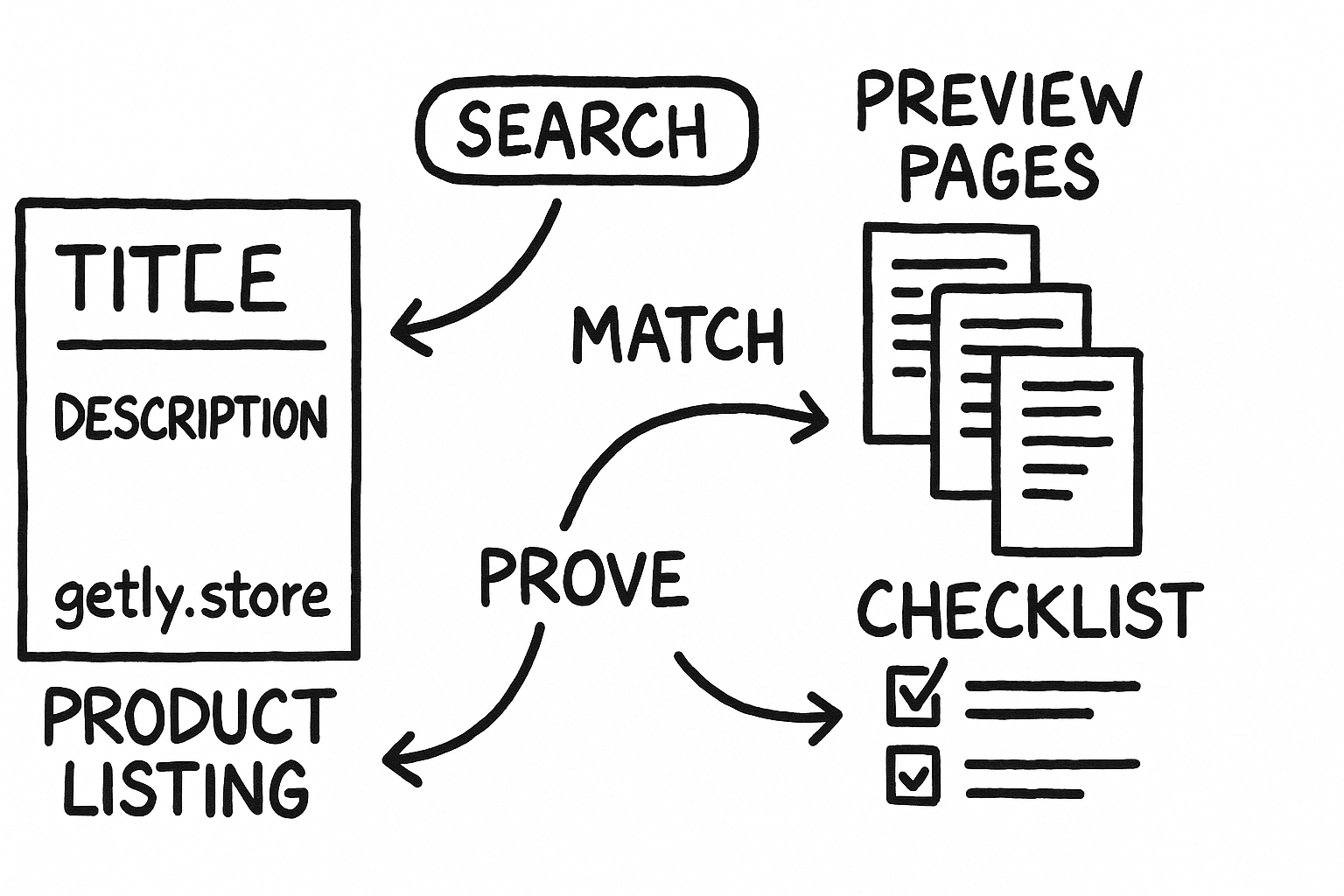
SEO can bring a visitor to the listing, but the product page must confirm the promise quickly. Use preview images that show real pages, sensible file names, and a short contents list. Keep the wording consistent across the title, description, preview, and download instructions.
If your product includes an asset such as an invoice bundle, describe the exact workflow it supports. Explain how a freelancer opens the files, changes the fields, saves a client copy, and reuses the layout. That practical sequence gives the buyer more value than a string of broad claims.
Review the listing after you finish the files. Remove a format from the title if you did not include it. Add a tool name if the buyer needs it to edit the asset. Update the description when you add or remove pages. Accurate SEO copy protects trust after the click.
Run a short review before publishing
Read the listing as a buyer with one task and limited time. Start with the title, then inspect the first paragraph and preview images. You should know what the product does, who needs it, what format it uses, and what the buyer receives without opening a second page.
- Circle the main product phrase. Confirm that it appears in the title and early description.
- Underline every promise. Open the product files and verify each claim.
- Compare the query with the offer. Remove a query if it describes a guide, service, or tool instead of your asset.
- Read aloud for awkward wording. Replace keyword chains with a sentence a customer would understand.
- Ask one buyer to summarize the offer. If the summary misses the format or task, revise the first paragraph.
Common mistakes that weaken product SEO
Creators often start with broad labels because those words feel popular. Broad labels rarely tell a buyer enough to choose. Add the task or audience that gives the product a clear role.
- Using a clever name without a product type: Keep the brand name if you have one, but add “Notion client tracker” or “wedding photography preset pack.”
- Listing features without a use case: Turn “12 pages and 4 color styles” into “12 pages for planning weekly client projects, with four color styles.”
- Targeting several unrelated queries: Build separate listings or content for separate intents. A resume template and a job-search course need different language.
- Repeating the same keyword: Replace repetition with details about contents, editing, audience, and workflow.
- Hiding the format: Put “Canva template,” “PDF,” or “Google Sheets” where a buyer can find it before purchase.
- Making unsupported outcome claims: Describe what the asset helps the buyer do. Do not guarantee a job, income level, ranking, or business result.
FAQ
How many keywords should a product title contain?
Choose one primary query and add only close variations or useful attributes. A clear product phrase plus a task, audience, or format usually gives the title enough context.
Should the title use the buyer's exact search phrase?
Use the exact phrase when it sounds natural and accurately describes the product. Otherwise, use a close grammatical variation that preserves the same meaning.
Where should creators place keywords in a description?
Place the main phrase in the opening paragraph, then use related wording in sections about contents, audience, format, and use cases. Write each section for a buyer's question.
Can one digital product target several audiences?
Yes, when the same files support each audience and the task stays consistent. Mention the strongest audience in the title and explain the other suitable audiences in the description.
Frequently asked questions
How many keywords should a product title contain?
Choose one primary query and add only close variations or useful attributes. A clear product phrase plus a task, audience, or format usually gives the title enough context.
Should the title use the buyer's exact search phrase?
Use the exact phrase when it sounds natural and accurately describes the product. Otherwise, use a close grammatical variation that preserves the same meaning.
Where should creators place keywords in a description?
Place the main phrase in the opening paragraph, then use related wording in sections about contents, audience, format, and use cases. Write each section for a buyer's question.
Can one digital product target several audiences?
Yes, when the same files support each audience and the task stays consistent. Mention the strongest audience in the title and explain the other suitable audiences in the description.