Getly
Getly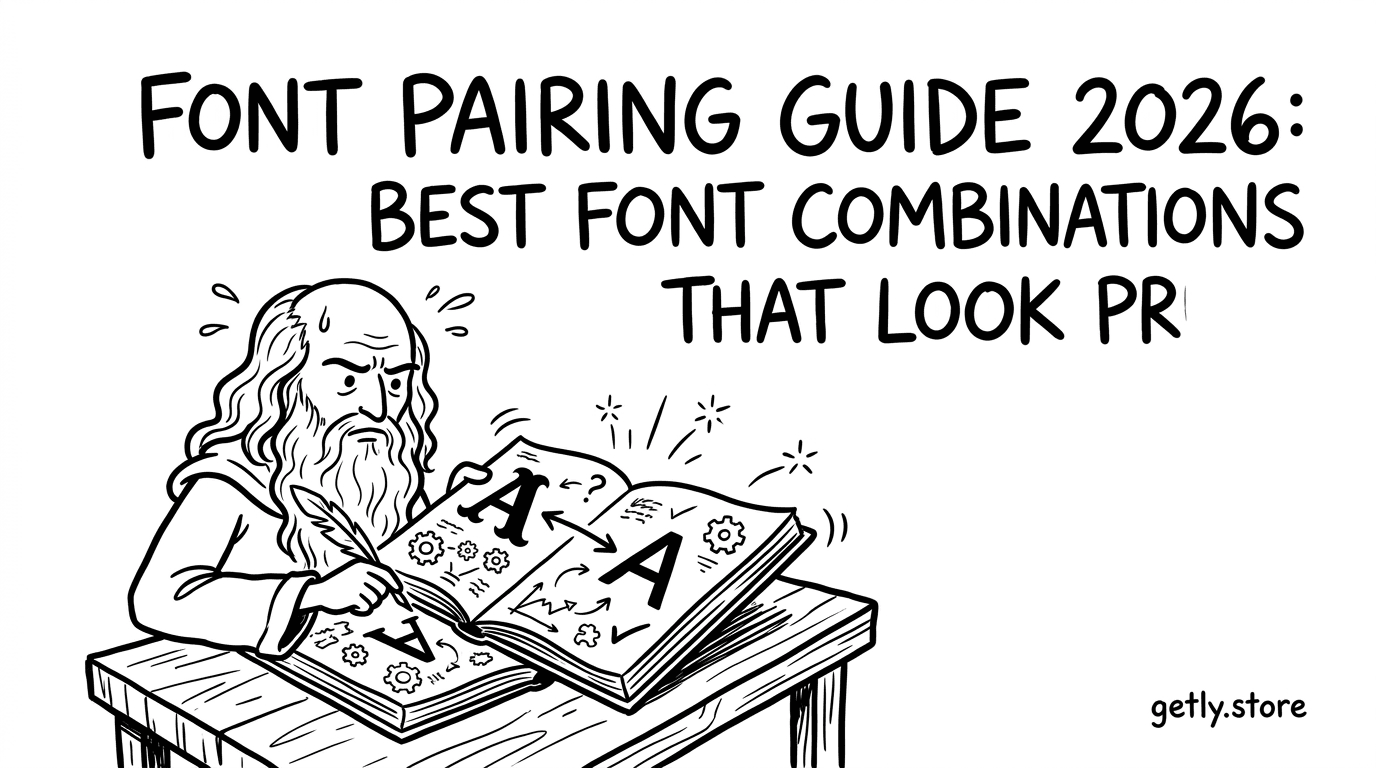
If your typography looks “almost right” but never quite polished, font pairing is usually the culprit. This font pairing guide 2026 gives you repeatable rules, high-performing pairings, and practical typography tips designers can apply to web, branding, and print.
We’ll cover how to choose modern sans serif fonts, when to use display fonts free download styles safely, and how to avoid the mismatches that make layouts feel amateur. You’ll leave with a pairing checklist and ready-to-use combinations for common design goals.
- Pick one “voice” (display or headline) and one “workhorse” (sans or serif) to prevent style collisions.
- Use contrast by weight/width/x-height first, and only then change font families.
- Pair by function: UI labels with readable sans; hero statements with high-impact display fonts.
- Test spacing (leading + letter-spacing) early—pairings fail more often on rhythm than on font choice.
- Follow licensing best practices if you’re using display fonts free download options.
What is a font pairing guide and why it matters in 2026?
A font pairing guide is a practical system for choosing two (or more) typefaces that work together—visually, rhythmically, and semantically. In 2026, the “pro look” expectation is higher because designs are more frequently responsive, motion-ready, and displayed across devices with different rendering.
Instead of relying on taste alone, a good guide helps you control contrast (headline vs. body), consistency (style and tone), and usability (readability at small sizes). When these factors align, the design feels intentional—even if the fonts are not “fancy.”
Position Zero rule: the best pairing has one clear job per font
The best font combinations are functional: one font should dominate for hierarchy (usually the display or headline type), while the second should support everything else (body text, UI labels, captions). When both fonts try to be “the star,” the layout becomes noisy.
Think in roles: Headline Voice (impact) + Body Engine (clarity). Once you assign roles, pairing becomes a decision about proportions and tone, not random aesthetic matching.
2026 reality check: digital typography is performance typography
Web fonts, variable fonts, and new UI patterns mean typography affects load performance and readability under compression. A “pro” pairing also respects technical constraints: font weights available, supported characters, rendering behavior at 12–16px, and line-height that holds up on smaller screens.
So the goal isn’t only to look good in a mockup—it’s to stay good when the browser, the viewport, and the user’s settings change.
How to choose modern sans serif fonts for a clean base
The best starting point for most professional layouts is a modern sans serif fonts pairing with a complementary display font or serif. A strong sans becomes your body engine because it typically offers consistent stroke contrast, balanced spacing, and legibility across weights.
When you’re aiming for a clean, contemporary look in 2026, choose a sans that feels neutral-to-friendly depending on your brand personality. Then use the second font to add character without breaking readability.
Selection checklist for body text and UI
Use this quick checklist to pick a sans that will hold up across headings, labels, and paragraphs:
- Readable at 14–16px: check counter shapes (the “holes” in letters like a, e, o).
- Consistent x-height: a good x-height improves perceived legibility and rhythm.
- Weight range: variable fonts or multiple weights make hierarchy easier without changing families.
- Italic quality: if you use emphasis, confirm italics don’t look “faked.”
- Numeral style: choose tabular vs. proportional numerals for dashboards.
Don’t chase “free” first—chase compatibility
When exploring display fonts free download sources, prioritize compatibility with your sans base. Some display fonts have inconsistent punctuation widths or awkward kerning at small sizes. Even if they look great in isolation, the pairing can collapse once you add real copy.
Instead of choosing fonts by mood alone, test them with your real strings: headings, button text, dates, and short paragraphs.
Common mistake: pairing a decorative display font with a body font that has similar tone but mismatched proportions. The result looks “busy” even when the fonts are individually attractive.
Best font combinations: what actually looks pro
The best font combinations follow consistent pairing strategies: contrast families, balance personalities, and maintain typographic rhythm. In 2026, the most reliable combinations are built around one sans “workhorse” plus one headline “speaker.”
Below are proven pairing patterns you can adapt to your exact design system. You can swap the exact typefaces, but the structure remains dependable.
Pairing patterns you can reuse (headline + body)
- Modern Sans (Body) + Neo-Grotesk Sans (Headlines): small differences in weight/width keep it cohesive.
- Modern Sans (Body) + High-Contrast Display Serif: adds sophistication for marketing pages and editorial layouts.
- Modern Sans (Body) + Geometric Display Sans: futuristic/clean brands, product landing pages, tech UI.
- Modern Sans (Body) + Handwritten/Script (Limited): personality accents for cards, quotes, microcopy (use sparingly).
- Modern Sans (Body) + Condensed Sans: posters, hero banners, and nav labels—great for space-saving.
- Modern Sans (Body) + Retro Display: use for events, culture, and campaigns; keep body neutral to prevent chaos.
Recommended combinations by design goal
Use the table below to map the typography goal to pairing strategy. The “why it works” notes will help you choose confidently even before you install fonts.
| Design goal | Best font combination pattern | Why it looks pro | Where to use |
|---|---|---|---|
| Product landing page | Modern sans body + geometric/neo-display headline | Clean hierarchy + tech-forward tone | Hero, feature cards, CTA |
| Branding for studio/agency | Sans body + high-contrast serif display | Authority without losing modern clarity | Case studies, section headers |
| UI dashboard | Sans family only (use weights), optional condensed for labels | Consistency improves scan speed | Charts, metrics, tables |
| Event poster | Condensed display + neutral sans body | Strong headline impact + readable agenda | Tickets, schedule blocks |
| Editorial/article | Sans body or serif body + serif/sans contrasting headlines | Rhythm and typographic texture | Long-form content |
Now that you know the patterns, you can pick specific fonts that match the characteristics: similar x-height for smooth blending, different contrast for hierarchy, and enough weight options to maintain structure.
Pro tip: when a pairing looks “off,” don’t immediately change fonts. First adjust font size ratio (headline vs. body) and line-height—often that’s all the fix you need.
Typography tips designers use to make pairings feel intentional
Typography tips designers rely on go beyond font choice. Most “bad pairings” fail due to spacing, hierarchy ratios, and inconsistent typographic rhythm—not because the fonts are incompatible.
In 2026 workflows, you’ll frequently iterate quickly across templates, UI screens, and marketing assets. That means you need rules that hold up even when copy changes.
Set ratios: size, weight, and line-height before you finalize
Use these baseline ranges to start. Then tune based on your specific fonts and content length.
- Headline to body size ratio: typically 2.0× to 3.0× for most marketing pages.
- Line-height for body: often 1.45× to 1.7× depending on font and reading length.
- Line-height for headings: usually tighter (about 1.05× to 1.25×) to keep blocks compact.
- Weight contrast: prefer weight changes (e.g., 400 + 700) before switching styles.
- Letter-spacing: minimal for body; use slight tracking for caps/display text only.
Choose contrast types that don’t fight each other
There are multiple ways to create contrast: family, weight, width, posture (italic), and texture (serif vs. sans). The most stable combos often combine one “major” contrast with one “minor” contrast.
For example, if you use a bold display font for headlines (major contrast), keep the body font neutral and focus your minor contrast on weight and spacing—not on additional fonts.
Common mistake: using display fonts free download styles at body sizes “because they look cool.” Many display fonts degrade at small sizes due to exaggerated features and thin strokes.
How to test font pairings before you commit
The best way to find the right pairing is to test it against real layouts. A font pairing guide is useful only if you validate it with content: headlines that wrap, dates that format, and buttons that stay readable.
Testing early saves you time when you later build landing pages, product descriptions, UI components, and thumbnails.
Build a mini “type stress test” set
Create a small set of sample text and layouts you reuse every time you evaluate fonts. Include at least:
- Two headline styles: short and long variants (to test wrapping).
- Body paragraph: 2–3 sentences with numbers and commas.
- UI elements: button label, placeholder text, and a short error message.
- Captions: date + category line (e.g., “May 12 • Photography”).
- Bold + emphasis: a phrase in italic and a phrase in bold.
- International characters: a quick test for punctuation and accented letters.
Check rendering, not just screenshots
Typography decisions look different depending on anti-aliasing, device pixel ratio, and browser settings. Test in at least two contexts: one where it’s a “hero” (large sizes) and one where it’s “work” (small sizes).
If the design uses motion (scrolling headers, animated UI, video overlays), pay attention to how letterforms appear during transitions and scaling. A pairing can be perfect in a static screenshot and still look messy during motion.
Success signal: if your pairing remains readable when you reduce opacity, shrink the layout, and test on a low-contrast background, you’ve probably chosen fonts with compatible texture and spacing.
FAQ: Font pairing guide 2026 (fast answers)
What is the best font pairing rule for beginners?
Use one font for hierarchy (display/headline) and another for readability (sans or serif body). Keep the body font neutral and let the headline font add character through weight, width, or contrast. Then tune spacing with line-height and size ratios.
How do I pair fonts if I want a modern look?
Start with modern sans serif fonts for body and UI. Pair them with a display font that has a different personality (geometric, condensed, or high-contrast) for headings. Keep the number of styles low—use weight and spacing instead of stacking many fonts.
Are display fonts free download options safe for commercial design?
Not automatically. Free downloads often come with licensing limits (personal use, attribution requirements, or restrictions on redistribution). Always verify the license terms before using the font in client work, paid products, or monetized assets.
Why does a font pairing look good in mockups but bad on the web?
Most of the time, it’s rendering and rhythm: line-height, font-smoothing differences, and fallback fonts during loading. Test at real browser sizes (including 320px widths) and ensure you load the required weights to avoid “fake bold” rendering.
How many fonts should a pro layout use?
Usually two families is enough: one for headings and one for body. You can add a third only if it’s clearly functional (e.g., a monospace for code or data). Over-using fonts makes hierarchy harder and increases design inconsistency.
Conclusion: lock in a pro typography system with fewer guesses
A strong font pairing guide 2026 isn’t about collecting trendy fonts—it’s about building a repeatable system. Assign roles (headline voice vs. body engine), choose contrast intentionally, and validate your pairing with real content and real rendering.
If you want one practical next step, take your current project layout and run the “type stress test” set. Adjust size ratios and line-height first; only then swap fonts. If you’re also exploring creator workflows for typography-adjacent assets (thumbnails, promos, video overlays), building consistent visual production helps your typography look even more intentional.
- Best font combinations use role clarity: headline vs. body work.
- Use spacing (line-height + ratios) to fix more issues than swapping fonts.
- Choose modern sans serif fonts for clarity, then add contrast with display fonts.
- Test pairs with real copy, different screen sizes, and motion/overlays when relevant.
Soft next step: If you want to build assets faster and keep your visuals consistent while you iterate on typography, explore workflows and toolkits that support your production pipeline—then apply these pairing rules to every output for a unified brand feel.
Internal references: /product/animeforge-pro-ultimate-anime-toon-shader-system, /product/pro-recorder-professional-screenshot-video-capture-system, /product/prompt-engineering-mastery-ultimate-ai-cheat-sheet