Getly
Getly
By the end of this guide, you can choose between EPUB and PDF based on your book’s reading experience, layout, and delivery needs. You can also prepare, export, and test the format before you publish it on Getly’s ebook marketplace.
Start with the reading experience
Choose EPUB when readers need to resize text, change fonts, adjust margins, or read on screens of different sizes. EPUB lets the reading app arrange text around the reader’s settings. That behavior makes EPUB a strong fit for novels, essays, guides, and other books that rely on a comfortable reading flow.
Choose PDF when your page design carries meaning. Workbooks, planners, recipe books, children’s picture books, portfolios, and illustrated manuals often need exact positions for text, images, tables, and writing areas. PDF keeps the page composition intact, so readers see the layout you designed.
A practical test helps you decide. Remove the cover and ask what the reader does most often. If the reader reads paragraphs from start to finish, start with EPUB. If the reader fills boxes, follows visual steps, studies diagrams, or prints pages, start with PDF.
These bars describe format behavior, not product quality. Readers can zoom a PDF, but zooming changes the view rather than reflowing the text into a new page shape.
Understand reflowable EPUB
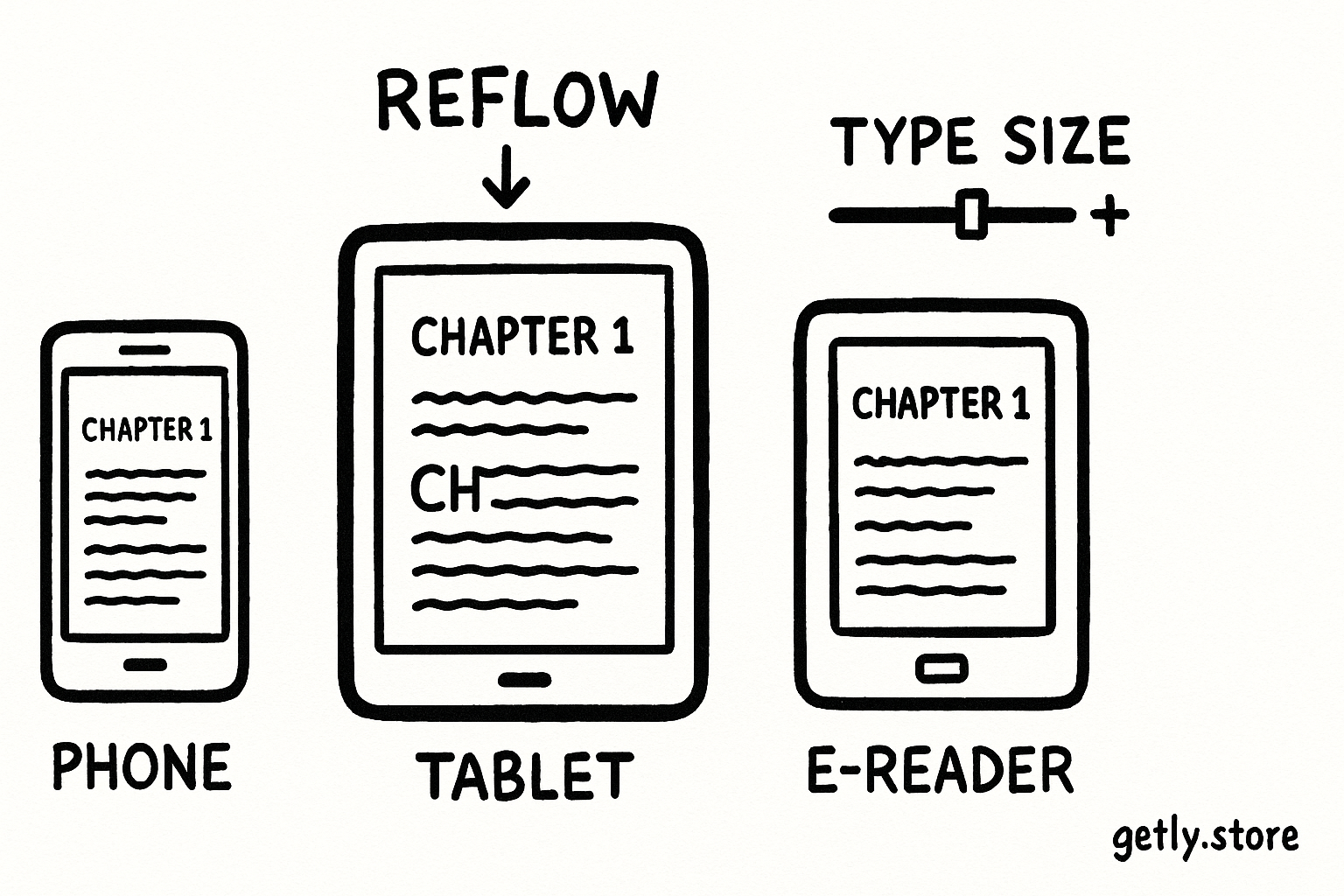
An EPUB stores a book as structured content that a reading app can arrange. The app may place fewer words on each line after a reader increases the font size. It may also change the number of pages, move a heading to the next screen, or shift an image below a paragraph.
That flexibility improves access and comfort. A reader can use a phone in portrait mode, a tablet in landscape mode, or an e-reader with a larger font without forcing the reader to pan across a wide page.
What EPUB handles well
- Novels and short stories with mostly continuous text.
- Nonfiction books with headings, paragraphs, lists, and simple images.
- Books that readers may consume on phones, tablets, e-readers, and desktop apps.
- Text that benefits from search, adjustable type, bookmarks, and reader preferences.
EPUB needs a clear content hierarchy. Use real chapter headings, short paragraphs, descriptive image text, and lists instead of styling every element by hand. A clean structure helps reading apps build navigation and helps readers with assistive technology move through the book.
Expect some design tradeoffs. A page that looks perfect in your editing document may look different on another screen. Keep decorative elements simple, and avoid instructions such as “look at the box on the right” when the app may move that box below the text.
Understand fixed-layout PDF
A PDF records a page’s visual arrangement. The creator places text, images, lines, backgrounds, and form areas at specific coordinates. Readers can zoom or print the page, but the page does not reorganize itself for a narrow screen.
That control suits products where the page acts as part of the instruction. A budgeting worksheet needs its labels beside its fields. A children’s book may place text beside a particular illustration. A visual recipe may use arrows, numbered callouts, and photographs in a deliberate sequence.
What PDF handles well
- Planners, journals, worksheets, and printable activity books.
- Cookbooks and craft books with designed pages and image placement.
- Workbooks that require blank areas, ruled lines, or checkboxes.
- Portfolios, catalogs, lookbooks, and branded reports.
- Books that readers will print or annotate with a stylus.
PDF can create friction on a phone. A full page may shrink until the text becomes difficult to read, and readers may need to zoom and pan across a wide layout. Test the smallest screen you expect your buyers to use before you commit to a fixed page.
You can offer both formats when the product serves two jobs. A planner may need PDF for printing and an EPUB edition for readers who want a guided text version. Keep the two editions clearly labeled, and check that each edition delivers a complete experience.
Do
- Use EPUB for reading-first books with flexible text.
- Use PDF for pages that readers print, fill in, or study as designed compositions.
- Test both formats on a phone before release.
Don't
- Force a text-heavy novel into a wide, zoom-dependent PDF.
- Put a workbook into EPUB if its writing areas depend on exact page positions.
- Assume a successful export guarantees a good reading experience.
Match the format to the product
| Product type | Best starting format | Reason | Consider a second format when |
|---|---|---|---|
| Novel | EPUB | Readers need adjustable text and a continuous reading flow. | - |
| Text-led nonfiction | EPUB | Chapters, headings, and paragraphs can adapt to each screen. | You include complex charts or print-focused worksheets. |
| Planner or journal | Writing areas and page positions guide the reader’s actions. | You also want a text-only reading edition. | |
| Picture book | Illustration, caption, and page-turn composition need exact placement. | You create a separate accessibility-focused edition. | |
| Recipe book | Photos, ingredient columns, and method steps may depend on page design. | The book uses mostly plain text and simple images. | |
| Portfolio or catalog | The creator controls the visual presentation of every page. | - |
Consider the buyer’s next action, not just the file extension. A buyer who wants to read during a commute needs a format that works at several text sizes. A buyer who wants to print a monthly budget needs a format that keeps fields aligned on paper.
Build and test the file
Start with a source document that matches the format’s strengths. For EPUB, use heading levels, paragraph styles, ordered lists, and meaningful links. For PDF, set the page size, margins, bleed where needed, and print resolution before you place content.
Write the format brief
Name the main reader action, target devices, print requirement, and layout features the product needs.
Prepare structured content
Apply consistent headings and lists for EPUB, or build a measured page grid for PDF.
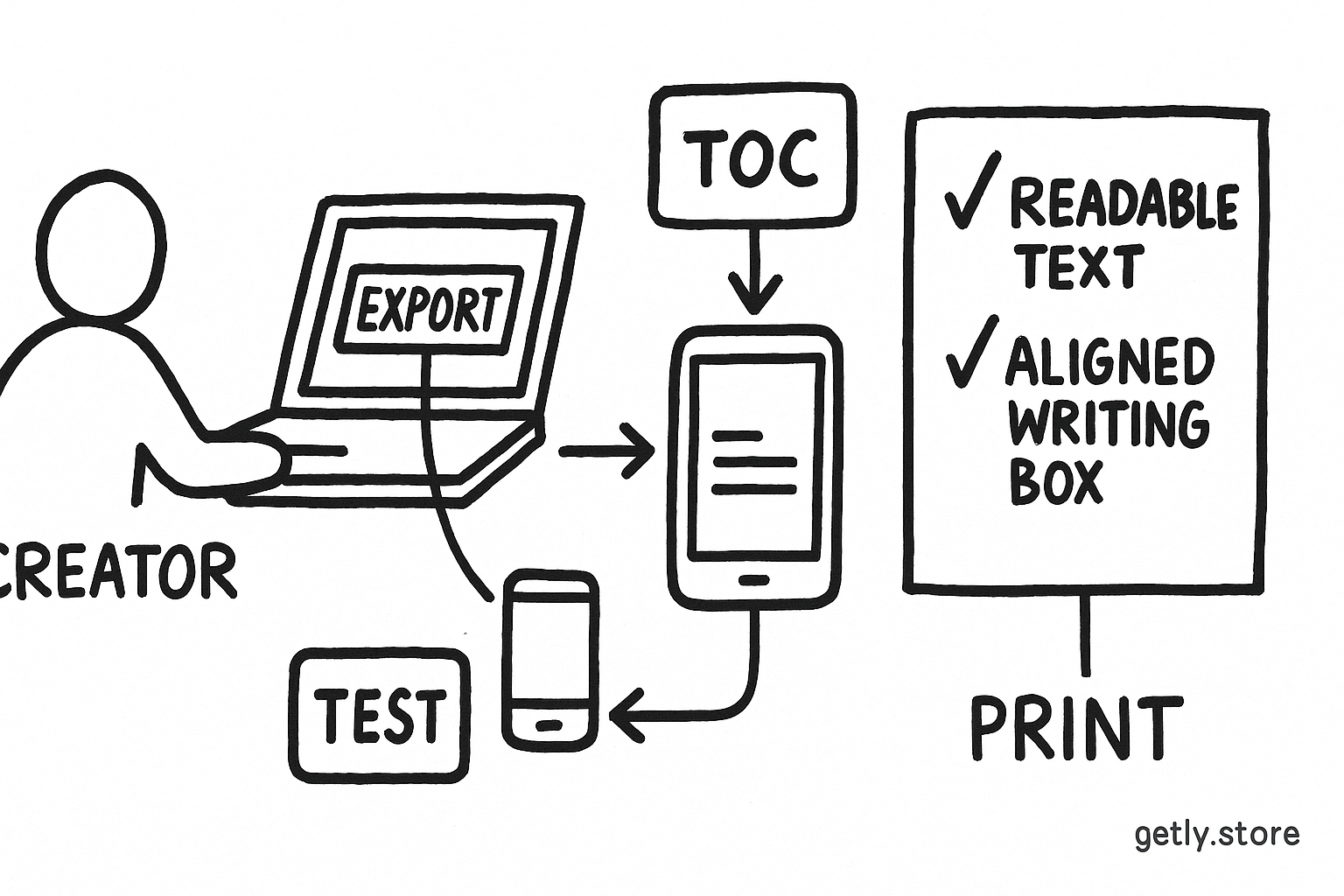
Export a test copy
Create the file before you finish polishing the cover so you can catch format limits early.
Read it on three screens
Check a phone, tablet, and desktop for navigation, legibility, image placement, and missing content.
Check the buyer’s task
Print a sample PDF page or resize EPUB text, then complete the action your product promises.
Check EPUB navigation from the table of contents, chapter links, and back-to-book controls. Resize text through several settings and inspect headings, lists, images, and page breaks after each change.
Check PDF pages at normal viewing size and at print size. Inspect margins, clipped objects, low-resolution images, blank pages, selectable text, and links. If readers need to write on the page, print a sample and test the available space with a pen.
Common mistakes to fix before publishing
Choosing PDF for a text-heavy book
A polished PDF can still frustrate readers who use small screens or larger type. If most pages contain ordinary paragraphs, rebuild the book as EPUB or provide an EPUB edition alongside the PDF.
Expecting EPUB to preserve a poster-like page
Reflow can move captions, split related elements, and change page boundaries. Simplify the design or choose PDF when the relationship between objects carries the lesson.
Testing only on the creator’s device
Your layout may work on a large monitor and fail on a phone. Test the actual devices your buyers use, including a narrow screen and a print sample for any product that promises printing.
Using images of text
Text inside a screenshot or scanned page cannot offer the same search, resizing, or assistive-technology support as real text. Keep important instructions as selectable text, and add useful descriptions to informative images.
Publishing without a clear file label
Name each download with the product title and format, such as “monthly-planner-pdf” or “writing-guide-epub.” Clear names help buyers choose the right file after they download several products.
FAQ
Can I sell both EPUB and PDF?
Yes. Offer both when readers need different experiences, such as a reflowable reading edition and a printable workbook edition. Treat each file as a finished product and test each one separately.
Which format works better on a phone?
EPUB usually works better for text-led books because readers can resize text and avoid wide pages. PDF works on phones when each page uses large type and a narrow layout.
Can readers edit a PDF?
Readers can annotate many PDFs with apps, but annotation differs from editing the original design. Do not promise editable fields unless you create and test interactive form fields.
Does EPUB work for planners?
EPUB can carry planner instructions and prompts, but it may not preserve writing boxes or page alignment. Use PDF for a planner that readers print or fill on a fixed page.
Should I choose a format before I design the book?
Yes. Choose the format after you define the main reader action, then design around its behavior. This decision prevents you from rebuilding a fixed layout as reflowable content late in production.
Frequently asked questions
Can I sell both EPUB and PDF?
Yes. Offer both when readers need different experiences, such as a reflowable reading edition and a printable workbook edition. Test each file separately.
Which format works better on a phone?
EPUB usually works better for text-led books because readers can resize text and avoid wide pages. PDF works on phones when each page uses large type and a narrow layout.
Can readers edit a PDF?
Readers can annotate many PDFs with apps, but annotation differs from editing the original design. Promise editable fields only when you create and test interactive form fields.
Does EPUB work for planners?
EPUB can carry planner instructions and prompts, but it may not preserve writing boxes or page alignment. Use PDF for a planner that readers print or fill on a fixed page.
Should I choose a format before I design the book?
Yes. Choose the format after you define the main reader action, then design around its behavior. This decision prevents a late rebuild from fixed layout to reflowable content.