Getly
Getly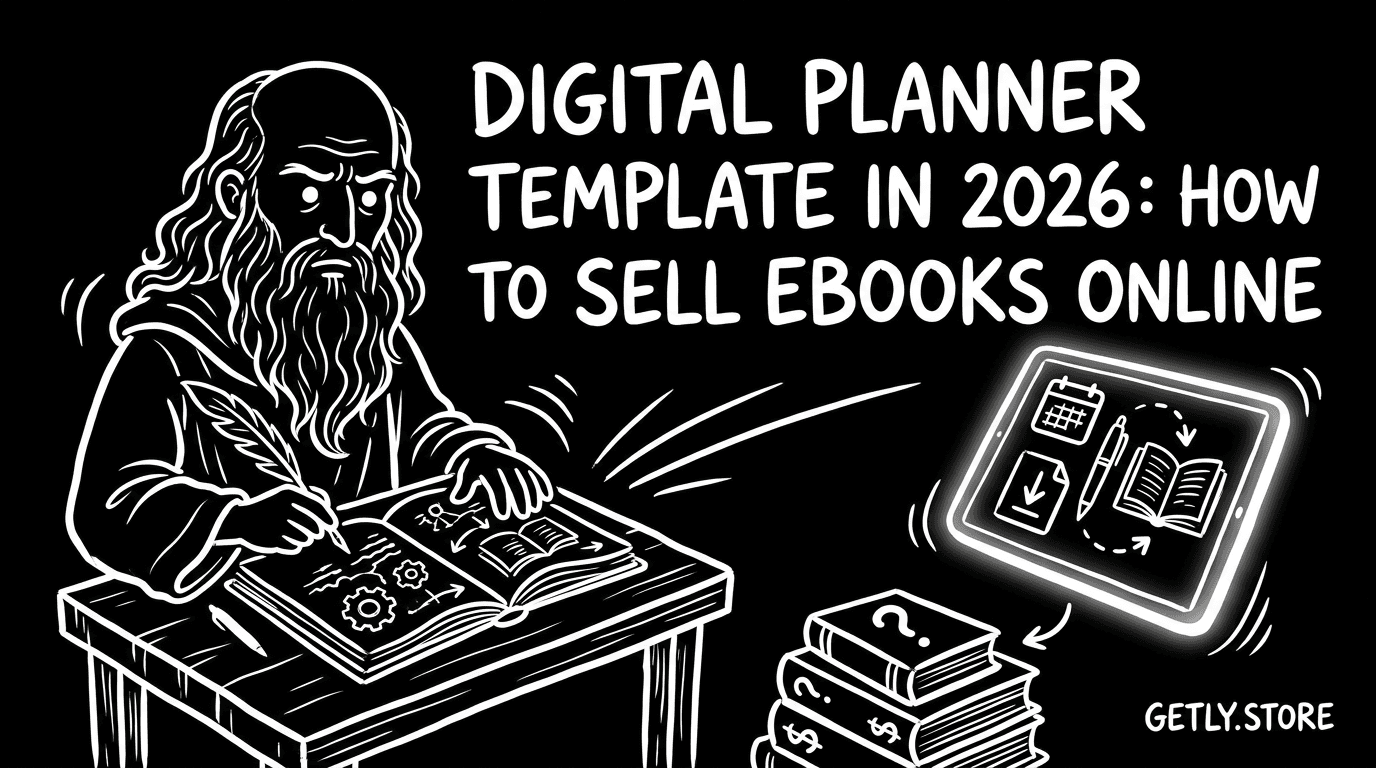
Want your digital planner template to sell alongside the big-name productivity apps? In 2026, buyers still want the same thing: clear layouts, fast downloads, and printable pages they can start using immediately. This guide shows you how to package your planner as ebooks and free printable templates, then price and present it so people click, buy, and download.
Below you will learn a practical workflow for creating printable sets, writing listing copy that converts, and packaging your files so customers feel confident. You will also see how to handle ebook cover template decisions and product structure for long-term sales.
- Turn your digital planner into a downloadable ebook-style product with printable sets, not scattered files.
- Bundle by use case: daily, weekly, budget, study, or habit tracking. Make “what it includes” obvious.
- Use a consistent ebook cover template approach so listings look cohesive across your catalog.
- Write listing pages that answer download questions first: formats, printing tips, and what the buyer gets.
- Track performance through iterative listing updates and bundle variants to raise conversion over time.
What is a digital planner template in 2026?
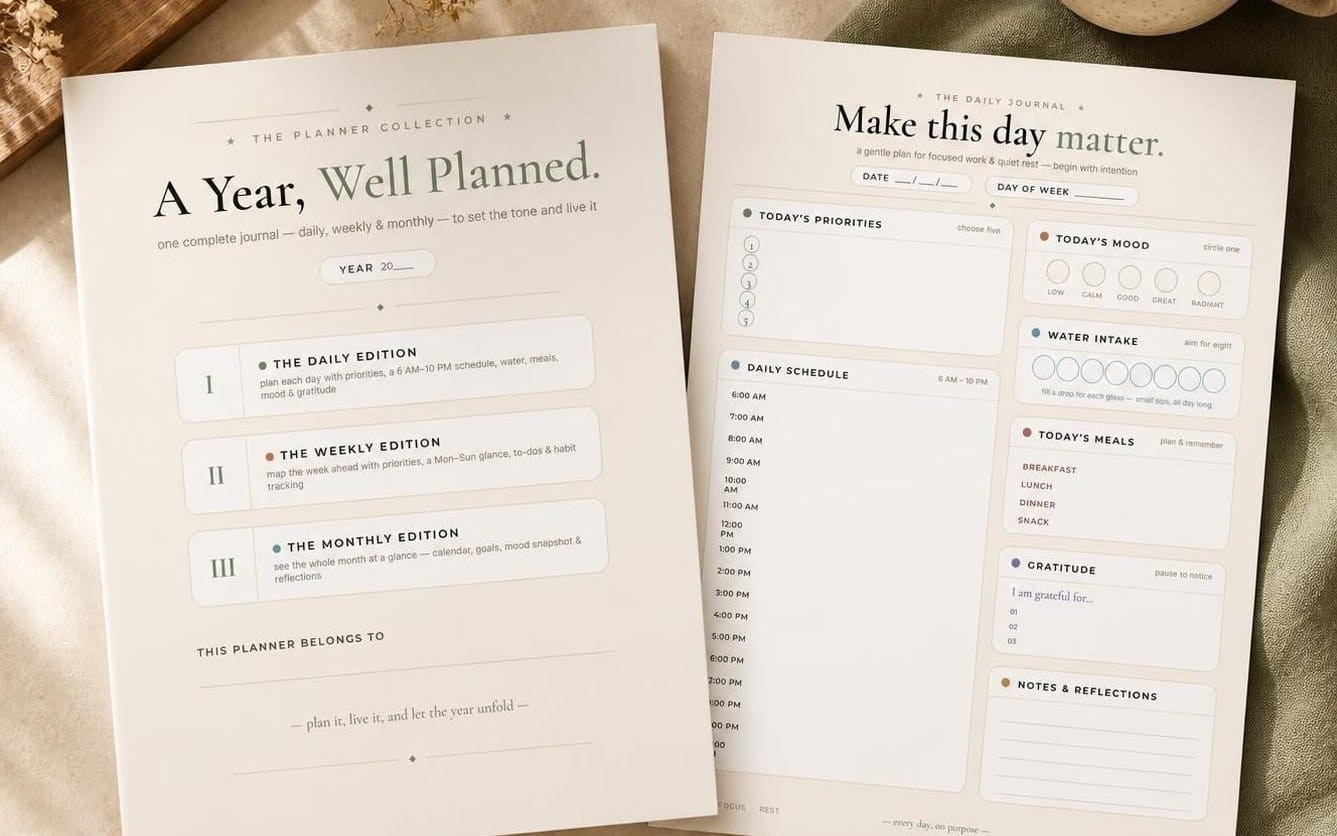
A digital planner template in 2026 is a structured set of pages designed for planning workflows, usually delivered as downloadable files you can print, annotate, or import into common tablet apps. Buyers expect a “start here” experience, which means your product should include clear cover pages, consistent section layouts, and easy navigation through the set.
Most planners sell because they reduce friction. People do not want to assemble pages from scratch. They want a single download that already makes sense: week overview pages, goal trackers, habit trackers, budget pages, and a repeatable system.
Define the planning system, not just the pages
Start by mapping one planning system end-to-end. If you sell a weekly planner, decide the “rules” of that system. For example: each week has a goals page, a schedule grid, and a review section. Then you design the same structure for every week in the set.
That structure helps customers trust the template. It also makes your planning product easier to expand later. When you add monthly sets or themed add-ons, you keep a consistent layout language.
Choose formats buyers can actually use
Buyers print. They also annotate digitally. You can design around both needs by providing print-friendly formats and a separate set tailored for digital use. Even if you only publish print-ready files, you should still make printing guidance part of the listing so customers know what to expect.
Practical formats to include often look like PDF bundles for printing, plus editable versions if you support them. If you publish multiple variants, name them clearly in the file list and show how each one fits the workflow.
How to sell ebooks online with printable planner sets
To sell ebooks online with a digital planner template, package your planner like a productized ebook: a coherent “book” experience with a cover, an internal structure, and a predictable set of pages. Then attach printable sets so buyers can start using the system the same day.
When you package correctly, your listing copy becomes simple. You can describe “this ebook includes these sections,” and your customer immediately understands what they download.
Turn pages into a “set” customers can finish
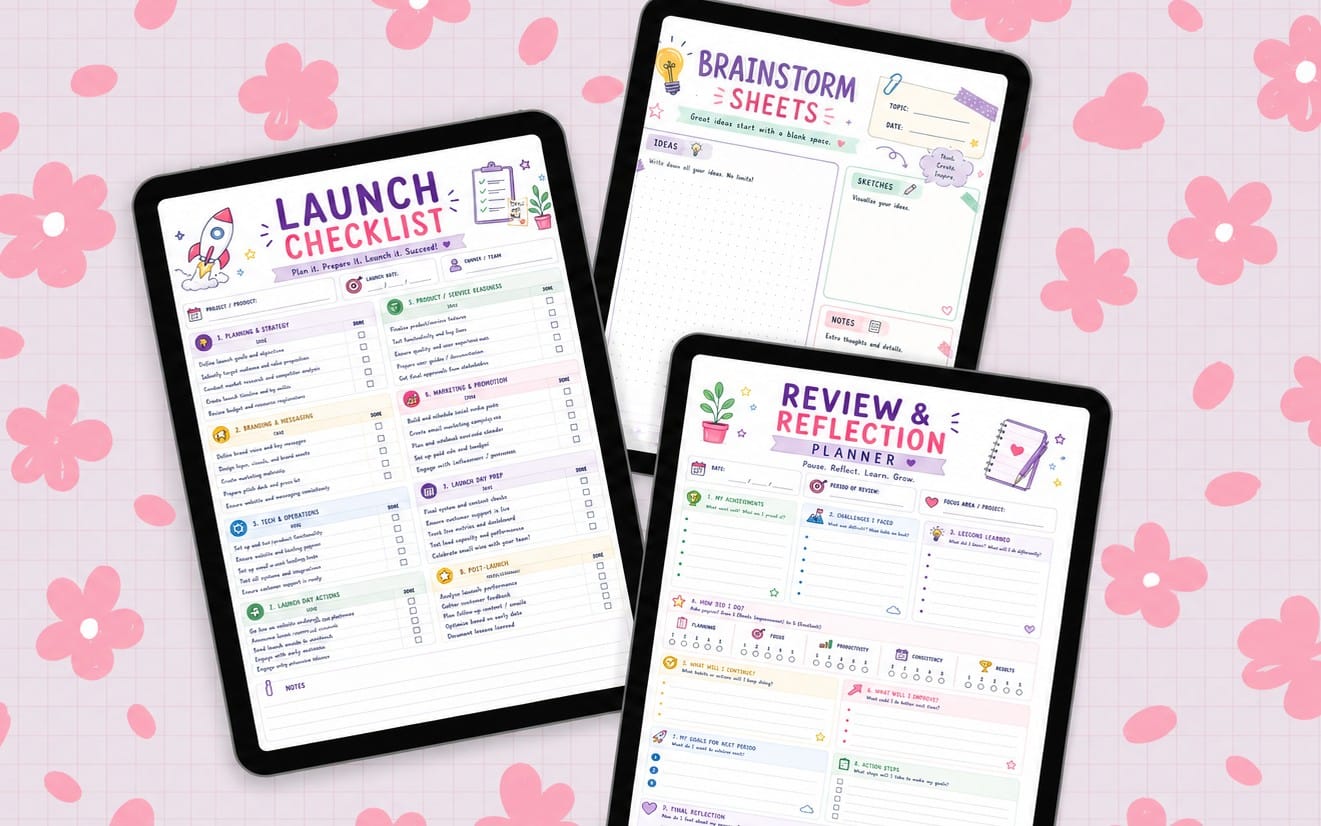
Printable sets work best when each set answers a single need. Instead of uploading one-off pages, ship complete modules. Examples:
- Weekly planning set with start-of-week and end-of-week pages
- Budget set with expense tracking and monthly review
- Study planner set with reading logs and assignment trackers
- Habit tracker set with monthly pages and reflection prompts
Each module also becomes a natural upsell. You can later release a “monthly add-on” or a “theme pack” that fits the same layout style.
Write listing copy like a checklist
Your listing should answer the most common buyer questions in the first scroll. Buyers want the “what, how many, in what format, and how to print” details. Do not make them hunt.
Use a structure like: “Includes,” “How to use,” and “Printing notes.” Keep the file names consistent inside your download too. That alignment reduces support requests and improves reviews.
- State the result: “A printable planner set for structured weekly planning.”
- List sections included in the set.
- Specify formats and how to print.
- Clarify whether it is for a specific year (or generic undated planning).
- Add a short note on what makes your layout different.
Pro tip: If you plan to release multiple versions (like generic vs year-specific), keep your product naming consistent. Buyers search by intent, not by your internal file system.
Why free printable planners drive upgrades in 2026
Free printable planners and free printable templates create a fast trust loop. Buyers test your layout style before they commit to a paid digital planner template, and your paid version becomes the “complete system.” In 2026, that testing loop matters because productivity content moves fast.
You can use free templates as a lead magnet, then convert with a paid bundle that expands coverage: more pages, better organization, or a full 12-month system.
Offer a “starter page” that matches your paid system
Give away a small slice that looks like the paid product. Examples include a weekly overview page, a habit tracker page, or a goal-setting worksheet. The buyer should recognize your layout instantly in the paid version.
This approach avoids a common mismatch problem. Many sellers offer freebies that look unrelated to the paid template, which kills conversion because the buyer does not connect the brand style.
Design the conversion path inside the listing
Even when you sell the paid template, you can mention the free preview in your listing description. A buyer should see a clear reason to upgrade: more pages, more months, more planning structure, or extra themed sections.
Conversion also improves when you keep your preview consistent in theme and typography. Your free printable templates should feel like page one of the same ebook.
Success pattern: Build a free weekly page preview, then sell the full weekly + monthly bundle. Buyers feel like they already started, so they buy to finish.
How to create an ebook cover template that sells
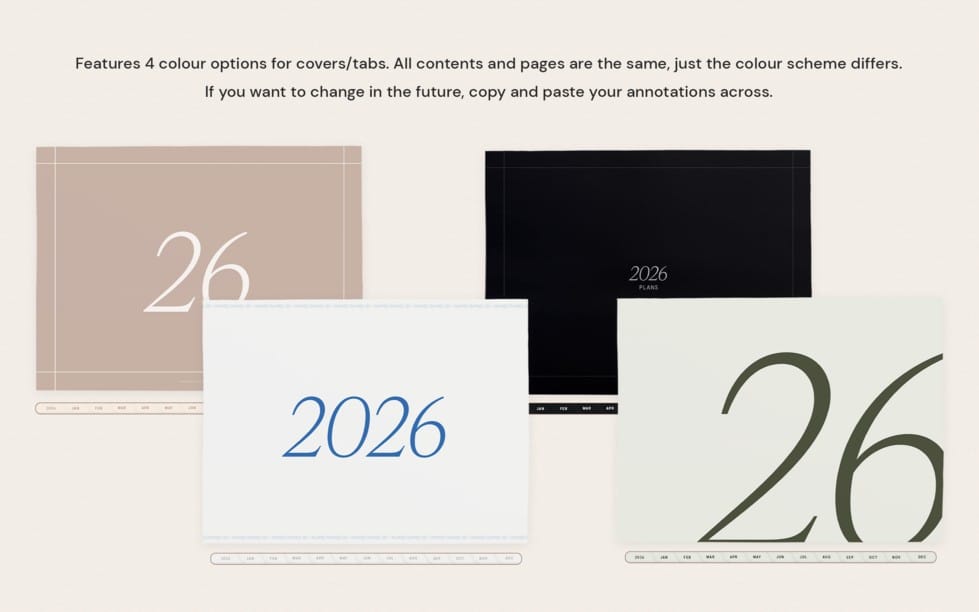
An ebook cover template helps your digital planner template look professional and consistent across releases. In a crowded market, the cover signals “this is a complete product,” not a random set of pages.
Cover design also improves how buyers read. They scan thumbnails first, then decide if they should download. Your cover should match the planner’s visual system: spacing, color, and typography.
Use cover rules planners customers expect
Planner buyers often care about readability. Use big, clear typography for the title and keep secondary text short. If your product includes a specific planning method, state it in the cover subtitle.
For example, if your paid product is a study planner or budget planner, the cover should say that plainly. When the buyer can identify the product type at a glance, conversion improves.
- Title text should work at thumbnail size.
- Subtitle should explain the planner type (weekly, budget, habit, study).
- Match cover style with the internal pages to build trust.
- Include a simple “dated or undated” cue if relevant.
- Keep margins consistent so the cover feels designed, not exported.
Build one reusable system for multiple planner variants
Create one ebook cover template and swap only the variable pieces: planner name, edition label, and theme accent. When you reuse layout rules, you reduce production time and you keep a recognizable brand.
You can also reuse the same approach for “seasonal editions,” which helps you release more often without redesigning from scratch.
Common mistake: Sellers sometimes ship beautiful internal pages but use a generic ebook cover that does not match the planner layout. Customers assume the inside will look the same, and a mismatch triggers lower reviews.
How to structure your digital planner template product files
Your customer downloads a single product, then opens files. So your file structure must feel intuitive. A well-structured digital planner template reduces confusion and protects your ratings.
You should think like a buyer: “Where do I start, and how do I print the right pages?” Then design your folders and PDF naming to answer that immediately.
Use a consistent naming and section order
Create one “front matter” set that always appears first in every bundle: cover, instructions, and quick-start pages. After that, group the planner sections in a stable order.
This makes it easier for buyers to find pages quickly and helps you maintain consistency across new releases.
- Front cover (ebook-style)
- Contents or section map
- Printing guidance page
- Core planner module (weekly or monthly)
- Trackers and supporting pages
- Reflection or review pages
Ship bundles that reduce buyer decision fatigue
Bundling helps customers commit. A buyer who downloads only daily pages may still need weekly context, budget pages, or review prompts. If you bundle those parts logically, your template becomes the “system” instead of a partial kit.
Design your bundles around intent. For example: “weekly system with budget add-on,” “study system with habit and goal pages,” or “habit system with weekly planning overlays.”
If you sell multiple styles, use consistent internal structure so switching between products does not feel like learning a new system.
Where to publish and how to price digital planner ebooks
To sell ebooks online in 2026, you need a storefront that handles instant downloads, supports digital goods, and lets you present bundles and file details clearly. Buyers also expect simple checkout and access to their purchase immediately after payment.
On a digital marketplace built for downloadable products, the listing page becomes your “product experience.” Strong images, a clear include list, and accurate format descriptions matter as much as design.
Price by value delivered, not by page count alone
Page count helps, but value comes from organization and usability. A 30-page well-structured planner can outperform a 120-page messy one if the buyer finds what they need in 10 seconds.
Use pricing tiers when it matches buyer intent. For planner creators, common tiers often look like personal use versus extended commercial use. Even if you do not add tiers, you can still design bundles at different levels: starter set, full year bundle, and premium add-ons.
Use customer signals to guide your next printable release
Track what buyers purchase together. If customers buy your weekly system and your habit tracker in the same session, you know your audience wants integrated planning. That knowledge guides your next printable templates and helps you design bundles that feel obvious.
Update your listings based on observed behavior. You can refine cover text, adjust the first screenshots, and reorganize the “includes” section order so the most relevant pages appear first.
Important note: If you sell ebooks online, keep your download content and your listing description synchronized. Any mismatch between what you promise and what customers download can trigger refund requests and support overhead.
As you build your planner catalog, you can also learn from adjacent digital product categories. For example, creators who sell motion presets or other templates focus heavily on consistent naming, preview thumbnails, and “what you get” clarity. That same discipline applies to digital planner templates.
If you want inspiration for how templates can be packaged as complete, reusable systems, check out examples like Escape the Paycheck Trap or template-based learning products that show a clear structure.
For more layout and design-adjacent thinking, creators often branch into additional template systems over time. Some planners creators pair their planner releases with cross-skill resources, such as learning packs and creator tooling. You can use that strategy without changing your planner niche.
Digital planner template FAQ for buyers (and you)
What should I include in a digital planner template download?
You should include a cover page, a quick-start or contents page, and the core planning modules your template promises (like weekly or monthly pages). Also include printing guidance if the buyer can print the files, plus any trackers that support the system.
Are free printable templates enough to grow paid sales?
Free printable templates work best when they match the paid product’s style and system so the buyer immediately recognizes the upgrade. Offer a starter page that looks like page one of the same ebook experience.
How do I make an ebook cover template that fits a planner?
Use consistent typography, margins, and theme colors across your cover and internal pages. A planner ebook cover should clearly state planner type (weekly, budget, habit) and include a cue about dated versus undated planning if that matters to your audience.
What formats should I use for printable planners?
Use formats that your customers can print easily, and describe printing expectations in the listing. If you offer multiple formats, name them clearly inside your download so the buyer always picks the right file.
How do I prevent confusion after purchase?
Use a consistent folder and file naming pattern, and keep the download organized in the same order every time. Then make your listing’s “includes” section match the file set exactly so customers know where to start.
- Sell ebooks online by packaging your planner as a coherent “ebook” with printable sets and a quick-start flow.
- Grow with free printable planners only when the freebies match the paid system’s style and structure.
- Design an ebook cover template that matches the internal planner layout for stronger trust.
- Structure your files with front matter, stable module order, and clear naming to reduce buyer confusion.
Digital planners keep selling because buyers want clarity they can use immediately. If you build your printable sets like an ebook, write the listing like a checklist, and release in coherent bundles, your catalog starts compounding.
If you want a gentle next step, review your current planner listing screenshots and rewrite the “Includes” section so it answers the buyer’s download questions in the first screen.
Getly Sellers Team