Getly
Getly
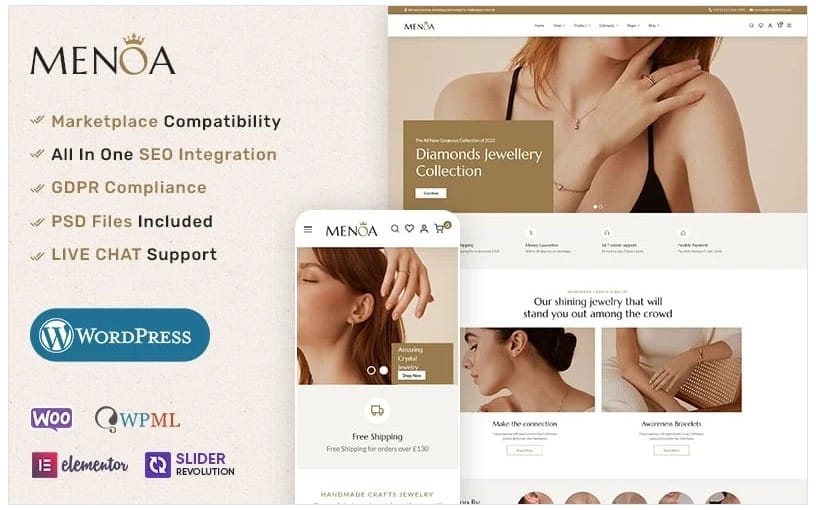
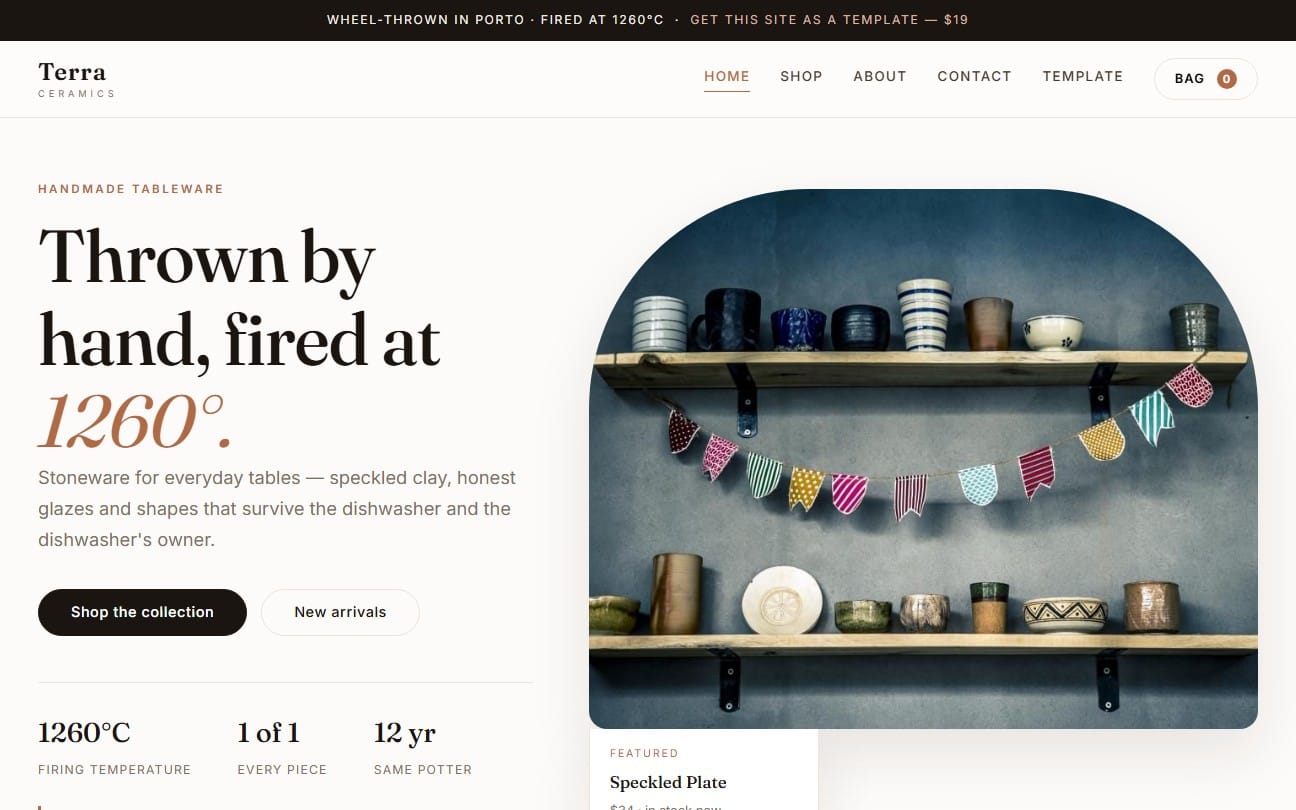
WordPress buyers in 2026 shop faster than ever. They compare layouts, licenses, and “will this work with my store?” before they download anything. This guide shows you how to sell WordPress themes and templates with a 2026-ready strategy, including how to use WooCommerce themes free and Elementor templates free without hurting revenue.
If you build templates for WordPress and the wider CMS ecosystem, your edge comes from clarity. Your product page, demo, and support policy decide whether a buyer installs today or keeps browsing tomorrow.
- Sell WordPress themes in 2026 by packaging outcomes, not just files. Include clear install steps and license tiers.
- Use “free” as an acquisition lever: WooCommerce themes free and Elementor templates free can attract qualified leads.
- Match your offer to intent: store owners need WooCommerce compatibility, creators need Elementor templates free.
- Write product pages that answer setup, compatibility, and deliverables in under a minute.
- Price and license your assets so upgrades convert without confusing buyers.
What is the best way to sell WordPress themes in 2026?
The best way to sell WordPress themes in 2026 is to treat each theme as a complete project: design, structure, install workflow, and business-ready templates. Buyers don’t only want styling. They want predictable setup and clear results for their site niche.
Start by mapping buyer intent to a deliverable checklist. A theme for a portfolio site should ship with page templates and content placeholders. A theme for e-commerce should emphasize WooCommerce-ready sections and product layouts.
Package themes by outcomes and use-case
Instead of listing “Theme + CSS + JS,” describe what the buyer can launch. Example outcomes: “launch a service website in one afternoon,” “build a shop landing page with product carousels,” or “set up a blog layout with readable typography.” Those outcomes reduce buyer uncertainty.
Then back the outcome with specifics. Mention supported editors, template types, page examples, and any required plugins you bundle. If you include assets like icon packs or style presets, call them out explicitly.
Make compatibility obvious from the first scroll
Most theme returns come from mismatch, not taste. Buyers hesitate when they cannot answer, “Will this work with my stack?” Put compatibility details early: WordPress version range (if you know it), Elementor support, and WooCommerce readiness.
If your theme targets store owners, ensure your product page lists which WooCommerce pages and components it styles. This is where “WooCommerce themes free” works as a growth lever: you can offer a stripped version that proves compatibility.
Pro tip: Write your theme’s “What you get” section like a checklist. Buyers scan it, and search engines reward the clarity. If you support Elementor templates, list the exact template types (landing pages, blog layouts, product pages, and so on).
How do you choose the best WordPress templates to sell?
The best WordPress templates to sell are the ones that match a narrow audience and solve a repeatable setup problem. Broad templates get ignored because buyers can’t picture the end result for their specific niche.
In 2026, buyers also expect “switching costs” to be low. They want templates that adapt to their content, keep layouts consistent, and do not require custom coding for the first launch.
Pick niches where templates sell faster
High-conversion template categories typically cluster around marketing outcomes: lead capture, landing pages, and commerce. A theme for a restaurant, for example, should emphasize menu structures, reservation call-to-actions, and food gallery layouts. A theme for creators should emphasize portfolios, case studies, and video-friendly sections.
Use your past analytics or marketplace search behavior to identify where buyers click and download. If you see repeated interest in Elementor page designs, lean into that strength with Elementor templates free versions.
Design templates that stay consistent with edits
Templates fail when changes break layout logic. Build with predictable spacing, reusable style tokens, and components that handle real content length. When buyers swap images and copy, your design should still look intentional.
Include a short “Editing guide” that shows how to swap typography, hero images, and button styles. Even 6 to 10 screenshots reduce buyer frustration.
Why do “free” WordPress templates convert in 2026?
Free WordPress themes and free templates convert in 2026 because they lower the trial barrier while proving compatibility. A buyer who downloads something “free” still wants confidence that the full version will fit their site and business goals.
The trick involves product design: free must be useful enough to demonstrate value, but limited enough that upgrades feel natural, not random.
Use WooCommerce themes free as a trust signal
WooCommerce shoppers want to know the theme won’t break checkout, product grids, or category layouts. A WooCommerce themes free entry can act as a compatibility test. Your paid upgrade then adds more page templates, premium styling variants, and better support.
Offer clear upgrade paths: “Get additional shop layouts and full styling controls,” or “Unlock premium templates for product comparison, FAQ blocks, and checkout enhancements.” Make those upgrades concrete.
Use Elementor templates free to capture editor users
Elementor templates free works when the free kit includes the pages buyers commonly build first: landing pages, about pages, contact pages, and blog starter layouts. Elementor users often search by what they can drag-and-drop immediately.
Your paid version can add more sections, additional theme styles, and more complete page kits (including niche landing pages). Buyers love seeing a “free kit” that already looks finished.
Success pattern: Release a free template set that mirrors the first milestone in a buyer’s workflow. For example, give a “launch-ready landing page” free, then upsell a “full site kit” that includes multi-page navigation and additional sections.
How to sell WooCommerce themes free without killing profits
You can sell WooCommerce themes free without killing profits by limiting the free download to a narrowly scoped proof of compatibility. Keep the paid product aligned to the buyer’s “next step,” not to a different audience.
In other words, free should confirm the theme works with WooCommerce. Paid should help the buyer finish the store and convert traffic.
Structure your free vs paid offer
Create a simple tiering strategy. Example: Free includes base styling and essential pages. Paid includes extra page templates, more product layout variants, and advanced style controls.
Use a table to keep your product page readable and to reduce buyer confusion.
| Feature | WooCommerce themes free | Paid WooCommerce theme |
|---|---|---|
| Core shop styling | Included | Included + variants |
| Product page layouts | 1 layout | 3 to 5 layouts |
| Category templates | Basic listing | Advanced grid, filters blocks |
| Conversion blocks | Limited | Full kit (FAQ, reviews blocks, CTAs) |
| Support | Email guidance only | Priority guidance |
Write product page copy that sells the upgrade
Buyers don’t upgrade because they feel generous. They upgrade because the paid version saves time. Your product page should show time-saving deliverables: additional templates, editable components, and clear setup instructions.
Include a “best for” section. If the theme targets store niches like cosmetics or accessories, mention those niches and link each niche to specific template types.
Common mistake: Don’t release a WooCommerce themes free download that feels unrelated to the paid version. If free ships a different design direction or a completely different feature set, buyers won’t understand what they’re buying.
How do you make Elementor templates free feel premium?
Elementor templates free feels premium when the layout looks complete, typography aligns to a coherent style system, and the templates edit cleanly inside the editor. Your free package should pass the “first 10 minutes” test.
Most free downloads fail because they ship without editing instructions or because styling depends on fragile settings. Build your free kit for real customization.
Deliver a consistent style system
Use consistent fonts, heading scales, spacing rules, and button styles across templates. Then document them. When buyers see that consistency, they assume the paid kit will deliver the same polish.
Also set expectations around images and content. If you include placeholder imagery, label where to swap hero images and how to replace the gallery content without breaking the grid.
Show the editing workflow before buyers ask
Include a short walkthrough in your listing: how to edit a hero section, change colors, replace icons, and update content blocks. Even a mini “screenshot guide” outperforms a long paragraph.
If your free kit includes landing pages, name the page templates clearly: “Home with pricing,” “Service page with FAQ,” “Contact page with embedded form blocks.” These titles help buyers visualize outcomes.
How to structure multi-license tiers for WordPress themes
The best-selling WordPress themes in 2026 include multi-license tiers that match buyer use cases: personal sites, client sites, and extended commercial use. Good licensing reduces disputes because buyers pick the correct right on day one.
Clear licensing also helps you price fairly. Buyers who only need one site pay less, while agencies pay more because they distribute and maintain multiple installs.
Offer licenses that map to real buyer behavior
Many buyers fall into these buckets: running a single site, building client sites, or scaling a brand portfolio. Translate those buckets into license tiers and show what changes between tiers.
Then include a simple licensing graphic or bullet list. Avoid vague wording like “commercial use.” Spell out what “commercial” means in your context.
Make upgrades feel obvious in license language
When a free kit exists, license language must explain the upgrade. For example: the free version might include a limited template set, while the paid license unlocks additional templates and more complete theme files.
Keep your license text near your deliverables list. That placement reduces “I assumed it included everything” support requests.
Tip: Write your “Deliverables included” list separately from your “License rights” list. Buyers interpret them differently, and separate sections reduce misunderstandings.
How Getly helps sellers distribute WordPress themes and templates
Getly provides a marketplace flow that helps you sell digital WordPress themes and templates with immediate delivery after purchase. The platform also supports AI-powered search and visual search, which matters when buyers discover assets by reference images or keywords.
Creators keep 80% revenue by default, and Getly can pay in USDT/USDC stablecoins, plus fiat via card through Stripe Checkout. Those payment options can reduce payout friction for sellers in regions where traditional payout rails get unstable.
Use marketplace discovery features for faster downloads
Buyers often start with search terms like “best WordPress templates,” “Elementor templates free,” or “WooCommerce themes free.” Build your listing around those exact phrases in your title, overview, and tags so the marketplace can surface your product to the right intent.
When you add demo visuals, pair them with a consistent naming scheme. Visual discovery improves when thumbnails and screenshots match the product’s actual layout.
Bundle your theme with assets to raise average order value
Bundles work well for theme sellers because buyers often need more than one file. For example, you can bundle a template kit with supporting assets like style components, motion presets, or conversion block packs. Just make sure the bundle aligns with one install workflow.
If you ship animation-related extras, keep them clearly separated from core theme files so buyers can decide what they need. You can also link supporting products on your listing page without cluttering your checkout flow.
Examples of related digital assets you can pair with theme marketing include motion and content tools like Escape the Paycheck Trap or AI workflow packs such as AI Product Description Generator - Bulk GPT Tool, depending on your niche.
- Make your theme “installable” on day one: deliver a clear workflow and emphasize compatibility.
- Use WooCommerce themes free to prove store readiness, then sell the full store-building kit.
- Use Elementor templates free to capture editor users, then upsell the complete multi-page system.
- Price fairly with multi-license tiers that match how buyers actually use templates.
- Raise downloads by designing listings around buyer intent keywords like “best WordPress templates.”
FAQ: Sell WordPress themes and free template kits
Should I sell WordPress themes or only free templates?
Sell WordPress themes and templates as a paid product, then use free templates as a lead magnet. Free works best when it proves compatibility and shows the design direction, while paid fills the missing templates and style controls buyers need to finish a site.
What makes a WooCommerce themes free offer worth downloading?
A WooCommerce themes free offer must style the core shop experience cleanly. Ship at least one product layout, category layout, and a shop landing design so buyers can confirm checkout and product browsing look correct with WooCommerce.
How do I structure Elementor templates free vs paid versions?
Give Elementor templates free for the first milestone pages like home, landing, about, contact, and a blog starter layout. Sell the paid version as the “full site kit” with extra pages, additional section variants, and clearer styling controls.
How many license tiers should I create for WordPress templates?
Create tiers that match actual buyer behavior: single-site use, client-site use, and extended commercial distribution. Keep each tier’s rights and included deliverables explicit so buyers choose confidently and avoid refunds.
How can I reduce support requests after buyers install my theme?
Write an editing guide and include a compatibility section in your listing. Show screenshots for the first edits, like swapping hero images and changing typography, so buyers do not guess settings and break layouts.
Soft CTA: If you want to test demand, publish a focused theme or template kit with one clear free entry (WooCommerce themes free or Elementor templates free), then iterate your paid offer based on downloads and support questions.
Getly Sellers Team