Getly
Getly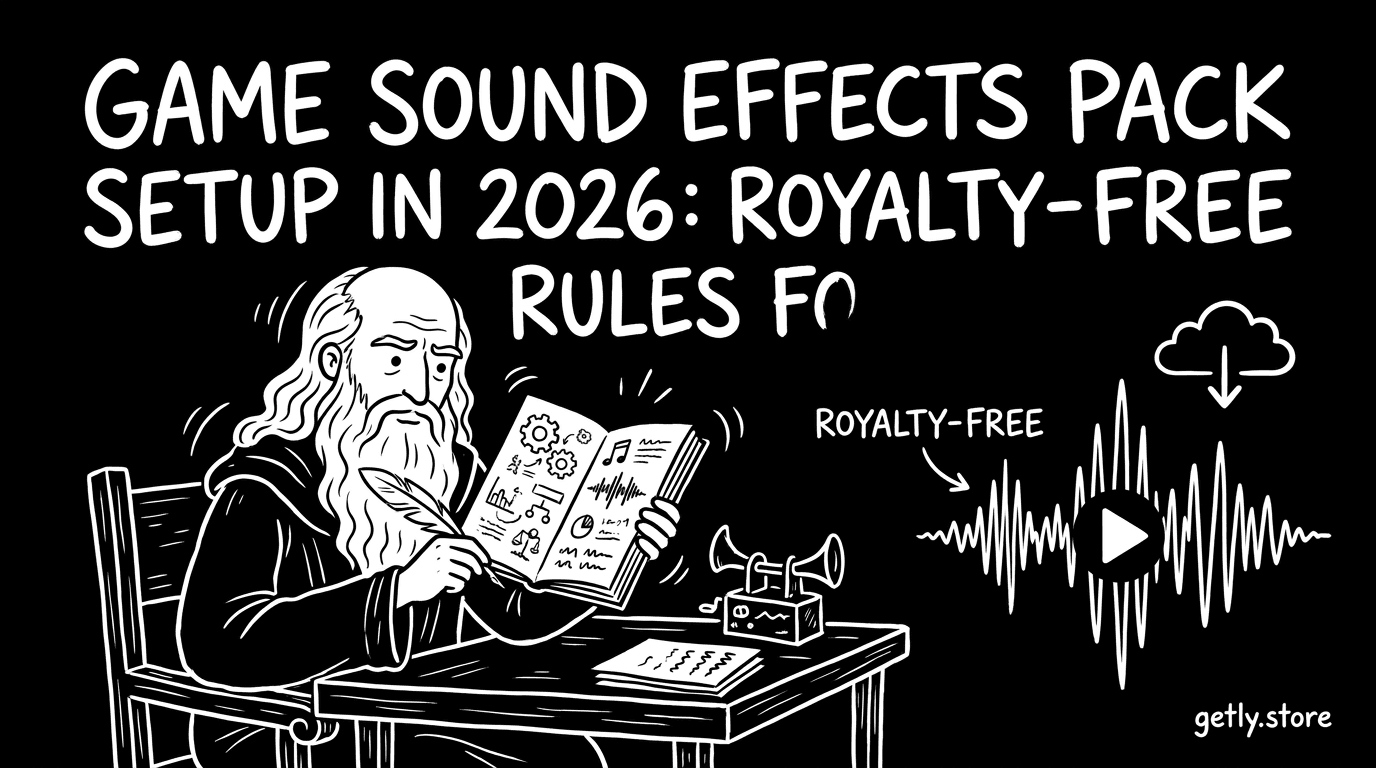
You can ship a polished game faster when your audio pipeline stops guessing. In 2026, creators need clear royalty-free music and sound-effects rules so the pack you sell actually matches the license you promise. This guide walks you through a practical setup for a game sound effects pack, from licensing to delivery, with common pitfalls called out.
- You need two things before publishing: clear license terms and a repeatable export workflow for SFX and royalty free music assets.
- Royalty-free means “you can reuse without per-use fees,” but it still depends on license scope. Your file folder and metadata should reflect that.
- Pack setup works best when you label sources, usage rules, and modification permissions in every deliverable.
- If you plan to sell music online, multi-license tiers help you match buyers who ship different project types.
- Getly-style marketplaces expect clean product descriptions and predictable licensing, because refunds and disputes start with what you stated.
What is a game sound effects pack, and what should it include?
A game sound effects pack bundles audio files that game developers can drop into a project: impacts, UI clicks, footsteps, ambience, damage layers, and other gameplay cues. In practice, buyers judge quality by organization first, then by loudness, looping behavior, and consistency across the set.
A solid game sound effects pack also ships with “how to use” context. Many failed purchases happen because the buyer never got the rules: whether they can redistribute the audio, whether they can modify it, and whether the pack covers commercial game releases.
Minimum deliverables for a usable pack
Start with a predictable file structure. You can keep it simple: one folder per category, and one consistent naming scheme per sound. For example, UI_Click_01, UI_Click_02, Footstep_Grass_Wet_01, Footstep_Grass_Wet_02.
Then include usage notes that match your license. If your license permits commercial use, say so plainly. If you forbid reselling the raw audio, explain that buyers may use the sounds in a finished game but cannot reshare the files as-is.
Licensing-facing assets you should not skip
Every pack benefits from a short “license summary” document or a dedicated section in your product description. Put the key points where buyers look first: project type, redistribution rules, modification rights, and any attribution requirements.
If you include royalty free music (like menus or ambient beds), label them separately from SFX. Audio buyers often mix up music licenses and effect licenses, then contact support when their build pipeline needs different permission.
Tip: Treat your audio folder like a mini product. When a buyer downloads your files, they should not need to search through your demos to understand what each file does.
How to define royalty free music rules for your pack
Royalty free music usually means the buyer pays once and can use the track without extra per-play or per-seat fees. The part creators often miss in 2026: “royalty free” still depends on the license scope you write, especially for commercial games and distribution.
To set rules that hold up, write them in buyer language and align them with what you sell. If you sell music online, you want the license text to match your product description, your previews, and your deliverable files.
Write a license scope that matches real buyer use
Most game buyers care about four permission types: commercial use (shipping the game), modification (mixing, cutting, layering), distribution (including audio inside the built game), and redistribution (selling the raw audio files again).
Then decide what you do not allow. Common restrictions include reselling the original stems, using the track as-is in unrelated marketplaces, or claiming ownership of the sound recordings/compositions.
Use multi-license tiers to reduce disputes
Multi-license-tier support matters because developers ship different products. Some buyers release a jam game, others ship on Steam, others build an internal tool with customer distribution. When your pack includes tier definitions, your license stays clear.
Even without legal jargon, you can create tiers like Personal (smaller scope), Commercial (game release), and Extended (bigger distribution or broader project types). Keep each tier consistent across every product page you publish.
| License topic | What to state clearly | Why buyers ask support |
|---|---|---|
| Commercial use | Can they ship a game for profit? | They see “royalty free” but want confirmation |
| Modification | Can they edit, loop, cut, or re-mix? | They need stems or waveform handling |
| Redistribution | Can they repackage raw audio? | They try to sell the pack again |
| Attribution | Is credit required in-game or in docs? | They need a compliance checklist |
Warning: “Royalty free” text alone does not protect you if your preview video and product description imply a broader right than your actual license grants. Keep previews and license wording consistent.
How to set up exports for SFX and looping music
Audio packs fail in production when creators export inconsistently. A game sound effects pack should deliver clean assets: consistent sample rate, sensible headroom, and looping behavior that matches the sound type (ambience, UI, or diegetic foley).
In 2026, buyers also expect professional loudness and file naming. Your job involves two workflows: sound design export and pack delivery export. Keep both reproducible.
Export settings that reduce integration pain
Pick a standard and stick to it across the pack. Many game pipelines prefer 24-bit WAV for development, then convert in-engine. If you provide compressed preview files (like MP3), still ship the master WAV for mixing and rebalancing.
Leave headroom. Avoid clipping. If your effects peak too high, the buyer ends up doing corrective gain staging, which slows their schedule and increases refund risk when they cannot make your files fit their mix.
Looping rules for free background music
Free background music must loop predictably. Export a loop-friendly version and document the loop points. For ambient beds, use seamless loops or crossfades you create in the DAW, and name the file to reflect the loop method.
UI music and menu themes do not need the same loop depth as open-world ambience. Tell buyers what the track is for so they do not assume a perfect seamless loop on a one-shot cue.
Tip: Include at least one “usage preset” note for looped tracks. Example: “Amb_01_Loop_Seamless_WAV. Designed to loop every 60 seconds with no audible click.”
How to structure your pack for fast discovery in 2026
In marketplaces, discovery drives sales more than raw audio quality. Buyers browse by category, keywords, and preview clarity, then download only if the pack looks organized and matches their use case.
A game sound effects pack benefits from tight taxonomy: what the files are, what they sound like, and what game systems they support. When you structure your pack that way, you reduce “mismatch downloads” and increase conversion.
File naming that matches buyer search intent
Create names that reflect both sound type and context. Footsteps need surface and state. Weapons need impact and materials. UI needs platform-neutral identifiers like UI_Click, UI_Back, UI_Confirm.
Then mirror your naming in your product page keywords. If you label your files “UI_Confirm_01,” your product page should mention UI confirm sounds, not just “buttons.”
Metadata and previews that match license decisions
Royalty free music buyers scan for usage examples: menu loop, action stinger, ambient bed. Provide at least one short clip per category with consistent start and end timing.
Also include preview text that mentions your license scope. When your preview implies commercial usage, align it with your license summary so buyers do not feel misled.
Warning: If you include NSFW-related audio or explicit themes in a pack, separate it clearly. Buyers filter content quickly, and mixed packs create moderation and refund headaches.
How to sell music online: product pages, pricing, and license tiers
Selling a game sound effects pack online requires clarity more than clever marketing. Buyers want an immediate answer: what they get, what they can do with it, and what tier fits their project.
In 2026, creators also benefit from offering multiple file deliverable tiers, because teams buy based on integration scope and distribution plans.
Build a product page that answers common questions
Write your description like a checklist. Include a list of included categories, file formats, loop behavior, and whether the pack contains royalty free music or only SFX. Then include a short license summary at the top so buyers do not hunt for it.
Add a “What you can do” section and a “What you cannot do” section. Keep it short but direct, so it reads as a license summary rather than an essay.
Tiering strategy that scales with buyer projects
Multi-license-tier support helps you match the market. A personal tier can fit hobby prototypes, while a commercial tier can cover paid games. An extended tier can support broader distribution rules, if you define it clearly.
When you sell music online, you also reduce refund requests because teams understand rights before they buy.
Tip: Offer a “license quick table” near the top of your description. Buyers scan tables faster than paragraphs.
What royalty-free SFX and music rules should you follow to avoid takedowns?
Royalty-free rules do not protect you from content mislabeling. In 2026, creators still get into trouble when they sell audio they copied, when they fail to disclose embedded third-party elements, or when their license claims exceed the rights they actually hold.
You also reduce disputes when you prepare for how buyers request help. Refund windows and dispute flows often start with what you wrote, so accurate rules matter for customer trust and support load.
Checklist for clean rights and accurate descriptions
- Confirm you own or have permission for every recording, sound recording, and composition element you include.
- Document whether tracks include any sampled material or licensed loops. Use the same rule across every release.
- Make your product description match the deliverables you upload (formats, loop versions, stems or not).
- Separate royalty free music from one-shot SFX categories, so buyers do not mix license expectations.
- Include clear redistribution rules so buyers understand how they can reuse audio in finished games.
- Label special content clearly, including explicit or mature themes, to match buyer filtering.
Common compliance mistakes creators make
Creators sometimes write “royalty free” but then add hidden restrictions elsewhere in the page. Others include a looping version but fail to mention it in the description, which leads to angry reviews from developers who need seamless playback.
Another frequent issue: creators treat “commercial” as “free to use anywhere.” Your license scope must state what “commercial” means for games specifically, and it must state what a buyer cannot do with raw assets.
- Set license rules that cover commercial shipping, modification, and redistribution limits.
- Export consistently. Loudness, headroom, and loop behavior decide whether buyers can integrate fast.
- Structure file names and previews so buyers can match assets to their project systems.
- Use license tiers to match buyer project types and reduce misunderstandings.
- Keep every claim aligned with your actual rights and your actual deliverables.
FAQ: game sound effects pack, royalty-free music, and downloads
Is a game sound effects pack always royalty free?
No. A “game sound effects pack” can come with many license types. You must state your specific license terms, including what commercial buyers can do and whether they can redistribute the raw audio files.
If you sell effects and background music together, separate the license sections so buyers do not apply SFX assumptions to music tracks.
What counts as free sound effects download for commercial games?
A free sound effects download often means the buyer pays nothing for the files, but it still usually requires a license agreement. You need to define whether the buyer can ship a commercial game and what they can do with the audio inside the finished product.
Always write rules for commercial use and redistribution. “Free” and “royalty free” do not automatically mean “no restrictions.”
Can buyers modify royalty free music from your pack?
Modification permissions depend on your license. Most game teams need to cut, loop, re-segment, or mix stems into their soundtrack workflow, so you should state whether editing is allowed.
If you allow edits, define what remains prohibited, such as reselling the original files as a standalone pack.
How do I prevent refunds when selling music online?
You reduce refunds by writing a product page that matches the actual deliverables: file formats, loop points, and license scope. Include a short license summary in plain language and avoid overpromising rights.
Also include clear preview audio so developers can confirm the sound matches their project before they buy.
What should I include for best results on AI search and discovery?
Name files clearly and mirror those names in your product description keywords. Provide category-level previews and label special formats like loop-ready background music and one-shot SFX.
When your metadata stays consistent, buyers find the pack faster and integration goes smoother.
If you want to streamline your game audio packaging workflow further, use a consistent template for product descriptions and a repeatable export checklist. That small discipline helps your pack stay discoverable and license-compliant as you publish more assets across 2026.
Soft call-to-action: Next, pick one pack you already have and rewrite its license summary and file folder structure. Then test the clarity by asking a developer friend to integrate it without reading your entire page.
Getly Support