Getly
Getly
Want free game character sprites that actually look good in your 2D game-without spending a week hunting files or guessing licensing? In 2026, the fastest workflow is picking the right sprite style (pixel art vs. toon vs. “RPG sheet” format) and matching it to your engine’s requirements.
This guide gives you a practical, “download-ready” shortlist of where to find free 2D game sprites, plus how to choose and prepare them so your characters animate cleanly (idle, walk, attack, and more).
Quick answer: Best free game character sprites for 2026
The best free game character sprites in 2026 are the ones that come in consistent sprite sheets (same resolution, same anchor, same palette rules) and include enough frames to animate key states. If you’re building an RPG, prioritize downloads labeled as “sprite sheet,” “character set,” or “RPG” that include multiple directions.
If you only need a small hero prototype, go for pixel art characters free sets with 16x16, 24x24, or 32x32 tiles. For learning animation timing, pick sets that include idle + walk at minimum, because those reveal whether the original artist used frame-to-frame spacing correctly.
- Choose sprite sheets with consistent resolution, pivot/anchor, and frame layout for fast import.
- For RPG character assets, prioritize directional sets (down/side/up) and core states (idle/walk/attack).
- Always verify licensing before shipping a game-free doesn’t always mean free-for-commercial.
- Use tools to standardize scale, background transparency, and color palette to keep styles cohesive.
- Plan shaders last: good pixel art survives better when you avoid over-blurring.
What is a game sprite sheet download and why it matters?
A game sprite sheet download is a single image (or small set of images) containing many animation frames arranged in a grid. Your game engine then slices frames by rows/columns to animate. This format is faster than separate PNGs per action, because it reduces import mistakes and keeps timing consistent.
For RPG character assets, sprite sheets are especially important: RPG games often need multiple directions, equipment variations, and looping idle animations. If the sheet uses consistent spacing, you can scale and anchor characters without “jitter” when switching states.
Sprite sheet formats you’ll see in 2026
Most free packs use one of three common structures:
- Grid sheets: rows = frames for an action; columns = directions or variants.
- Action sheets: each row (or separate sheet) is a different action like idle/walk/attack.
- Directional animation sets: separate sheets for down/side/up, each with actions.
When you’re searching for free 2D game sprites, grid sheets are the easiest to parse and re-slice in engines and tools.
How to tell if a sheet will animate cleanly
Before you commit to a download, check for these signals:
- Consistent canvas size: every frame should fit the same bounding box.
- Transparent background: avoid packs with solid colors unless you’re planning palette masking.
- No “frame drift”: characters shouldn’t jump left/right or up/down between frames.
- Readable silhouettes: pixel art relies on shape continuity more than detail.
- Clear labeling: filenames like idle_down_01.png indicate safer sets.
If the sheet passes those checks, you can focus on gameplay instead of cleanup.
Pro tip: If you plan to use the sprites in multiple engines, standardize your pipeline early. Pick one target resolution (for example 32px character height) and re-scale all downloads to that before implementing animations.
Best places to get pixel art characters free (2026)
The best places to find pixel art characters free are the ones that publish structured sprite packs with predictable licensing and consistent file naming. In 2026, creators are more explicit about usage terms, but you still need to verify.
Instead of chasing random single sprites, prioritize sources that provide character sets, “RPG hero” packs, or complete “animation loops.” That’s how you get ready-to-implement assets rather than thumbnails.
What to search for (exact phrases that work)
Use these search terms to narrow results quickly:
- “RPG sprite sheet”
- “character animation set”
- “tileset + character” (if you want matching environment vibes)
- “top-down 8 direction” (if your RPG is tactical)
- “16x16 character set” (if you want classic pixel proportions)
- “idle walk attack sprites” (if you need core states)
These phrases match how sprite creators organize packs, so you’ll spend less time stitching unrelated files into one coherent character.
Licensing checklist before downloading
Free doesn’t automatically mean commercial. When you find free game character sprites, look for these items on the download page:
- License type: CC0, CC-BY, MIT/CC variants, or “free for commercial.”
- Attribution rules: if required, where should credit be placed?
- Redistribution limits: can you include the sprite in your own asset bundle?
- Derivative rules: can you edit palette/frames?
- AI restrictions: some 2026 packs clarify how AI use is allowed or prohibited.
Common mistake: Downloading a sprite set that allows personal use only, then using it in a released game. Always verify “commercial use” and redistribution terms before you publish on Steam or marketplaces.
How to pick free 2D game sprites by RPG role
The best selection strategy is to match sprites to your gameplay role first, not just visual style. An RPG hero needs readability at motion blur levels (fast scrolling frames), while NPCs can tolerate simpler loops.
If you want fewer headaches, build a small roster: hero, companion, 2 NPC archetypes, and 1 enemy. This is enough variety for a demo while keeping animation workflow manageable.
Hero (player character) requirements
Your hero sprites should include at least:
- Idle loop (breathing or weapon shift)
- Walk cycle (clean frame spacing)
- Attack or cast (even if short)
- Directional set (down/up/side or 4-direction at minimum)
When searching for RPG character assets, prioritize directional frames because it directly affects gameplay clarity when the camera follows the player.
Enemies and NPCs: the “good enough” baseline
Enemies and NPCs often need less animation than the hero. For a clean game feel:
- Use 2-direction if your camera doesn’t demand full top-down fidelity.
- Pick enemies with an obvious silhouette in attack frames.
- Choose NPCs with short idle loops (less than ~12 frames) to avoid “strobe” effect.
- Standardize the same color temperature across all characters so they sit naturally on the map tiles.
This is the fastest way to get free 2D game sprites into a cohesive scene.
How to prepare a pixel art sprite sheet for your engine
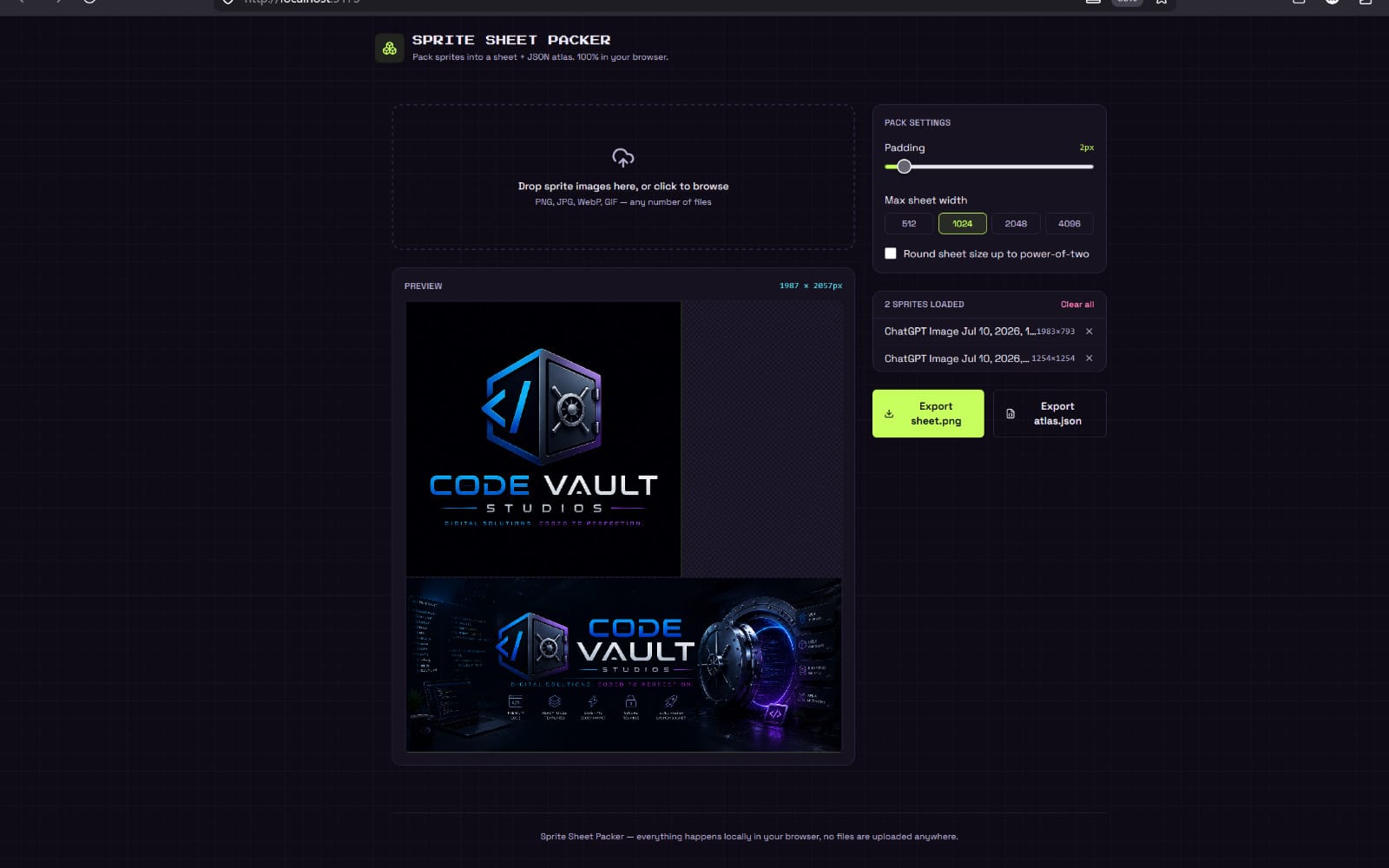
Preparing sprite sheets is where most time gets wasted-so the best approach is a checklist. If your game sprite sheet download needs resizing, slicing, or recoloring, do that once in a controlled workflow, then reuse the export settings.
In 2026, engines and tools are better than ever at importing sprites, but they still rely on your consistency. Clean input equals smooth animation output.
Step-by-step: from download to running animations
Use this workflow for nearly any 2D engine (Unity, Godot, Phaser, custom):
- Inspect resolution: confirm character height (e.g., 32px tall) and frame grid spacing.
- Verify transparency: ensure the background is actually transparent, not “near-transparent” pixels.
- Normalize canvas: if frames differ in size, pad them so every frame shares the same bounding box.
- Slice consistently: use fixed cell width/height, not manual clicking per frame.
- Set pivot/anchor: align feet or center-of-mass across all directions.
- Test timing: preview idle + walk back-to-back and look for frame drift.
Once the animation looks stable, you can create state machines (idle → walk → attack → idle) without visual artifacts.
Palette and readability: keep sprites “game-ready”
Pixel art lives or dies by palette discipline. For best results:
- Limit recolors: keep original shading logic; swap only base colors.
- Respect outlines: don’t accidentally remove edge pixels during scaling.
- Avoid heavy smoothing: let pixel edges remain crisp; use nearest-neighbor scaling.
- Match background contrast: if your tiles are bright, slightly darken outlines or shadows.
If your sprites are too flat, it’s usually a lighting mismatch-not a “need more detail” problem.
Success story pattern: Teams that standardize canvas size + pivot alignment early often reduce animation bugs dramatically. The fix isn’t adding more frames-it’s making frame geometry consistent across directions and actions.
How to add shaders to free sprites without ruining pixel art
Shaders can make your game feel modern, but pixel art needs restraint. The best approach for free 2D game sprites is to add subtle lighting, outlines, or toon shading that preserves edges.
In 2026, shader pipelines are more accessible. Still, you should treat shaders like seasoning: test on a few representative sprites (hero, enemy, NPC), not on your entire roster.
Best shader goals for RPG sprite sets
When your priority is readability, these shader targets work best:
- Palette-safe lighting: multiply or add light without introducing gradient banding.
- Outline stability: avoid post-processing that changes edge thickness per frame.
- Toon shading: quantize colors into a small number of bands.
- Glow with thresholds: glow only on bright regions (e.g., spells, eyes).
If you’re aiming for a toon look, pixel art usually benefits from banded shading rather than smooth blur.
How to choose the right shader workflow
Pick a workflow based on what your game needs most:
| Goal | Recommended shader approach | What to watch out for |
|---|---|---|
| Keep classic pixel crispness | Nearest-neighbor scaling + minimal post effects | Blurring edges makes motion look “muddy” |
| Stylized RPG lighting | Quantized toon lighting bands | Banding that conflicts with sprite shading |
| Spell/weapon VFX | Threshold-based glow + additive sprites | Glow bleeding into outlines |
| Anime/toon conversion | Toon shader system with controlled ramp | Over-smoothing that destroys pixel identity |
If you’re actively building a stylized pipeline, a unified toon system is often easier than stacking multiple one-off effects.
Pro tip: Create a “shader test scene” with 3 characters and 2 lighting conditions. Once the look is correct there, reuse the same parameters across all your sprite sheets for visual consistency.
Free RPG sprite sheet download: what to expect in packs
A free RPG sprite sheet download usually varies more than people expect. Some packs are “hero sets” (excellent for player characters) while others are “encounter sets” (simple enemies and NPCs). Knowing the difference helps you avoid buying time with mismatched assets later.
In 2026, many creators ship multiple resolutions (16x16, 24x24, 32x32). That’s a gift-because you can pick one resolution that matches your camera zoom and keep your animation timing stable.
Compare pack quality: a quick rubric
Use this scorecard when evaluating any downloadable character set:
- Frame completeness: idle + walk + at least one combat action.
- Direction coverage: 4-direction or 8-direction for top-down RPGs.
- Color consistency: character reads as the same identity across states.
- Sheet hygiene: clean spacing, no overlapping frames, no weird offsets.
- License clarity: explicit commercial usage terms.
- File naming: “idle_down_01” beats “frame12” every time.
With this rubric, you’ll quickly identify packs that are truly usable-versus those that require heavy rework.
Two practical workflows for integrating free sprites
Most teams fall into one of these paths:
- Prototype-first: import and test with minimal edits. Great for game jams and MVPs.
- Consistency-first: normalize scale, anchors, and palette before you implement gameplay logic.
If you’re building a longer RPG, consistency-first usually saves time-because every later animation and equipment swap depends on the same anchor geometry.
While sprite work can be straightforward, it’s still easy to get overwhelmed when you juggle sourcing, licensing, editing, and engine import. That’s why some creators rely on structured workflows across assets and learning materials-especially when they’re scaling from a prototype to a full character roster. If you want a broader workflow system for turning many inputs into a coherent production plan, you can look at The Signal Architect The AI-Powered Workflow to Turn 100 Sources into 1 Master Insight.
Warning: Don’t “over-edit” free sprites immediately. First get them running with correct anchors and timing. After that, do limited palette adjustments and outline consistency to match your game’s art direction.
FAQ: free game character sprites, pixel art, and RPG sheets
Are pixel art characters free actually safe to use commercially?
Not always. “Free” downloads can range from CC-BY with attribution requirements to personal-use-only licenses. Always check the license and redistribution/derivative rules before publishing your game.
What’s the best game sprite sheet download format for an RPG?
The best format is a consistent sprite sheet (or set) that includes idle + walk plus at least one combat state, with clear directional frames. Look for fixed cell sizes and stable character anchoring to avoid animation jitter.
How do I know if free 2D game sprites will match my tile set?
Compare palette temperature and outline thickness. If your tiles are high-contrast and your sprites are low-contrast (or vice versa), the character will look pasted onto the world. Fix this with limited palette adjustments after the sprites are correctly anchored.
Should I use shaders on free sprites right away?
Start with raw sprite readability and correct animation timing. Once the character looks stable in motion, add subtle toon lighting, quantized ramps, or threshold glow-then test on multiple directions to ensure outlines don’t flicker.
How many frames do I need for a “good enough” character?
For MVPs: idle loop (4–8 frames) and walk cycle (6–12 frames). For RPGs, add attack/cast (4–10 frames) and at least two directions. More frames help polish, but consistent geometry matters more than sheer quantity.
Conclusion: Build faster with curated free sprites in 2026
Finding free game character sprites is only half the job-the real win is selecting packs that are consistent, licensed clearly, and easy to slice into smooth animations. Once you normalize resolution and anchor geometry, your sprite workflow becomes repeatable for every new RPG character asset.
If you want to level up your art workflow (and keep scope under control), start by downloading one hero set and one enemy set that match your camera zoom. Then implement idle + walk first, and only after that expand into attack, casting, and extra directions.
Soft call-to-action: When you’re ready to systemize your pipeline or explore shader-driven styling, check out relevant tools and asset workflows on Getly-so your next sprite integration doesn’t become a time sink.
Quick reminder: Keep your sprites pixel-crisp, your anchors consistent, and your licensing verified-those three choices determine whether your “free download” feels professional in-game.