Getly
Getly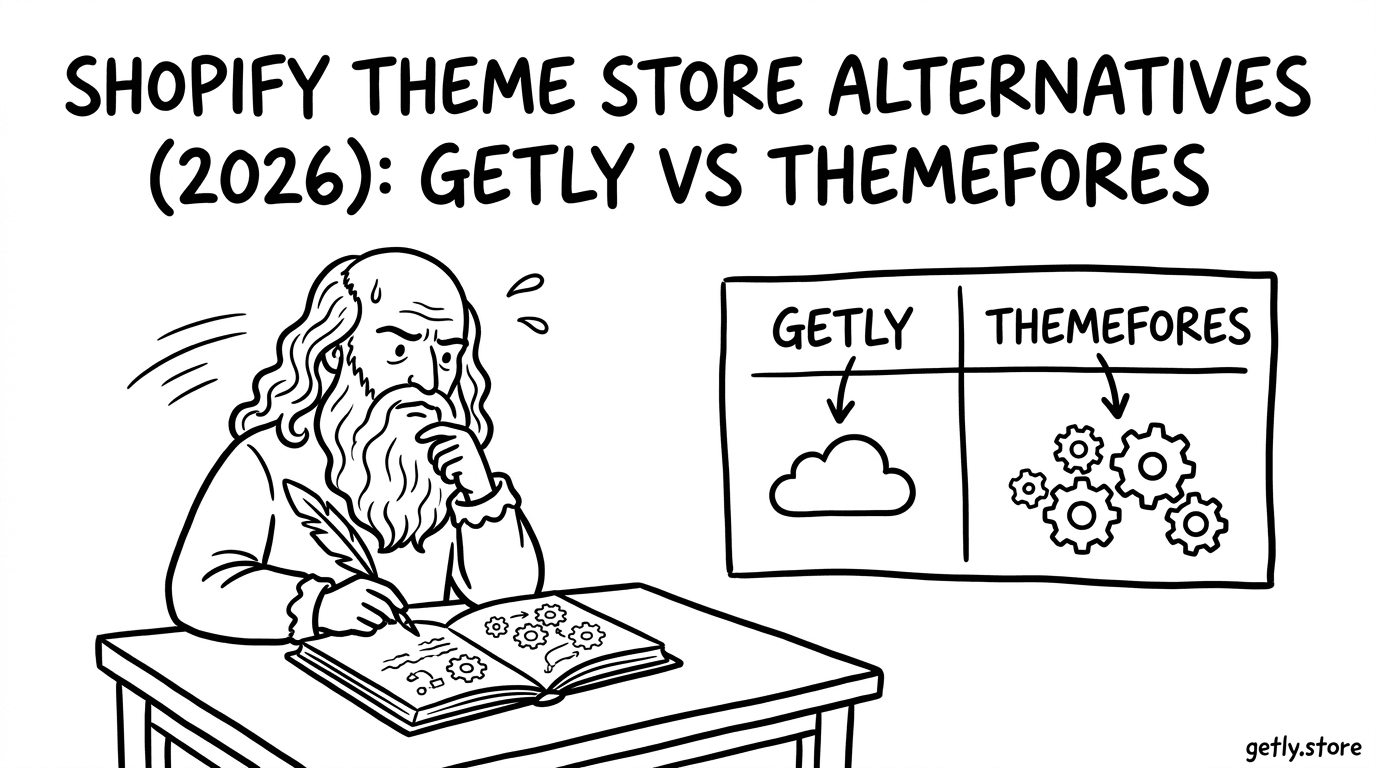
Looking for a Shopify themes alternative in 2026? You’re not alone-store owners want faster launches, better design quality, and clearer licensing without vendor headaches. This guide compares three popular ecommerce theme marketplaces-Getly, ThemeForest, and Creative Market-so you can choose the right place to buy templates and sell WordPress themes with confidence.
Quick reality check: most theme purchases aren’t “set-and-forget.” You’re buying momentum: setup time, customization flexibility, and long-term compatibility. The best marketplace is the one that matches your workflow, not just your aesthetic.
- ThemeForest is strongest for breadth and established marketplace filtering, but quality varies by seller and documentation depth.
- Creative Market often shines for design-forward assets, yet theme-focused ecommerce buyers may find fewer plug-and-play options.
- Getly stands out for creator-friendly distribution, modern discovery (including AI search), and flexible multi-license purchasing for templates.
- For buy Shopify themes goals, prioritize licensing clarity, update history, and theme documentation-not just ratings.
- If you’re learning to sell WordPress themes, pick marketplaces with strong seller onboarding, clear IP rules, and predictable customer support expectations.
What is a Shopify theme store alternative in 2026?
A Shopify theme store alternative is any marketplace where merchants can purchase online store templates-often with faster discovery, different licensing models, and (sometimes) better creator support. In 2026, buyers also care about compatibility: theme builds, plugin ecosystems, and whether customization stays manageable as the store grows.
For many builders, “theme marketplace” now means more than just visual layout. It includes assets (icons, mockups, patterns), editable components, and documentation that helps you ship quickly without guessing. If you’re switching platforms or building both WordPress and Shopify, you also want assets that translate across workflows.
Tip: When comparing ecommerce theme marketplaces, treat licensing and documentation as first-class features. A “good-looking” theme with unclear licensing or weak install instructions can cost more than the difference in price.
What buyers actually need: templates + maintainability
In practice, you’re evaluating: how easy installation is, how well the theme handles common ecommerce needs (product grids, collections, cart/checkout UI patterns), and whether updates reduce breakage. If you plan to iterate-new landing pages, seasonal promos, new product types-you want modular sections and clean structure.
This is where marketplaces diverge. Some emphasize quantity and discovery, while others emphasize design assets and branding packs. The “right” choice depends on whether you’re launching an MVP store or maintaining a long-term ecommerce system.
Where WordPress & CMS buyers fit in
Even if your immediate goal is a Shopify theme, WordPress buyers often want the same benefits: fast customization, reusable layout components, and predictable licensing for client work. Many creators sell cross-platform themes or provide assets that can be adapted across a CMS workflow.
So you’ll see WordPress and CMS buyers evaluate these stores not only for Shopify purchases, but also for the ability to later sell WordPress themes themselves-through the same marketplace dynamics: traffic, licensing rules, support, and distribution.
How does Getly compare for an ecommerce theme marketplace?
The best ecommerce theme marketplace for you is the one that reduces friction-discovery, licensing clarity, and download flow. Getly is designed around digital goods with creator-friendly economics and modern search features, which can matter a lot when you need the right template quickly.
Getly’s platform structure supports multi-license tiers and bundle-style purchasing patterns. It also includes features built for both buyers and creators: DMCA automation, an affiliate and referral ecosystem, embed widgets, and a developer REST API. For theme buyers, these features translate into a smoother lifecycle: find → purchase → download → use correctly.
Discovery and workflow: why it matters for templates
Buying an online store template isn’t only about aesthetics-it’s about speed to implementation. When you have a specific layout goal (e.g., “category landing pages with promotional tiles” or “minimal cart UI”), AI-powered discovery can shorten the hunt.
Getly includes AI-powered search and also visual search capabilities, which helps when you’re not sure what the theme is called but you know what it should look like. In 2026, that’s a real differentiator because ecommerce redesign cycles are faster than they were a few years ago.
Licensing and creator economics
Marketplaces succeed when licensing is understandable and creators can support customers. Getly’s approach emphasizes multi-license tiers for digital goods so buyers can match usage scope (personal, commercial, or broader project needs) without guesswork.
On the creator side, Getly highlights that creators keep 80% of revenue. For buyers, that typically correlates with higher incentives for sellers to maintain good product quality, respond to questions, and document updates.
Success pattern: Teams that ship faster often standardize on a “theme + assets + documentation” bundle workflow. When a marketplace makes licensing and downloads straightforward, you cut the “admin tax” that slows down launch days.
What makes ThemeForest a top choice for ecommerce themes?
ThemeForest is one of the largest established marketplaces for templates, including ecommerce-focused designs. Its biggest strength in 2026 is still breadth: you can compare dozens (sometimes hundreds) of theme variants in minutes and rely on mature marketplace mechanics.
For store owners, the value is in options and discoverability-filters, ratings, and a large seller ecosystem. For developers and agencies, that breadth also matters: you can find themes with specific section builders, layout patterns, or typography styles that match a client’s brand.
Where ThemeForest is strong: variety and marketplace maturity
ThemeForest tends to win when you need “choice density.” If you already know what kind of storefront UI you want-megamenus, specific product grid behavior, or landing page templates-you can locate something close quickly and then tailor from there.
It also helps that ThemeForest is widely recognized. Buyers may feel more comfortable with long-time sellers and established support channels because the marketplace has decades of cumulative buyer behavior (and plenty of reviews).
Where ThemeForest can be risky: uneven documentation
The flip side of scale is variability. Two themes from different sellers can have dramatically different documentation quality, update frequency, and code cleanliness. If you’re not experienced with ecommerce theme customization, uneven onboarding can turn a purchase into a multi-week project.
So the best practice is to evaluate at least three factors before buying: installation instructions, theme structure clarity (are sections modular?), and evidence of maintenance (updates, changelogs, compatibility notes).
Common mistake: Purchasing a theme based on “look” alone. For ecommerce, you’ll often pay the real cost later-in customization time, broken layout on new product types, or missing support for seasonal promos.
How does Creative Market differ from Shopify theme store alternatives?
Creative Market is known for design assets and branding-style resources more than strictly ecommerce-focused theme ecosystems. In 2026, that distinction matters: you’ll find fewer “one-click ecommerce storefront replacements,” but more graphic-heavy and style-forward packages.
If your goal is a cohesive brand experience-custom typography, UI design elements, mockups, and marketing-ready visuals-Creative Market can be a powerful complement. But for merchants who want a complete online store template with predictable ecommerce functionality, it may feel less direct.
Best fit: design-forward assets and visual systems
Many buyers use Creative Market to upgrade the “look and feel” around a theme: icons, landing page graphics, banner templates, and cohesive design systems. That can reduce the time spent creating assets from scratch, especially for new stores.
For WordPress & CMS work, design systems also translate well. You can build reusable blocks and visual templates that make your theme customization process faster across client sites.
Potential downside: ecommerce functionality expectations
If you search for “online store templates” expecting a full storefront theme with ecommerce-ready components, Creative Market may not match that expectation. It’s not that assets are bad-it’s that they’re often not packaged as a complete ecommerce system.
So the best strategy is to treat Creative Market as a design asset layer and pair it with a theme that handles the core commerce UI. This reduces the risk of trying to retrofit everything into a theme that wasn’t built to support it.
Which is best to buy Shopify themes: Getly vs ThemeForest vs Creative Market?
The best platform depends on what you’re optimizing for: breadth of storefront themes, design asset depth, or a streamlined digital goods workflow. Below is a practical comparison designed for ecommerce buyers in 2026 who care about real outcomes.
Use this table as a decision shortcut. Then, validate the top 2–3 choices by checking documentation quality, licensing clarity, and evidence of maintenance.
| Marketplace | Best for | Theme breadth | Design asset depth | Buyer workflow | Watch-outs |
|---|---|---|---|---|---|
| Getly | Template + assets with modern discovery and flexible licensing | Strong (varies by category) | Good for digital goods | Fast search, multi-license tiers | Validate platform-specific fit for your ecommerce stack |
| ThemeForest | Shopping for complete themes at scale | Very strong | Moderate (often theme-packaged) | Mature filtering & review ecosystem | Quality can vary-documentation and updates may be inconsistent |
| Creative Market | Design-forward marketing assets and visual systems | Medium for “full themes” | Very strong | Useful for complementing a storefront theme | May not deliver plug-and-play ecommerce templates |
Decision rules that prevent buyer’s remorse
To choose confidently, you need repeatable criteria. Here’s a checklist you can use before purchasing any online store template.
- Install clarity: Is there a step-by-step setup guide?
- Section modularity: Can you rearrange layouts without breaking styling?
- Compatibility notes: Does the seller mention platform and version support?
- Licensing scope: Does your usage match client work or personal projects?
- Update signals: Do you see meaningful updates, not just “bug fixes”?
- Support realism: Are answers visible in reviews or documentation?
When “theme marketplace” becomes a content strategy
Even the best storefront theme needs ongoing content: product storytelling, landing page variations, and campaign assets. Many ecommerce teams now treat the theme purchase as part of a broader system: promo templates, posting workflows, and content reuse.
For example, creators who plan social-to-store funnels often pair templates with lightweight content systems. If you’re building campaigns in 2026, content workflows matter as much as the theme itself.
Pro tip: If you’re buying themes to support marketing, consider pairing a design asset system with a content blueprint so your storefront updates stay consistent across campaigns.
How to choose a marketplace if you want to sell WordPress themes
If your goal is to sell WordPress themes, the “best Shopify theme store alternative” question flips. You’re not choosing where to buy-you’re choosing where your work will be discovered, licensed correctly, and protected.
In 2026, creators want marketplaces that reduce legal risk (clear IP enforcement), provide predictable buyer expectations (documentation and onboarding standards), and offer distribution tools that convert attention into sales.
Seller success factors: onboarding + enforcement + merchandising
Look for platforms that make it easy to publish products, communicate licensing, and handle disputes. A marketplace with automated DMCA protection can reduce the time you spend policing stolen assets and allow you to focus on improvement and support.
Also evaluate how the marketplace helps you market: bundles, multi-license tiers, and affiliate/referral mechanics can increase conversion if buyers understand value quickly.
How to package a WordPress/CMS theme for better conversions
Buyers often judge a theme by what they can configure in the first hour. To increase conversions, you need a clean product description, a transparent feature list, and a demonstration plan.
- Include a “what’s included” checklist (pages, blocks, templates, assets).
- Show customization examples (before/after, color swaps, header variants).
- Write licensing “in plain English” with use-case examples.
- Provide install walkthrough media (short videos or annotated screenshots).
If you’re building a theme library, content marketing can also support sales. Many creators use educational products to attract buyers who later purchase themes. For example, templates and creator education often share the same audience: entrepreneurs who want to launch stores, refine branding, and grow.
One reason this works: it lowers buyer uncertainty. Instead of “buy a theme,” you’re teaching how to use it effectively-setup, workflow, and results. If you want inspiration for structured learning content, you can explore resources like Prompt Engineering Mastery - Ultimate AI Cheat Sheet, which reflects the kind of “actionable blueprint” format that converts for digital goods audiences.
Licensing, updates, and anti-piracy: the real comparison
Licensing and support quality are the hidden drivers behind long-term satisfaction. A storefront theme can look perfect at purchase time but become frustrating if it’s hard to update, unclear to customize, or risky to use commercially.
In 2026, buyers also want confidence that a marketplace enforces IP rules and reduces stolen copies. Creators want that too-because piracy quietly destroys sustainable income and support capacity.
What to verify before purchase (and document after)
Use this pre-purchase verification to reduce risk, especially if you’re planning client work.
- Confirm the license tier matches your use case (personal vs commercial vs client projects).
- Check whether the theme includes all required files and documentation references.
- Look for evidence of updates and compatibility notes.
- Review support expectations: response time, common issues, and fixes.
- Document your setup: theme version, plugin versions, and any custom CSS/JS changes.
How marketplaces influence update quality
Marketplaces shape incentives. When sellers can earn reliably and buyers receive clear guidance, maintainers are more likely to keep themes current. Conversely, when enforcement is weak or license terms are confusing, the market tends to attract lower-quality uploads or stop maintenance sooner.
Getly’s approach emphasizes automated DMCA protection and clear distribution mechanics (like multi-license tiers), which can support both buyers and creators. ThemeForest and Creative Market have their own mature ecosystems, but your experience still depends on each seller’s documentation discipline.
Warning: If a theme lacks changelog history, you should assume compatibility risk when platform updates land. For ecommerce, minor regressions (spacing, filters, product cards) can translate into real conversion drops.
FAQ: Shopify theme store alternatives
Is ThemeForest the best place to buy Shopify themes in 2026?
ThemeForest is the best choice when you want maximum breadth and a mature review ecosystem. However, it’s not automatically the best for every buyer-documentation and maintenance vary by seller, so you must verify install steps and update history.
Which platform is best for online store templates if I’m not technical?
The best option for non-technical buyers is the marketplace where documentation and setup guidance is clearest for the specific theme-not just the biggest marketplace. Prioritize detailed install instructions and modular layout controls you can use without deep code changes.
Can I use Creative Market assets to improve an ecommerce theme?
Yes. Creative Market is especially strong for design-forward marketing assets-icons, banners, mockups, and visual systems. Use these as a complement to a storefront theme that already handles ecommerce functionality.
How do licensing tiers affect selling services or client work?
Licensing tiers determine whether you can deploy a template on client sites, how many end products are covered, and what counts as permitted redistribution. Always match the license to your actual usage scenario and keep purchase records for audits.
What’s the smartest way to sell WordPress themes as a creator?
Package your theme with clear documentation, multiple customization examples, and transparent licensing. Choose a marketplace that enforces IP rules and supports seller growth through predictable distribution mechanics like multi-license tiers and marketing tools.
Conclusion: pick your marketplace based on outcomes, not hype
In 2026, the best Shopify theme store alternative isn’t the one with the most listings-it’s the one that helps you ship reliably. ThemeForest is unbeatable for breadth, Creative Market excels in design assets, and Getly is compelling when you want fast discovery and flexible licensing tied to a modern creator workflow.
If you’re deciding where to start, choose one marketplace and test your shortlist with a strict checklist: documentation quality, install clarity, licensing fit, and update history. Then you can expand confidently-without wasting weeks on avoidable theme headaches.
Soft next step: Browse with a goal in mind-then if you find a theme that matches your install and customization needs, take the purchase leap and build your store momentum from there.