Getly
Getly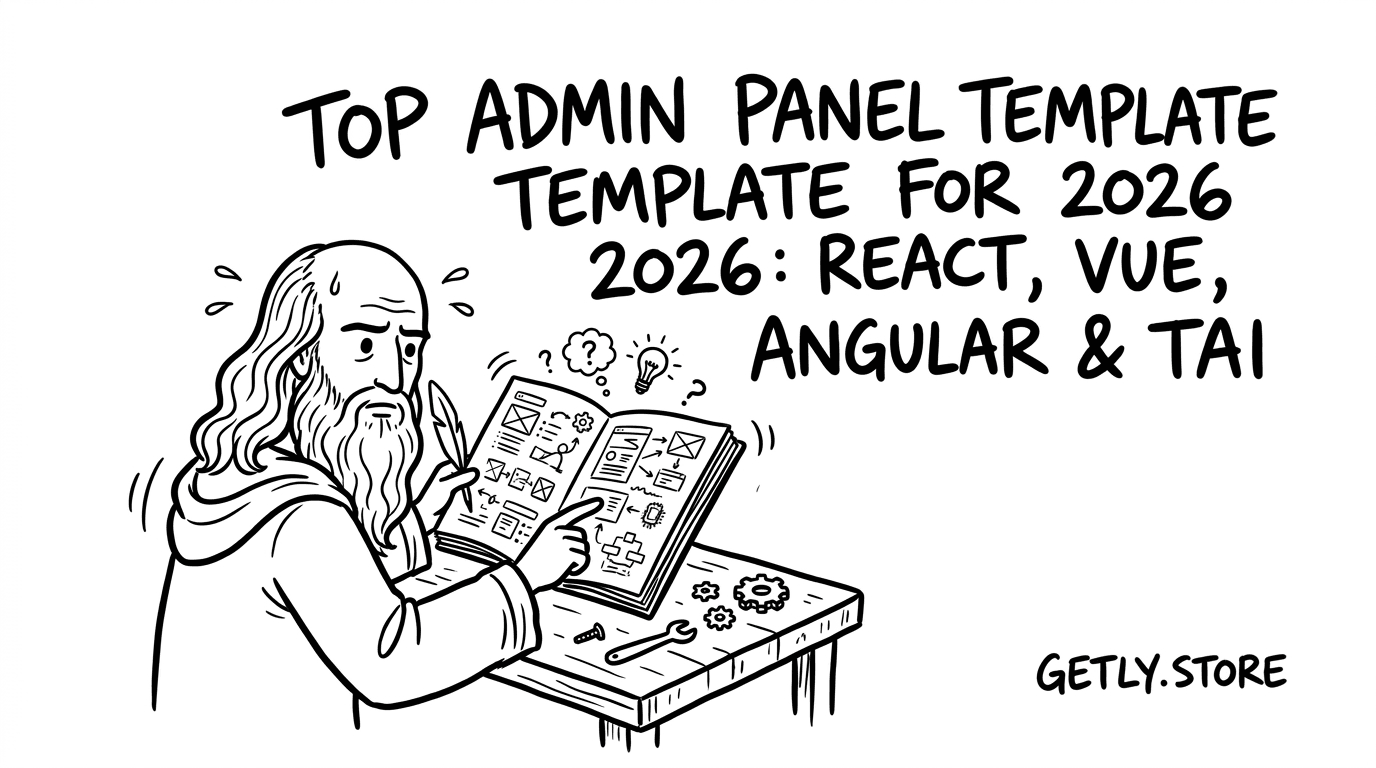
Admin dashboards should feel fast, consistent, and obvious—especially in 2026, when users expect “app-like” interfaces everywhere. The right admin panel template can save you weeks of UI work while improving usability, accessibility, and design consistency.
In this guide, you’ll learn how to choose the best admin dashboard template for React, Vue, or Angular, what “SaaS-ready” really means, and where to find admin panel template free options that still look premium.
TL;DR: Which admin panel template should you use in 2026?
If you want the shortest path to a polished dashboard, pick a template that’s already structured for roles, responsive layouts, and data-dense UI patterns.
Here are the decisions that matter most:
- Choose an admin template that includes layout primitives (sidebar/nav, cards, tables, forms) and accessibility defaults.
- For SaaS admin panel work, prioritize role-based UI and consistent component states over “pretty” screens.
- React templates usually win for ecosystem flexibility; Vue templates shine for speed-to-UI; Angular templates excel in conventions.
- Free dashboard template free options are great for prototyping—upgrade when you need multi-license tiers or deeper component coverage.
- Pair your template with a Tailwind-based design system to keep spacing/typography consistent.
What is an admin panel template—and why it matters?
An admin panel template is a prebuilt UI foundation for dashboards: navigation, layouts, reusable components, and page patterns like analytics, settings, billing, and user management. In 2026, it matters because dashboards aren’t “just screens”—they’re workflows.
When your admin panel template includes the right interaction patterns (filtering, sorting, empty states, validation, and loading), you reduce UX bugs and speed up product iteration.
Admin templates vs. dashboard templates (subtle but important)
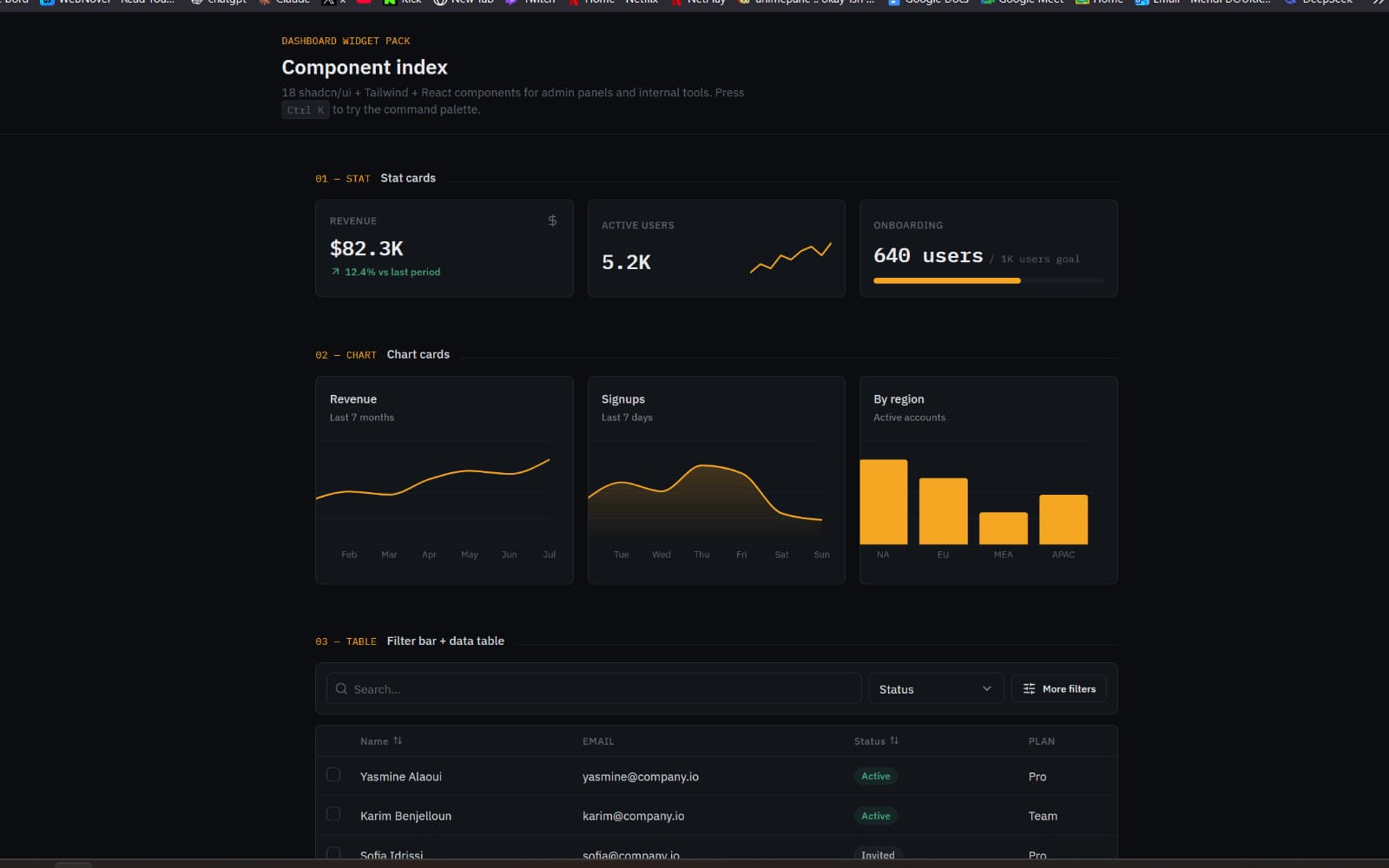
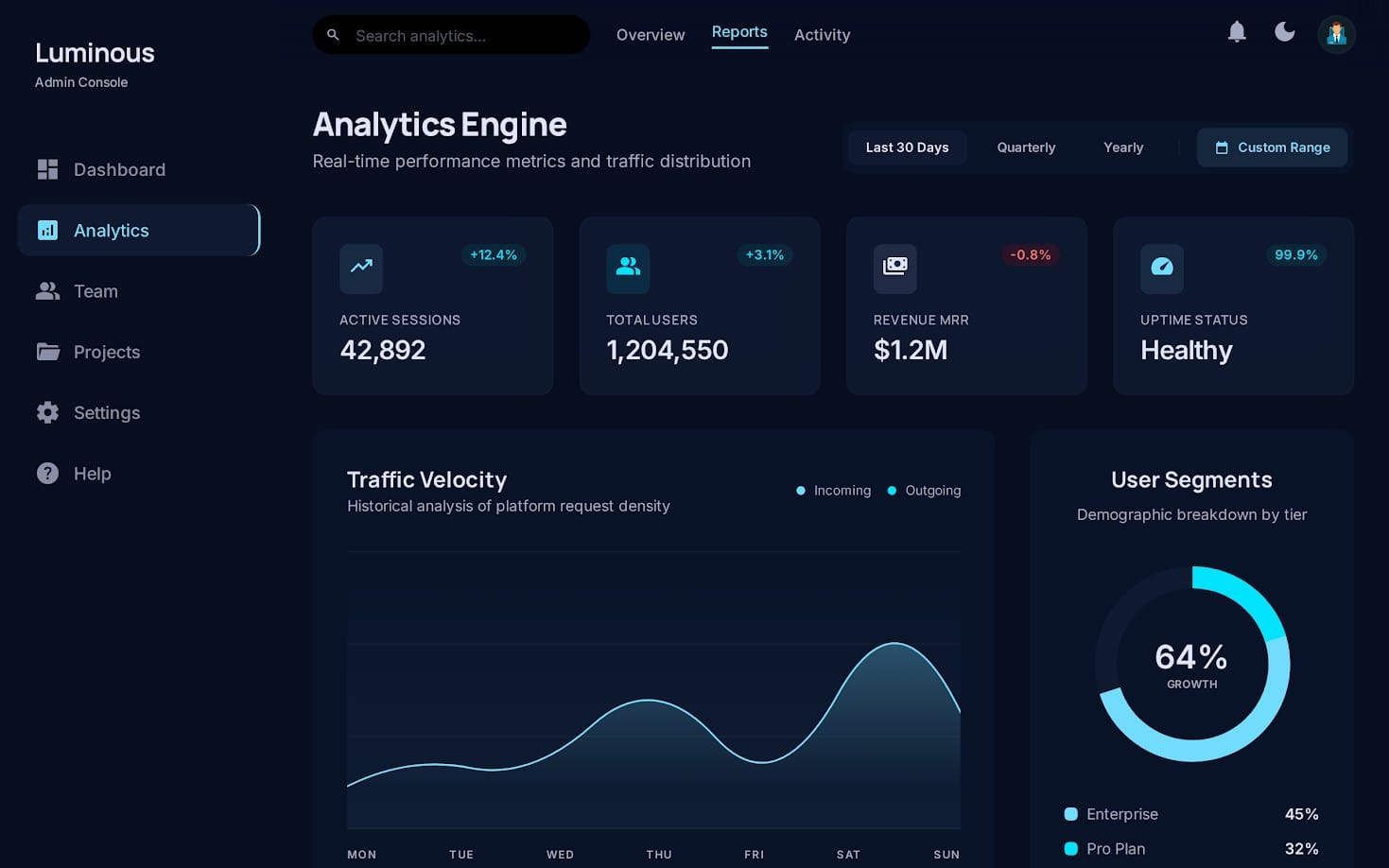
An admin panel template typically emphasizes “control” workflows: roles/permissions, configuration pages, audit logs, user management, and settings. A dashboard template free often focuses on visual reporting: charts, KPI cards, and tables.
For SaaS products, admin panels usually need both. Your best results come from templates that combine data visualization layouts with operational UI.
What “SaaS admin panel” quality looks like
A SaaS admin panel template should help you scale across teams, tenants, and permissions. That means the UI should support different visibility levels (Admin vs. Support vs. User) and show consistent component behavior.
Look for components that model real SaaS flows: onboarding setup, integration management, billing history, and role-based navigation sections.
Pro tip: When evaluating any admin panel template, open the demo and test “bad paths” first: empty data, slow loading, permission denied, and form validation. UX quality shows up in edge cases.
How to choose the best admin dashboard template (2026 checklist)
The best admin dashboard template is the one that matches your product’s data density, workflow complexity, and component needs—not just the visuals. Use this checklist before you commit.
Whether you’re hunting “admin panel template free” resources or paying for a premium system, these criteria keep you from rebuilding core UI twice.
UI/UX requirements that prevent expensive rework
Dashboards get redesigned when spacing, typography, and component states are inconsistent. In 2026, you want a template that already encodes strong design rules.
Focus on:
- Responsive layout: mobile/tablet sidebar behavior and table readability
- Data-table patterns: sortable columns, pagination, sticky headers, and filter UIs
- Form UX: clear labels, inline errors, loading states, and cancel/confirm actions
- Navigation clarity: breadcrumb support, active states, and section grouping
- Accessibility defaults: keyboard focus, ARIA labels, and color contrast
Technical requirements for React, Vue, and Angular
Even the best UI can slow you down if it doesn’t integrate cleanly. Your admin panel template should align with your frontend architecture.
Score each template on:
- Component model: does it use idiomatic patterns for your framework?
- Styling approach: Tailwind CSS tokens/classes or a coherent design system?
- State handling: loading/error patterns that map to your API calls
- Routing structure: clear route hierarchy for multi-section admin flows
- Extensibility: easy-to-add pages without breaking navigation/layout
Common mistake: picking a dashboard template free option that looks great in screenshots but lacks table, filter, and form patterns. In real admin workflows, those are 70% of the UI.
Best admin panel templates for React, Vue & Angular with Tailwind
The best admin panel template for 2026 is usually a Tailwind-driven design with a component library-like structure, regardless of framework. Below are framework-specific selection tips and what to look for in each.
Use this section to map your requirements to the right ecosystem—then refine with the checklist above.
Admin dashboard React: pick templates with ecosystem flexibility
React is strong for teams that integrate multiple UI/data libraries over time (charts, forms, grids). Your admin dashboard React template should support composability and predictable component boundaries.
Look for:
- Reusable layout components (Sidebar, Topbar, Breadcrumbs)
- Table + filter templates that can connect to pagination APIs
- Clear prop-driven states (loading, empty, error) for dashboard widgets
- Consistent modal/dialog patterns (confirm actions, role edits)
Vue admin panel: choose templates optimized for fast iteration
Vue templates often win for teams who want speed-to-UI without heavy configuration. A great Vue admin panel template should make it easy to swap components while keeping layout and spacing consistent.
Look for:
- Simple component hierarchy that’s easy for new devs to understand
- Idiomatic usage of slots/props for widgets and forms
- Tailwind class organization that avoids “random styling drift”
- Prebuilt settings/billing pages to model admin workflows
Angular SaaS admin panel: prioritize conventions and structure
Angular templates shine when you want conventions: routing structure, dependency patterns, and consistent module organization. If you’re building a longer-lived SaaS admin panel, that structure reduces maintenance cost.
Look for:
- Clear folder/module boundaries for components and pages
- Form patterns consistent with Angular forms (if included)
- Strong routing strategy for nested admin areas (e.g., /admin/users)
- Reusable services or integration points for API connections
Pro tip: If the template’s Tailwind setup is unclear, you’ll spend time untangling class reuse. Prefer templates that define spacing/typography conventions and keep component classes readable.
Where to find admin panel template free resources (and what to verify)
“Free” doesn’t mean “useless”—but it does mean you must verify the UX and code quality before shipping. The best admin panel template free options often provide the base layout and components, while paid versions go deeper on edge cases and extensibility.
Here’s how to find free resources without falling into the “demo-only” trap.
Verification steps before you adopt a free dashboard template
Before you copy any template into production, validate five things. These checks catch 90% of template problems in admin UIs.
- Table behavior: pagination + sorting + empty states must be present
- Form UX: required fields, inline errors, and success feedback
- Navigation: active states + keyboard focus visible
- Responsiveness: sidebar collapse and readable tables on small screens
- Accessibility: contrast, focus outlines, and semantic landmarks
Best use cases for free admin dashboard templates
Free dashboard template free options are excellent for:
- Pitching product direction (wireframe-to-UI conversion)
- Validating information architecture (what pages users need)
- Prototyping admin workflows (invite users, manage roles, update settings)
- Learning Tailwind layout patterns and component structure
They’re less ideal for complex SaaS admin panels that require heavy role-based customization, audit logs, multi-tenant routing, and extensive component state coverage.
Warning: If a free template only includes static chart placeholders and “fake” forms, budget time to implement real API wiring, validation, and error handling.
How to turn a template into a real SaaS admin panel (UX + components)
A template gives you the shell. A real SaaS admin panel depends on UX details: permission-aware navigation, operational feedback, and data handling that makes tasks safer and faster.
Below is a practical blueprint for upgrading any admin panel template into something your users trust.
Design the information architecture first, then skin it
Start by mapping admin tasks into page groups. Most SaaS products cluster admin features into a few “jobs.” If your template supports these groupings, adoption becomes smooth.
Use this common SaaS admin structure:
- Overview: KPIs, system health, activity timeline
- Users & Roles: invitations, role templates, permission management
- Organizations & Tenants: billing identity, workspace settings
- Integrations: API keys, webhooks, connected services
- Billing: invoices, plan changes, payment method management
- Security: login history, audit logs, 2FA settings
Component upgrades that improve conversion and reduce support
In admin panels, users are more task-focused than novelty-focused. That’s why small UX upgrades matter: better confirmations, clearer failure modes, and calmer layouts around errors.
Upgrade these components first:
- Empty states: explain next steps (“Invite a teammate to get started”).
- Destructive actions: require typed confirmation for risky changes.
- Audit/event logs: include filters and readable timestamps/time zones.
- Form validation: validate as you type and summarize errors clearly.
- Permissions UI: disable actions with tooltips explaining why.
Success story pattern: Teams that add role-aware UI and high-signal error handling typically reduce “how do I…?” tickets because users understand what’s available and what failed—right where it matters.
Comparing React, Vue, and Angular admin templates (quick decision table)
If you’re deciding between frameworks, you need a straightforward comparison. The best choice depends on team skills, integration needs, and how long the dashboard will live.
Use the table below to pick confidently.
| Framework | Best for | Template strengths in 2026 | Watch-outs |
|---|---|---|---|
| React | Flexible UI composition & ecosystem integration | Strong component reuse patterns; easy integration with charts/forms | Template quality varies—check state and accessibility patterns |
| Vue | Fast iteration and smaller team velocity | Straightforward component structure; often quick to customize layouts | Ensure the template’s table/form UX is production-grade |
| Angular | Long-term maintainability with conventions | Clear routing/modules; consistent structure for enterprise apps | Integration patterns can be heavier—validate extensibility early |
Once you’ve chosen the framework, your “admin panel template free” vs paid decision becomes easier: pay for the parts that are hardest to implement correctly (tables, permissions UI, edge-case states).
If you’re building broader UI systems (not just admin), you’ll also benefit from design-resource thinking—like maintaining consistent typography and component spacing across the entire product.
While you’re assembling your UI library, don’t ignore content and workflow design too. For example, if your admin panel includes onboarding or documentation experiences, workflow-oriented resources can help you communicate value more clearly. One example from our marketplace is The Signal Architect, which is useful for structuring complex inputs into a single operational narrative—exactly the kind of thinking admin UIs often need.
FAQ: Admin panel templates, Tailwind, and framework fit
Here are the questions we see most often when teams search for admin panel template free resources or compare React, Vue, and Angular dashboards.
These answers are designed for quick clarity—so you can decide without bouncing between docs.
Is an admin panel template free enough for production?
It can be, if the template includes production-grade components: table interactions (sort/filter/pagination), real form states, empty/error handling, and accessible navigation. If it only looks good in screenshots, plan time to harden the edge cases before launch.
For SaaS admin panels, free templates are usually best for prototypes or early MVPs, then upgraded when permissions and complex workflows are added.
What’s the difference between a dashboard template free and an admin panel template?
A dashboard template free option typically focuses on analytics and data visualization (KPI cards, charts, summaries). An admin panel template usually includes operational workflows like settings, user management, billing screens, and role-based UI.
The best admin UX often requires both—analytics overview plus task-focused admin pages.
Which is easier to customize: admin dashboard React, Vue, or Angular?
Customization speed depends on your team’s familiarity and the template’s component structure. React and Vue often feel faster for small UI changes, while Angular’s conventions can make large multi-module systems easier to maintain.
In 2026, the bigger factor is template quality: clear states, reusable components, and consistent Tailwind organization.
Do I need Tailwind for a modern admin UI?
Tailwind isn’t required, but it’s a strong choice for consistency. It helps keep spacing, typography, and component styling aligned across dozens of admin screens—one of the biggest causes of UI drift.
Even if you don’t use Tailwind exclusively, you should adopt a token/spacing strategy so your admin panel remains coherent.
What should a SaaS admin panel include beyond pages and charts?
It should include safe interactions: role-aware navigation, confirmation patterns for destructive actions, audit/event logs, clear empty/error states, and permission-denied feedback.
Users don’t just “view” admin data—they manage operations, and UX quality should support that responsibility.
- Pick templates by UX edge cases: tables, forms, empty/loading/error states, and accessibility.
- Choose the framework that matches your team and integration needs (React flexible, Vue fast, Angular structured).
- Free dashboard template free options are great for MVP speed—upgrade for permissions and complex workflows.
- Tailwind-driven consistency prevents long-term UI drift across the admin experience.
To wrap up: the top admin panel template for 2026 isn’t the one with the flashiest demo—it’s the one that turns real user tasks into smooth, predictable flows. If you want a gentle next step, start by browsing UI design resources and templates, then shortlist only the ones that pass the table + form + edge-case checklist.