Getly
Getly
Brand identity doesn’t “just happen”-it’s built. In 2026, clients expect consistency across logos, colors, typography, layouts, and even motion. A brand identity kit template helps you deliver that structure quickly-whether you’re a designer, creator, or seller of digital assets.
This guide breaks down the exact components your template should include, shows where to start with a branding template free workflow, and walks through how to sell design assets effectively (including what to bundle, how to price, and what to avoid).
What is a brand identity kit template in 2026?
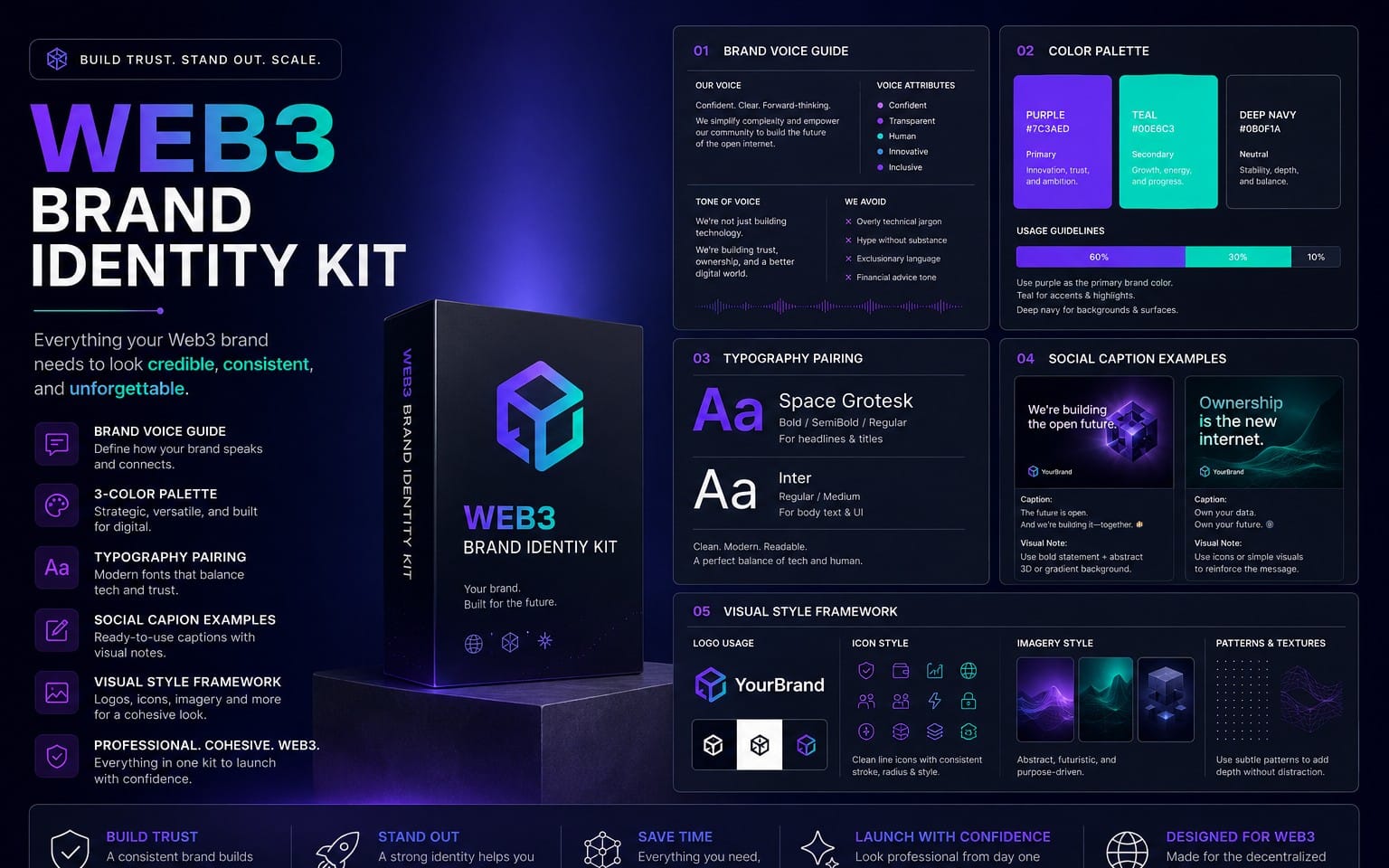
A brand identity kit template is a reusable package of brand elements and usage rules that lets you standardize a brand across channels. Instead of handing a client a logo file and hoping for the best, you provide guidelines, editable assets, and clear instructions so the brand stays consistent.
In 2026, the “kit” often includes both static and motion-ready assets: logo lockups for different backgrounds, scalable icon sets, social templates, and a brand rules document that covers do/don’t examples. When you sell this as a product, buyers expect it to be plug-and-play-easy to edit, easy to apply, and hard to misuse.
What buyers actually mean by “kit”
Most customers aren’t buying “art.” They’re buying a system: a set of files plus the rules for using them. That’s why your template should bundle both creative components and practical instructions.
Common items buyers search for include: a logo design kit, a brand guidelines template, social media graphics, and typography/color specifications in a format they can hand to a VA, marketer, or web designer.
A simple definition you can build from
Use this definition when designing your template: a kit = (1) brand identity assets + (2) brand guidelines + (3) ready-to-use layouts. If you cover those three, your template will fit how clients buy.
Then structure your deliverables so the buyer can open the kit, edit the text/colors, and immediately produce consistent outputs.
- A brand identity kit template in 2026 includes assets + guidelines + ready-to-use layouts.
- “Branding template free” workflows are great for drafts-but your paid kit needs clarity and usability.
- Include logo lockups, typography, color tokens, spacing rules, and usage examples.
- Bundle multi-license tiers so buyers can scale from personal to client work.
How to structure a brand identity kit template?
The best brand identity kit templates are modular. Start with a “source of truth” page (colors + fonts + logo rules), then add asset folders for implementation. This structure reduces confusion and makes your template feel professional even to non-designers.
When you’re building a product that you’ll sell design assets, structure matters even more: buyers download, open the files, and judge quality by organization and editability within the first minute.
Recommended folder and file layout
Use a predictable folder system. Buyers love predictable systems because they can find assets fast, and that reduces support requests.
- 01-Brand Tokens: color palette, typography, spacing scale, icon style rules
- 02-Logo Assets: primary/secondary logos, lockups, icons, monochrome versions
- 03-Guidelines: brand guidelines template (PDF + editable source)
- 04-Templates: social post templates, cover images, thumbnails, app headers
- 05-Export Notes: recommended sizes, safe areas, background usage
What to put in the guidelines document
A strong brand guidelines template doesn’t just list fonts and hex codes-it teaches usage with examples. In 2026, “do/don’t” visuals are expected because they prevent brand drift.
Include: logo clear space rules, minimum size, color usage rules (background contrast), typography hierarchy, icon/illustration rules, and sample layouts for real contexts (web hero, social banner, email header).
Pro tip: Add a “Quick Start” page in your kit. It should explain-within 5 steps-how to swap colors/fonts, update logo text, and export a finished asset.
What components should a logo design kit include?
A logo design kit is more than “the logo.” It includes multiple variations and rules so the buyer can apply the brand correctly on different surfaces, sizes, and backgrounds.
In 2026, clients frequently run logos across websites, short-form video, streaming overlays, and print. If your kit doesn’t anticipate those contexts, buyers will struggle-and you’ll get refunds or support requests.
Logo assets checklist (the must-haves)
Your template should include every version buyers need without manual rework.
- Primary logo (full lockup) in color
- Secondary logo (simplified mark or alternate lockup)
- Monochrome versions (black/white or single-color)
- Icon-only mark (for favicons, avatars)
- Horizontal and stacked lockups where applicable
- Light and dark background variants with contrast guidance
- Transparent PNG exports and vector masters (SVG/AI/EPS)
- Clear space and minimum size rules
Typography + color rules that prevent brand drift
A logo design kit should connect to type and color decisions. For example, a wordmark may look “fine” in isolation, but it can break when used with different font weights or when the palette shifts.
Make sure your kit includes a typography pairing table (heading, body, accent) and a color mapping section showing which color is for background, primary brand, CTA buttons, and neutral text.
Common mistake: Shipping only one logo file (often a JPEG). Without vector masters and background variants, customers can’t reliably use the identity-especially for print or UI work.
How do you create a branding template free starter workflow?
If you’re experimenting or building your first kit, a branding template free approach helps you move fast. The goal isn’t to stay free-it’s to validate structure, test readability, and learn what clients need most.
Use free templates as a reference for layout and content organization, then replace placeholders with your own token system, exports, and usage rules. Your paid kit should look like a finished system, not a collage.
Step-by-step: build the skeleton first
Start with the “tokens” before you design templates. This makes everything consistent and easy to edit.
- Pick 5–7 brand colors (2 neutrals, 1 primary, 1 secondary, 1–3 accents)
- Choose 2 fonts (one for headings, one for body) and define weights
- Set a spacing scale (e.g., 4/8/12/16/24/32) for layout consistency
- Define a logo clear-space rule (even a simple rule is better than none)
- Create 3 layout templates (cover, social square, banner/header)
Turn free references into a “sellable” product
Free templates often lack the exact details that buyers pay for-like export notes, do/don’t examples, and multi-license terms. In 2026, buyers want fewer questions and faster results.
Upgrade your starter kit by adding: editable master files (not flattened images), a clear guidelines PDF, and ready assets sized for common platforms (social, YouTube thumbnail, streaming overlay headers).
Success pattern: Many top-selling identity assets succeed because the buyer can download and publish the next day-your kit should be “instant output,” not “instructions inside a folder.”
How to sell design assets as a brand identity kit on Getly?
To sell design assets effectively, your brand identity kit must communicate value instantly: what’s included, how it’s used, and how it saves time. Your listing is a “micro-brief” that should reduce buyer uncertainty.
Getly supports both card and crypto payments, including USDT/USDC across multiple networks. That means you can reach international buyers who want frictionless checkout-so your onboarding and packaging should be globally friendly too.
What to include in your listing (conversion checklist)
Buyers decide quickly. Make it easy to see quality and editability without guessing.
- What’s inside: list files (PDF + editable sources + exports)
- File formats: SVG/AI/EPS + PNGs + color token sheets
- Editable scope: “swap colors + fonts” or “fully editable text”
- License tiers: personal, small agency, commercial/client work
- Use cases: websites, social kits, thumbnails, merch mockups
- Support expectations: specify what’s not included (e.g., brand strategy)
Bundling ideas that buyers love in 2026
Identity kits sell better when they include deliverables that match real workflows-especially for creators and small brands. Pair the guidelines with templates that create output immediately.
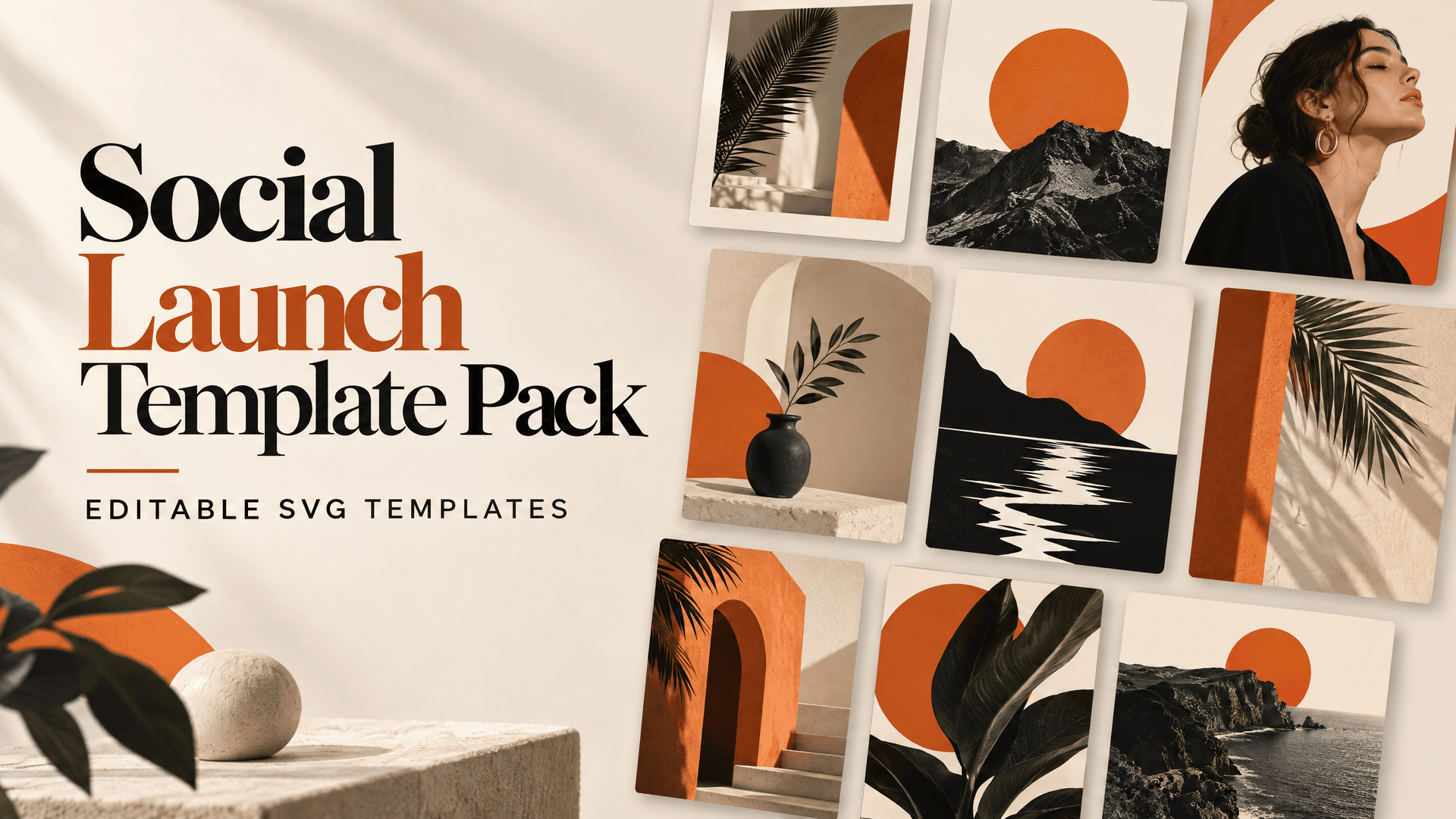
Here are bundle ideas aligned to the Photography & Graphics niche: logo + social templates + YouTube thumbnails + image templates with brand color overlays. You can also expand into “asset pipeline” workflows for creators who reuse textures/materials across projects.
| Bundle Component | Buyer Benefit | Best For |
|---|---|---|
| Brand guidelines template | Reduces brand confusion and rework | Agencies, freelancers, startups |
| Logo design kit variations | Works on web, print, and video | Founders & creators |
| Social/post templates | Immediate publishing | Instagram/TikTok teams |
| Thumbnail template set | Higher click-through potential | YouTube creators |
| Asset pipeline add-ons | Faster reuse across tools | 3D/visual creators |
If you want to expand beyond pure identity design, consider including an “asset pipeline” style product as a companion item for buyers who work in multiple tools. For example, a shader or conversion workflow can pair well with creators who need branded visuals across 3D scenes. One relevant example is AnimeForge Pro - Ultimate Anime & Toon Shader System for toon-style pipelines, or Unreal to Unity Material Converter when creators move projects between engines.
Keep these as optional add-ons, not distractions. Your brand identity kit should remain the hero: everything else should feel like an upgrade for specific creators.
How to price and package your brand identity kit template?
Pricing a brand identity kit template is about perceived time saved and clarity of deliverables-not just file count. In 2026, buyers compare your kit to “one-off” designer services, so your packaging needs to feel like a mini engagement.
Your best pricing model is tiered licensing. It lets the buyer choose how far they want to extend the asset, while protecting you from overly broad reuse.
License tiers that match buyer reality
Design license tiers around use cases: personal projects, client work, and team/agency usage. Buyers understand this instantly if you describe it in plain language.
- Personal: one brand, non-transferable
- Commercial: multiple brands or client work (still limited)
- Extended/Agency: more seats/projects or internal usage
Bundle quantity vs. perceived value
You don’t need 300 files to charge well. You need the right files: correct formats, organized exports, and the guidelines that prevent mistakes. A smaller kit with high usability can outperform a huge one buyers can’t navigate.
Also, include clear deliverables: “Includes transparent PNGs for all logo lockups” is stronger than “PNG files included.” Specifics reduce refund rates.
Pro tip: Add product comparison text in your own listing (even if the marketplace does it). Buyers should instantly understand the difference between Basic and Pro-especially how many templates and which formats they get.
Brand identity kit template FAQ (2026)
What should be included in a brand guidelines template?
A strong brand guidelines template includes logo usage rules (clear space and minimum size), color palette definitions (with hex codes and background guidance), typography hierarchy (font pairing and weights), and layout examples with do/don’t visuals. The goal is to prevent “guessing” when the kit is used by someone else.
Is a branding template free good enough to sell later?
A branding template free can be a great learning scaffold, but selling requires original structure, editable sources, and clear usage instructions. Upgrade from placeholders to a consistent token system and add export notes and examples so buyers get instant results.
What’s the difference between a logo design kit and a full identity kit?
A logo design kit focuses on logo variants and usage rules. A full identity kit adds typography, color tokens, brand guidelines, and ready-to-use templates for real outputs like social graphics, headers, and thumbnails. Think of the logo kit as the “core”-the identity kit as the “system.”
How do I package files so buyers can edit quickly?
Provide a clean folder structure, include editable masters (vectors and source files), and clearly document which layers are editable. Also include a “Quick Start” page that explains how to swap colors/fonts and export correctly for web and print.
Can I sell brand identity kits as digital downloads in 2026?
Yes. Digital identity kit templates fit well with creator workflows because they’re instant and reusable. The key is meeting buyer expectations: editable files, correct formats, and licensing clarity so the buyer can use the assets confidently.
- Build your brand identity kit template around tokens, logo variants, and guidelines with do/don’t examples.
- Use free references to draft structure, then upgrade for editability, exports, and usability.
- Sell design assets by making deliverables obvious and bundling templates for immediate output.
- Use tiered licenses to match buyer intent and protect your work.
Brand identity kits win because they turn “design taste” into a repeatable system. If you build your template with clear rules, organized files, and real templates for publishing, buyers can ship faster-and trust grows.
If you want to keep iterating, start by browsing existing kit-style listings and reverse-engineer what makes them easy to use-then refine one component at a time (logo lockups, guidelines, or templates) until the download feels complete. When you’re ready, you can package it confidently and list it as a sellable digital asset.