Getly
Getly
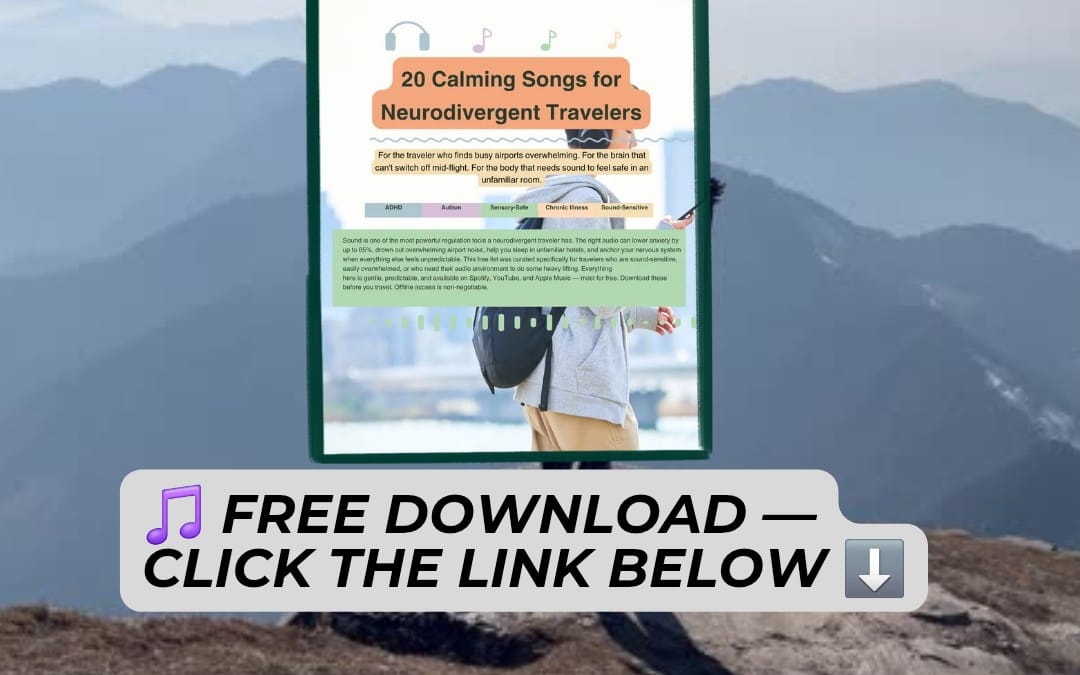
Want focus that doesn’t distract, or a vibe that feels cinematic without stealing the spotlight? In 2026, ambient music and lo-fi are the go-to “background engines” for studying, deep work, streaming, and even gaming sessions. This guide shows you how to find the right ambient music free download options, build playlists that actually work, and avoid common audio pitfalls.
Quick note: Always check licensing for each track. “Free” doesn’t always mean “free for commercial use,” especially if you’ll publish videos. Below, you’ll learn how to match the right audio to the task-plus how to keep your mixes consistent.
- The best study music download is the one with stable dynamics (steady rhythm, minimal sudden changes).
- For work and video, choose ambient or cinematic music free tracks with clear headroom (so your voice/video stays readable).
- Build playlists by energy level: calm ambient → focused lo-fi → light cinematic layers.
- Use consistent BPM and “no-lyrics” filters to reduce cognitive switching.
- Always verify commercial rights if you’re using background music for videos.
What is ambient music free download in 2026?
Ambient music free download refers to obtaining ambient (and closely related) tracks without paying per download-either for free under a license, or as part of creator-provided download access. In 2026, it also commonly includes “freely accessible” assets provided with clear usage rules for streamers, editors, students, and creators.
For practical focus, ambient music is popular because it typically keeps rhythm and melodic movement restrained. That matters: when music changes too quickly (new hooks, loud drops, abrupt genre switches), your brain treats it like a task switch.
Ambient vs. lo-fi vs. cinematic music
Ambient music usually emphasizes texture, sustained tones, and slow evolving soundscapes. Lo-fi music free is often built around a beat-sometimes gentle drums, sample textures, and mild vinyl-style filtering-making it ideal for repetitive work where a soft pulse helps maintain flow.
Cinematic music free leans toward film-score structures: fuller orchestration, emotional arcs, and “scene-like” crescendos. It’s great for storytelling and editing, but can be distracting for deep reading unless the track is carefully chosen (or kept low in the mix).
Licensing is the real differentiator
In 2026, the biggest difference between sources isn’t the “download button”-it’s the license. Some tracks are free for personal use; others allow streaming; some allow commercial use (including YouTube/TikTok) when you credit appropriately.
Before you build a playlist for background music for videos, treat licensing like a technical requirement. If you’re unsure, pick assets explicitly labeled for your intended use case.
Pro tip: If you’re using music for study or gaming (private use), many creators allow downloads with personal licensing. If you’re posting videos publicly, prioritize tracks that specify commercial or “creator” usage.
How to choose study music download that boosts focus
The best study music download is one that reduces cognitive interruptions. You’re aiming for “consistent enough” audio that your attention can stay on the task, without constantly re-evaluating what the sound is doing.
Think of your playlist like lighting in a room: it should support you, not compete. In practice, that means controlling dynamics, sudden frequency spikes, and lyrical content.
Use these focus-friendly selection rules
- Stable dynamics: Avoid tracks with frequent loud-to-quiet swings.
- No lyrics (or very low): Lyrics create language processing load, even if you don’t understand every word.
- Minimal sudden changes: Watch for abrupt drops, trap-style hat bursts, or recurring “call-and-response” textures.
- Predictable structure: Tracks that loop smoothly work better than tracks that constantly “introduce new sections.”
- Moderate tempo: Very fast beats can increase mental agitation; very slow drones can feel monotonous. Choose what matches your task.
If you’re building a study set, a common strategy is to keep the first 20–30 minutes ultra-calm. Then you can gently introduce lo-fi pulses if you feel yourself fading.
Match the music to the kind of study
Different tasks need different audio envelopes. For reading, you usually want ambient pads or soft cinematic textures at low volume. For solving problems or practicing skills, light lo-fi music free tracks with a steady beat can improve “staying power.”
- Memorization: Ambient + consistent drones; keep vocals out.
- Practice drills: Lo-fi with subtle drums; avoid sudden drops.
- Writing: Cinematic music free at low volume (0–-12 dB relative to voice); pick pieces with fewer crescendos.
- Editing study notes: Ambient texture beds (no hooks) to prevent keyword hijacking.
Common mistake: Choosing the “most emotional” cinematic track. Emotional arcs often include big dynamic changes that pull attention away from reading and note-taking.
Best ambient music free download playlists for work & deep focus
For work in 2026, the best ambient music free download playlists are built around consistent energy levels. Instead of one giant playlist that swings from calm to intense, you want “chapters” you can swap based on your current cognitive load.
Below are playlist blueprints you can recreate with any free-licensed assets you find-then refine using your own listening tests.
Playlist blueprint #1: “Deep Focus Ambient” (no-switch mode)
This playlist is designed for uninterrupted work: code, analytics, writing drafts, and studying. Pick tracks with slow evolution, minimal percussion, and smooth looping.
- Duration: 60–120 minutes per session
- Intensity: low to medium
- Ideal for: reading-heavy tasks
- What to avoid: vocals, percussive lead instruments, frequent climaxes
Playlist blueprint #2: “Lo-fi Work Drive” (soft rhythm for momentum)
Lo-fi music free tracks shine when you need a gentle tempo to keep momentum-especially for repetitive or multi-step workflows. The key is “soft rhythm,” not energetic club beats.
- Duration: 45–90 minutes
- Energy: medium
- Ideal for: editing, organizing, building, practicing
- Look for: consistent beat, warm filtering, limited vocal samples
Playlist blueprint #3: “Cinematic Background Flow” (for creators, not distractions)
For background work on projects (design mockups, video assembly, storyboarding), cinematic music free tracks can give your workflow a sense of narrative. Keep them low enough that they support rather than interrupt.
- Duration: 30–60 minutes (shorter arcs reduce fatigue)
- Mix target: background level under speech/typing sounds
- Ideal for: production phases, not final proofreading
- Avoid: tracks with major dropouts and sudden full-orchestra shocks
Success pattern: Many creators run “Ambient for 25 minutes, Lo-fi for 15 minutes, Cinematic for 10 minutes.” The rhythm changes help prevent monotony while still protecting focus during the most demanding segments.
How to download ambient music free download safely (and legally)
Getting an ambient music free download is easy-getting it legally is the part that matters. In 2026, creators share more assets than ever, but licenses vary widely between personal-use freebies and production-ready tracks.
The safe approach is simple: verify permission, check attribution requirements, and store license details alongside the audio file.
Use a quick legality checklist
- License type: Personal / non-commercial / commercial / creator / royalty-free.
- Usage scope: Streaming, monetized videos, remixing, or commercial distribution.
- Attribution rules: Required credit? Specific wording? Link required?
- Exclusivity: Can the track be used by multiple creators?
- DMCA policy: Ensure the platform has clear takedown and rights-handling procedures.
Organize downloads like a creator (not like a hoarder)
When you collect background music for videos, your future self will thank you for structure. Create folders by usage: “study,” “video background,” “stream overlays,” “gaming ambience.” Add a text file named the same as each track with license notes.
- Track name: Artist – Title – Source
- License: Quote it exactly from the source page
- Attribution: Save credit lines for easy copy/paste
- Version: Keep whether it’s instrumental, looped, or edited
Important note: “Free to download” does not automatically mean “free to monetize.” If you plan to publish, confirm commercial/creator rights before exporting your final edit.
What is the best ambient music for gaming sessions?
The best ambient music for gaming is music that supports immersion without stealing attention from audio cues like footsteps, enemy sounds, or UI alerts. In 2026, many players prefer ambient layers combined with low-frequency drones or soft atmospheres.
The goal is to create a stable sonic “room” where gameplay remains the foreground. You want texture, not distraction.
Gaming-specific audio guidelines
- Keep percussion sparse: Constant hats or snare hits can mask game sound design.
- Use wide stereo ambience: Atmosphere helps immersion but should stay low.
- Avoid lyrical hooks: Even if you don’t sing along, vocals compete with situational awareness.
- Choose “night mode” mixes: Lower highs reduce fatigue during long sessions.
If you stream, keep in mind that some music that’s fine for private gaming may be problematic for public broadcasts depending on rights. Always use tracks cleared for streaming or re-check the license.
Build a “3-layer” gaming ambience
A reliable approach is to stack three layers (at low volumes): (1) a calm ambient bed, (2) a very subtle lo-fi pulse, and (3) occasional cinematic swells during exploration segments only.
| Layer | What it does | Volume target | Avoid |
|---|---|---|---|
| Ambient bed | Immersion + stability | Low (background) | Sudden sirens / noise spikes |
| Lo-fi pulse | Momentum | Low-medium | High-energy drums |
| Cinematic swells | Emotional peaks | Very low or timed | Big drops / hard crescendos |
This “3-layer” approach works because it separates roles: ambience for immersion, pulse for flow, and cinema for mood-without turning the game into a soundtrack contest.
How to use ambient music as background music for videos
Using ambient music as background music for videos is about mix discipline and story alignment. The best results happen when the track supports the scene’s emotional intent while leaving enough clarity for dialogue, on-screen text, and sound effects.
In 2026, creators increasingly use instrumental ambient beds under voiceovers, and reserve cinematic tracks for intros, transitions, and outro moments.
Mix rules that keep your video sounding pro
- Start low: Begin with music so it’s felt, not heard.
- Duck on speech: If your editor supports it, use sidechain/ducking for voice segments.
- Cut harsh frequencies: Reduce high “air” if it competes with voices.
- Match transitions: Use ambient loop points that align with scene cuts.
- Keep consistent loudness: Avoid track switches that change perceived loudness mid-video.
Choose the right type of track per segment
- Hook (0–10s): Mild cinematic texture, short loop, subtle rise.
- Voiceover (10s–mid): Ambient bed or minimal lo-fi with no vocals.
- B-roll montage: Cinematic background with controlled dynamics.
- Outro: Ambient resolution, fewer peaks, clean ending tail.
Pro tip: If your video is educational, pick ambient beds with slow harmonic movement. It keeps your audience’s attention on words without turning the audio into another “task.”
How Getly creators use AI search to find the right audio faster
The “best ambient music free download” for you depends on your constraints-energy level, instrumentation, licensing, and mood. One practical 2026 workflow shift is using AI-powered search to narrow down tracks by intent rather than browsing endless pages.
While you can find plenty of free assets anywhere, an AI search workflow is especially helpful when you’re building multiple playlists (study, work, gaming, video). You get to iterate faster: you test 10 tracks, keep 3, refine, and move on.
What to ask your search tool (so you get useful results)
- “No drums, warm ambient, loops well”
- “Lo-fi without vocals, study focus, soft vinyl texture”
- “Cinematic background, subtle strings, low dynamic range”
- “Atmospheric sound bed for streaming, not overpowering”
Bonus: turn your playlist building into a repeatable system
Instead of starting from scratch every time, use a repeatable scoring rubric. Rate each track 1–5 for focus, mixability (how well it sits under voice), and loop smoothness. After a few sessions, you’ll know exactly what works for your workflow.
If you’re also managing broader productivity systems-goal setting, research synthesis, and content planning-pairing audio focus with structured workflows can make your sessions feel dramatically smoother. For example, some creators combine “focus playlists” with research/decision frameworks like The SIGNAL ARCHITECT The AI-Powered Workflow to Turn 100 Sources into 1 Master Insight, so their creative work stays consistent from idea to output.
FAQ: Ambient music free download, lo-fi, and study music
Is ambient music free download actually free in 2026?
Often yes for downloading, but not always for every kind of use. “Free download” commonly means the track is available without paying, while the license may still restrict commercial use, monetized video, or redistribution. Always check the license terms before posting publicly.
What’s the best lo-fi music free choice for studying?
The best lo-fi for studying is the one with stable tempo and minimal lyrical distraction. Look for tracks labeled instrumental, with soft drums and smooth looping. If you feel overstimulated, swap to a track with fewer high-frequency textures and less beat activity.
Can I use cinematic music free tracks as background music for videos?
You can, but only if the track’s license allows your intended video use. Cinematic tracks are great for intros, b-roll, and transitions; for voiceovers and tutorials, choose versions that stay steady in dynamics or keep the music very low with ducking.
How do I prevent ambient music from distracting me?
Choose low-dynamic ambient beds for reading and keep lo-fi for tasks that benefit from rhythm. Also set a consistent volume so your brain stops “monitoring” the music. If you notice distraction, reduce vocal presence and switch to tracks with fewer harmonic changes.
Where should I start building my playlists for work and gaming?
Start with two sets: “Deep Focus Ambient” and “Lo-fi Work Drive.” Then add a third “Cinematic Background Flow” only for montage moments. For gaming, keep percussion sparse and maintain a low, stable ambience so game audio cues remain clear.
“Focus isn’t silence-it’s compatibility. The best background music disappears into your workflow while still keeping you awake, calm, and moving.”
If you want one simple way to begin: pick a deep focus ambient bed for your next 25–30 minute session, then only upgrade your playlist if it demonstrably improves your output. When you’re ready to expand, consider using a curated marketplace browse workflow or subscription access model to speed up testing-and keep your licenses organized.