Getly
Guides et tutoriels
Network Troubleshooting Script for Windows - Wi-Fi, DNS and Route Report
Cette annonce est affichée dans sa langue d'origine (anglais).
Diagnose dropped internet in one run: adapters, Wi-Fi state, default route and DNS servers in a single report you can attach to a support ticket. Read-only.
Ce que vous recevez : 1 fichier · 6.89 KB · ZIP
Voir les options d'achatDescription du produit
'Internet keeps dropping and you don't know why'? This PowerShell script collects everything you need into one report: network adapters, current Wi-Fi state, default routes and DNS servers.
WHAT IT SOLVES
Classic network troubleshooting means four different tools and twenty minutes: check adapters, check Wi-Fi, check the gateway, check DNS. Then you still have to describe the problem to support in a message.
The script does it in one run and produces a single block of output you can screenshot and send.
WHAT IS INSIDE
- diagnostika-seti.ps1, the script, PowerShell 5.1 and newer
- INSTRUKCIYA.md, how to read each section, and a symptom-to-cause table
- LIZENZIYA.txt, terms of use
- primer-vyvoda.txt, real output captured on a laptop
REQUIREMENTS
Windows 10 or 11, PowerShell 5.1. No administrator rights needed. The script only reads state and never changes anything, so it is safe to run on someone else's machine.
HOW TO RUN
powershell -ExecutionPolicy Bypass -File .\diagnostika-seti.ps1
Save the output with: powershell -ExecutionPolicy Bypass -File .\diagnostika-seti.ps1 *> otchet.txt
TYPICAL FINDINGS
- No Wi-Fi adapter in section 1 means a missing driver, not a network problem.
- A default route through a VPN interface explains why everything dies when the VPN disconnects.
- Empty DNS server addresses explain pages not loading while ping still works.
- Connected but 'hosted network unavailable' points at the router, not your laptop.
BUGS FOUND AND FIXED DURING DEVELOPMENT
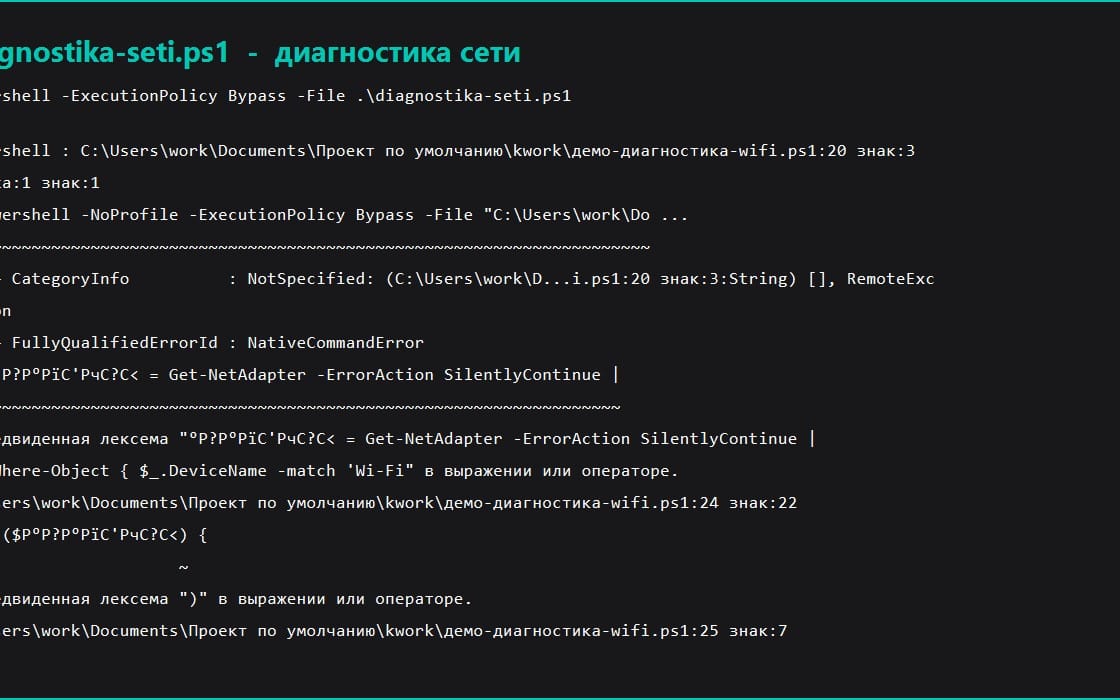
1. The first version searched for the adapter by the connection name looking for Wi-Fi. On Russian Windows that field reads 'Beschislovnaya set', so the script reported no adapters on a perfectly working network. Fixed by searching the chipset name in InterfaceDescription instead, which is not translated.
2. netsh wlan show interfaces has localized headings, so the script does not try to parse it and prints the raw output, keeping the result verifiable by eye.
Ce que vous recevez
1 fichier · 6.89 KB
- Windows-Network-Diagnostics-Pack.zipZIP · 6.89 KB
Guides et tutoriels
Network Troubleshooting Script for Windows - Wi-Fi, DNS and Route Report
Cette annonce est affichée dans sa langue d'origine (anglais).
Diagnose dropped internet in one run: adapters, Wi-Fi state, default route and DNS servers in a single report you can attach to a support ticket. Read-only.
Inclus dans Getly ProPasser à Pro
Tags
Questions fréquentes
Ai-je accès au produit immédiatement ?
Oui. C'est un produit numérique : vous pouvez le télécharger juste après le paiement, directement depuis votre bibliothèque.
Puis-je l'utiliser pour des projets commerciaux ?
Oui. L'usage commercial est autorisé : utilisez-le dans votre propre activité et dans ce que vous vendez. Vous ne pouvez pas revendre ni redistribuer le fichier lui-même.
Quelle est votre politique de remboursement ?
Vous pouvez demander un remboursement dans un délai de 30 jours. Si quelque chose ne va pas, demandez-le depuis votre commande et l'équipe Getly l'examine.
Quels formats et quelles tailles de fichier vais-je recevoir ?
Vous téléchargerez 1 fichier - ZIP - 6.89 KB au total.
Ai-je droit aux mises à jour gratuites ?
Oui : quand le vendeur publie une nouvelle version, vous pouvez retélécharger les derniers fichiers depuis votre bibliothèque sans frais. Consultez le journal des modifications pour les dernières mises à jour.
Prix
$9.99