Getly
Modèles Excel
Norevia Budget Studio – Personal Budget & Expense Tracker for Excel
Cette annonce est affichée dans sa langue d'origine (anglais).
Plan monthly spending, track income and expenses, and monitor savings goals with an organized Excel workbook.
Ce que vous recevez : 1 fichier · 141.8 KB · ZIP
Voir les options d'achatDescription du produit
Take control of your personal finances with Norevia Budget Studio, a practical Excel workbook for planning your spending and keeping your financial records organized.
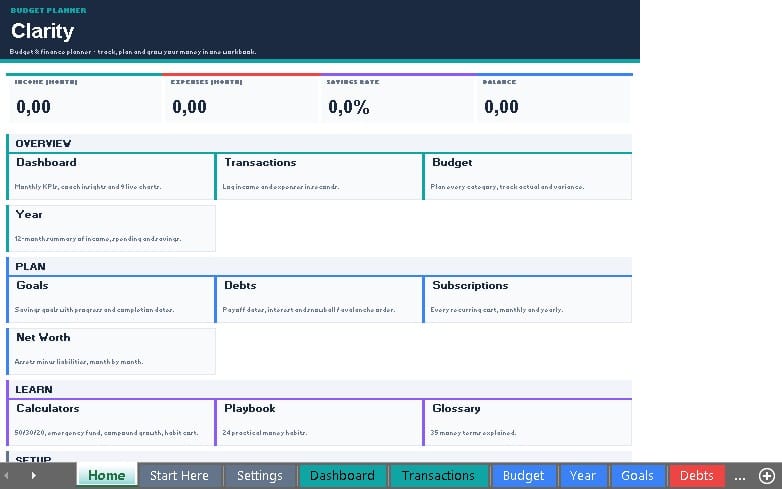
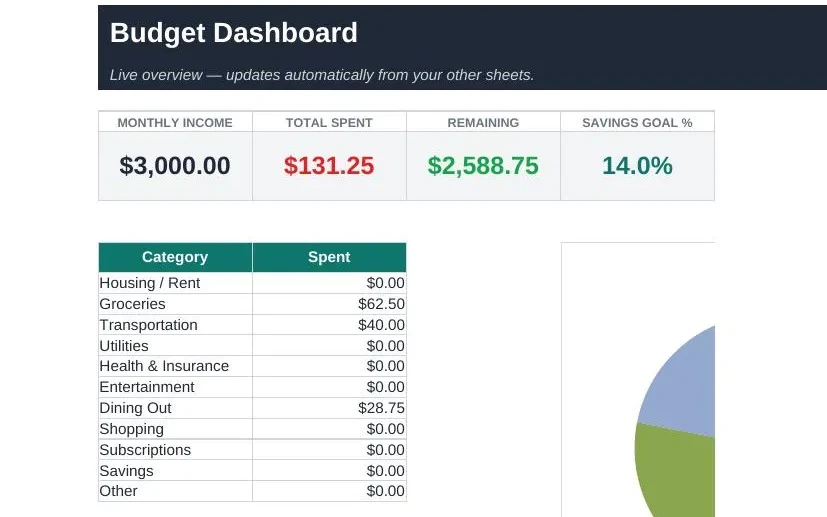
Record your income and expenses, set monthly spending plans, and review your progress through a clear dashboard and yearly summary.
WHAT YOU GET
• One blank Excel workbook for your own budget
• One sample workbook with fictional data
• A PDF quick-start guide
• Instructions and a personal-use license
FEATURES
• Monthly dashboard showing income, expenses, cash flow, and budget remaining
• Annual chart comparing monthly income and spending
• Monthly expense plans and actual spending by category
• Transaction log for up to 1,000 entries
• Yearly summary of income, expenses, and cash flow
• Space to track up to 15 savings goals and 15 debts
• Entry checks to help identify incomplete or incorrect transactions
HOW TO USE
Choose your reporting year and month in Settings. Enter your monthly expense plans in the Budget sheet, then record income and expenses in the Transactions sheet. Review your dashboard and update your savings goals and debt balances manually.
IMPORTANT DETAILS
The workbook uses 12 fixed expense categories and 4 fixed income categories. Goal and debt balances do not update automatically from transactions.
Use one currency consistently. The currency label does not convert amounts. Save a separate workbook copy for each year's budget plan.
Cash flow is recorded income minus recorded expenses; it is not your bank balance. The workbook does not automatically calculate interest, taxes, refunds, or debt payoff dates.
Designed for Microsoft Excel in XLSX format. Formulas and selected scenarios were tested in LibreOffice Calc. Microsoft Excel, Google Sheets, and mobile apps were not independently tested; behavior may vary.
The figures shown in product images and the sample workbook are fictional. This product is an organizational tool and does not replace professional financial, accounting, or tax advice.
LICENSE
For personal or internal business use. Reselling, sharing, or redistributing the workbook or documentation is not permitted.
Ce que vous recevez
1 fichier · 141.8 KB
- Norevia-Budget-Studio-Product (1).zipZIP · 141.8 KB
Modèles Excel
Norevia Budget Studio – Personal Budget & Expense Tracker for Excel
Cette annonce est affichée dans sa langue d'origine (anglais).
Plan monthly spending, track income and expenses, and monitor savings goals with an organized Excel workbook.
Tags
Questions fréquentes
Ai-je accès au produit immédiatement ?
Oui. C'est un produit numérique : vous pouvez le télécharger juste après le paiement, directement depuis votre bibliothèque.
Puis-je l'utiliser pour des projets commerciaux ?
Oui. L'usage commercial est autorisé : utilisez-le dans votre propre activité et dans ce que vous vendez. Vous ne pouvez pas revendre ni redistribuer le fichier lui-même.
Quelle est votre politique de remboursement ?
Vous pouvez demander un remboursement dans un délai de 30 jours. Si quelque chose ne va pas, demandez-le depuis votre commande et l'équipe Getly l'examine.
Quels formats et quelles tailles de fichier vais-je recevoir ?
Vous téléchargerez 1 fichier - ZIP - 141.8 KB au total.
Ai-je droit aux mises à jour gratuites ?
Oui : quand le vendeur publie une nouvelle version, vous pouvez retélécharger les derniers fichiers depuis votre bibliothèque sans frais. Consultez le journal des modifications pour les dernières mises à jour.
Prix
$3.99