-33% СКИДКААддоны Blender
SHADERBRIDGE
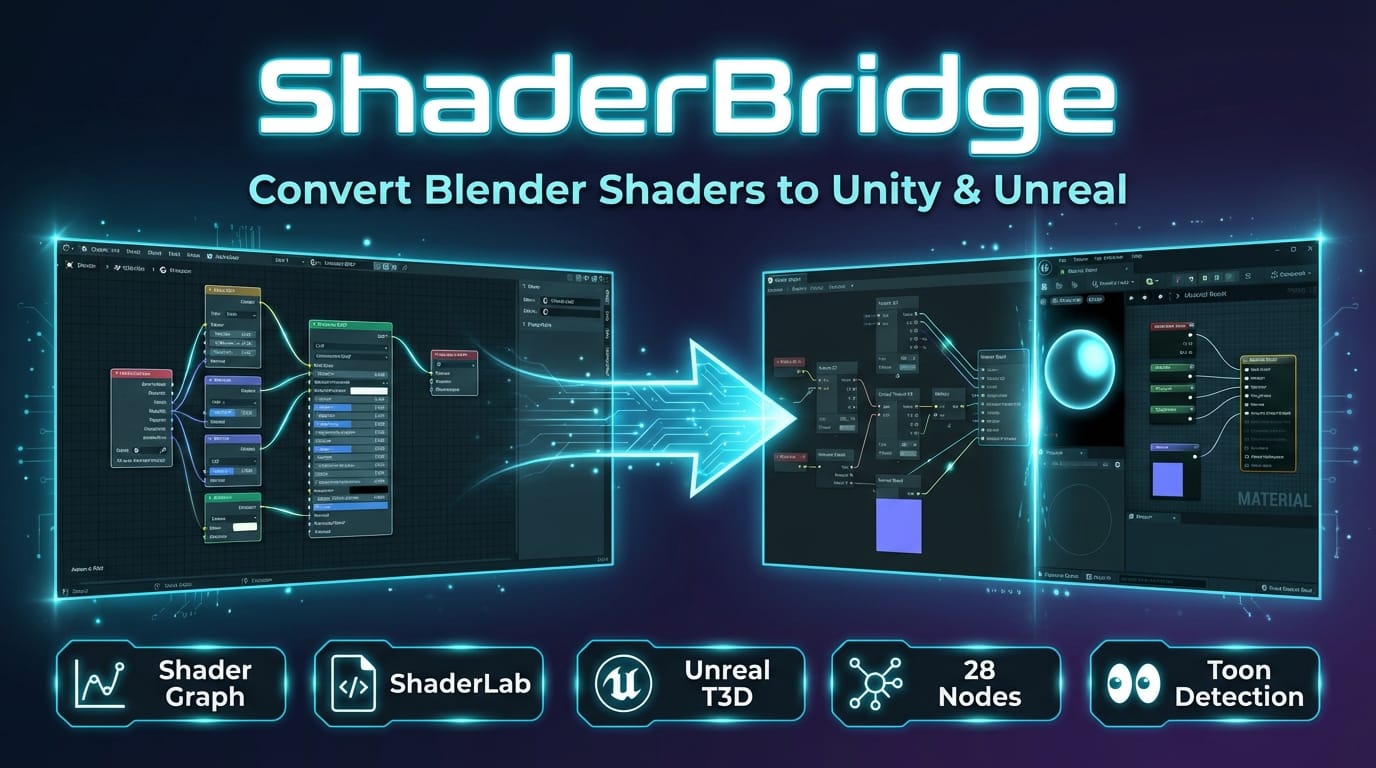
Convert Blender Shaders to Unity & Unreal — Automatically
Stop rebuilding your materials from scratch. ShaderBridge exports your Blender node setups directly to Unity Shader Graph, ShaderLab, and Unreal Material formats — including procedural textures and toon shaders.
THE PROBLEM EVERY TECHNICAL ARTIST KNOWS
You spent hours crafting the perfect material in Blender. The procedural noise is dialed in, the color ramp nails the toon shading look, and the PBR channels are mapped exactly right. Then comes the export.
- Manually recreating shaders in every engine. Each target — Unity URP, Unity HDRP, Unity Built-in, Unreal — has a completely different material system. You rebuild from zero every time.
- Procedural textures are lost on export. Blender's Noise, Voronoi, Wave, and Musgrave textures have no direct engine equivalents. They simply vanish from your material.
- Toon shaders are impossible to port. Blender's Shader-to-RGB plus ColorRamp workflow has no standard counterpart in game engines. Artists are forced to rebuild the look from scratch — or abandon it entirely.
- Channel packing differs per engine. HDRP wants a mask map (MOAH), URP expects metallic+smoothness in alpha, and Unreal uses ORM. Getting it wrong means broken materials.
THE SOLUTION: AUTOMATIC CONVERSION VIA INTERMEDIATE REPRESENTATION
ShaderBridge introduces a three-stage pipeline that makes shader conversion reliable and repeatable:
Blender Nodes → Intermediate Representation (IR) → Engine Output
Your Blender node tree is first analyzed and converted into a universal IR — a clean, engine-agnostic description of your material. That IR is then translated into the specific format required by your target engine. Procedural textures are baked automatically. Toon shader patterns are detected and mapped. Channel packing follows each engine's exact specification.
The result: production-ready shader files you can drop straight into your game project.
FEATURES
UNITY SHADER GRAPH EXPORT (URP / HDRP)
Generates native .shadergraph JSON files compatible with Unity's Shader Graph editor. Outputs separate, correctly configured graphs for URP and HDRP render pipelines. Open them in Unity and every node, connection, and property is already wired up.
UNITY SHADERLAB EXPORT (BUILT-IN RENDER PIPELINE)
Generates .shader files with proper ShaderLab structure and CGPROGRAM blocks. Includes surface shader functions, property declarations, and fallback sub-shaders. Ready to use with Unity's Built-in render pipeline.
UNREAL MATERIAL EXPORT
Generates Unreal Engine .t3d (text-based asset) files that can be pasted or imported into the Unreal Material Editor. Material expressions and connections are mapped to Unreal equivalents.
28 SUPPORTED BLENDER NODE TYPES
Principled BSDF, Diffuse BSDF, Glossy BSDF, Emission, Mix Shader, Add Shader, Image Texture, Noise Texture, Voronoi Texture, Wave Texture, Musgrave Texture, ColorRamp, MixRGB, Math, Vector Math, Mapping, Texture Coordinate, UV Map, Normal Map, Bump, Separate XYZ, Combine XYZ, Separate RGB, Combine RGB, Invert, Gamma, Brightness/Contrast, and Shader to RGB — each mapped to engine-native equivalents through the IR.
PROCEDURAL TEXTURE BAKING
Noise, Voronoi, Wave, and Musgrave textures are automatically baked to image files using Cycles. Resolution is determined intelligently based on the texture's scale and detail level. No manual setup required — ShaderBridge handles the bake, saves the images alongside your export, and wires them into the output shader.
TOON SHADER DETECTION
ShaderBridge recognizes the classic Blender toon shading pattern: Diffuse BSDF piped into Shader to RGB, then through a ColorRamp for hard-edge banding. This pattern is automatically detected, extracted, and converted to engine-appropriate toon implementations — custom function nodes in Shader Graph, a custom lighting model in ShaderLab, or a custom expression in Unreal.
CHANNEL PACKING PER ENGINE
Each engine expects different channel layouts. ShaderBridge packs textures automatically: HDRP mask map (Metallic, Occlusion, Detail, Smoothness in RGBA), URP metallic in R with smoothness in alpha, and Unreal ORM (Occlusion, Roughness, Metallic in RGB). No more manual channel shuffling in Photoshop.
ENGINE PREVIEW MODE
Before you export, preview how your material will look in the target engine. ShaderBridge adjusts your EEVEE viewport to approximate the target engine's rendering: gamma curves, roughness response, and toon shading behavior. Catch visual differences before they become problems in your game project.
CONVERSION REPORT
After every export, ShaderBridge generates a detailed report: which nodes were converted successfully, which are unsupported, which toon patterns were detected, and any warnings about potential visual differences. Know exactly what happened during conversion — no guessing.
SUPPORTED NODES
Blender Node Category Unity SG ShaderLab Unreal
------------------- --------- -------- --------- ------
Principled BSDF Shader Yes Yes Yes
Diffuse BSDF Shader Yes Yes Yes
Glossy BSDF Shader Yes Yes Yes
Emission Shader Yes Yes Yes
Mix Shader Shader Yes Yes Yes
Add Shader Shader Yes Yes Yes
Shader to RGB Shader Yes Yes Yes
Image Texture Texture Yes Yes Yes
Noise Texture Texture Baked Baked Baked
Voronoi Texture Texture Baked Baked Baked
Wave Texture Texture Baked Baked Baked
Musgrave Texture Texture Baked Baked Baked
ColorRamp Converter Yes Yes Yes
MixRGB Color Yes Yes Yes
Math Converter Yes Yes Yes
Vector Math Converter Yes Yes Yes
Mapping Vector Yes Yes Yes
Texture Coordinate Input Yes Yes Yes
UV Map Input Yes Yes Yes
Normal Map Vector Yes Yes Yes
Bump Vector Yes Yes Yes
Separate XYZ Converter Yes Yes Yes
Combine XYZ Converter Yes Yes Yes
Separate RGB Converter Yes Yes Yes
Combine RGB Converter Yes Yes Yes
Invert Color Yes Yes Yes
Gamma Color Yes Yes Yes
Brightness/Contrast Color Yes Yes Yes
Yes = direct node mapping | Baked = procedural texture is baked to an image and referenced in output
WHO IS THIS FOR?
Technical Artists
— You build complex materials in Blender and need them working in your game engine yesterday. ShaderBridge gives you a one-click pipeline from Blender to engine, preserving your node logic and baking procedurals automatically.
Shader Developers
— Prototype shaders visually in Blender's node editor, then export the generated code as a starting point for your engine-specific shader. The ShaderLab output gives you readable HLSL/CG code to build on.
Indie Studios & Solo Developers
— You cannot afford to spend days recreating every material. ShaderBridge lets a small team maintain one material source of truth in Blender and deploy across engines without specialized shader programmers.
COMPATIBILITY
Blender 3.6, 4.0, 4.1, 4.2+ (LTS supported)
------------- ---------------------------------------------
Unity 2021.3 LTS+ (Built-in, URP 12+, HDRP 12+)
Unreal Engine 5.0+ (.t3d paste import)
OS Windows, macOS, Linux
Baking Requires Cycles render engine (included wit..
HOW TO USE
1. Install the addon — Edit > Preferences > Add-ons > Install, select the downloaded .zip file, and enable ShaderBridge.
2. Select your object — In the 3D viewport, select the object whose material you want to export.
3. Open the ShaderBridge panel — In the Properties sidebar, go to the Material tab. The ShaderBridge panel appears below the material settings.
4. Choose your target engine — Select Unity URP, Unity HDRP, Unity Built-in, or Unreal from the dropdown.
5. Set the export path — Pick a folder where the shader files and baked textures will be saved.
6. Click Export Shader — ShaderBridge analyzes the node tree, bakes procedurals, packs channels, and writes engine-ready files.
7. Review the conversion report — Check which nodes were converted, which were unsupported, and any detected toon patterns.
8. Import into your engine — Copy the output files into your game project. Open and use immediately.
CHANGELOG
V1.0.0 — INITIAL RELEASE
- Three-stage conversion pipeline: Blender Nodes → Intermediate Representation → Engine Output
- Unity Shader Graph export for URP and HDRP (.shadergraph JSON)
- Unity ShaderLab export for Built-in render pipeline (.shader with CGPROGRAM)
- Unreal Material export (.t3d text format)
- 28 Blender node types supported with full IR mapping
- Automatic procedural texture baking (Noise, Voronoi, Wave, Musgrave) via Cycles
- Intelligent bake resolution detection based on texture scale
- Toon shader detection (Shader-to-RGB + ColorRamp pattern)
- Engine-specific channel packing (HDRP mask map, URP metallic+smoothness, Unreal ORM)
- Engine preview mode in EEVEE viewport
- Post-export conversion report with supported/unsupported node breakdown
- Blender 3.6 – 4.2+ compatibility
Аддоны Blender
Shader Bridge
Теги