 Getly
Plugins WordPress
SmartLink Pro – WordPress Link Manager & Analytics
Cette annonce est affichée dans sa langue d'origine (anglais).
Create smart redirect links in WordPress with click tracking, weighted URL rotation, password protection, expiration rules, click limits, and detailed analytics — all from an easy-to-use dashboard.
Ce que vous recevez : 1 fichier · 22.66 KB · ZIP
Voir les options d'achatAperçu
Description du produit
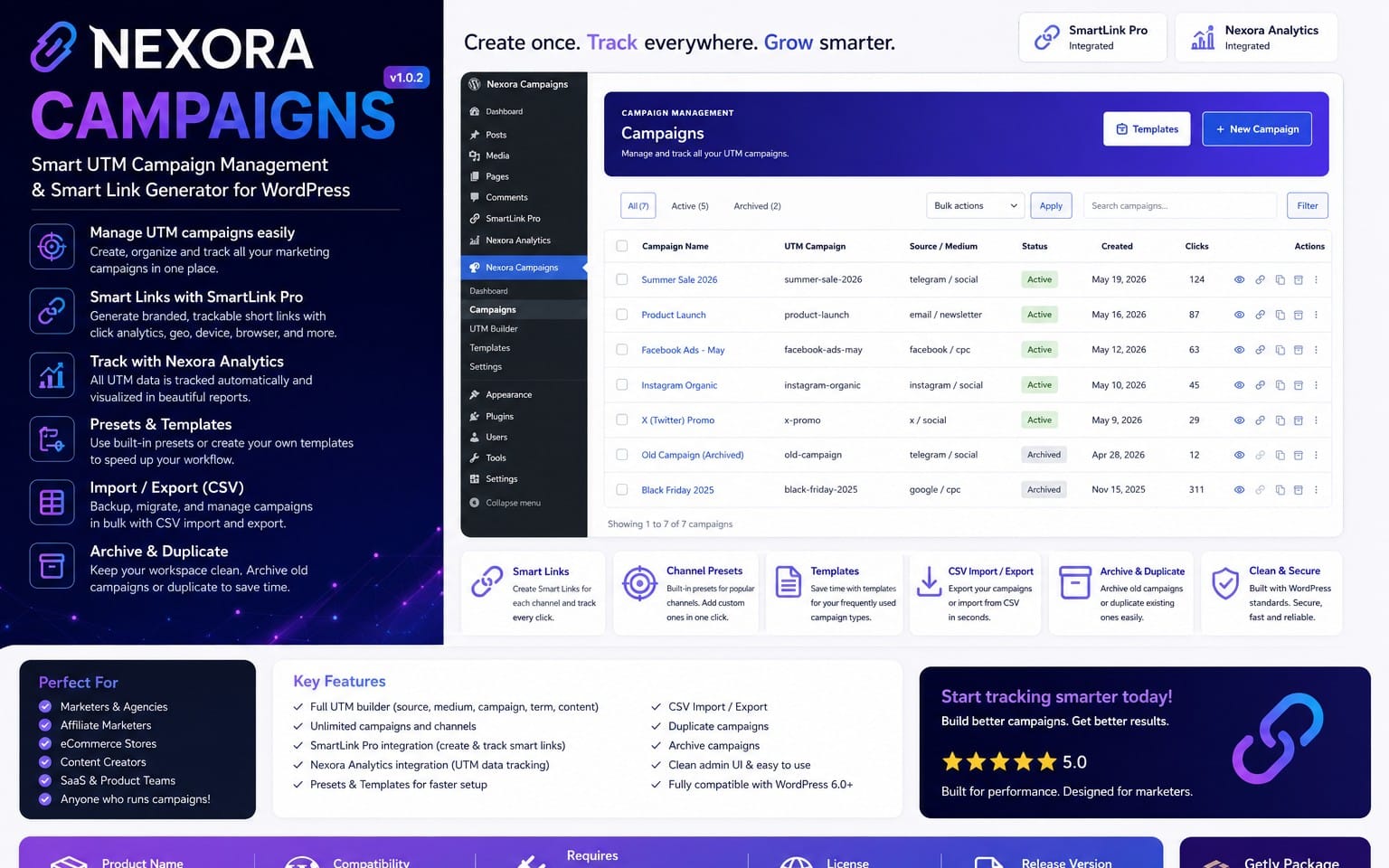
SmartLink Pro is a powerful WordPress link manager for creating, protecting, rotating, and tracking redirect links directly from your WordPress dashboard.
Create clean Smart Links on your own domain and keep full control over where visitors are sent.
Example:
yourwebsite.com/go/download/
You can change the destination anytime without changing the public URL you've already shared.
🔗 Smart Link Management
Create clean redirect links using your own WordPress domain.
SmartLink Pro is perfect for download links, affiliate URLs, marketing campaigns, external resources, private links, and temporary redirects.
🔄 Weighted URL Rotation
Add multiple destination URLs to a single Smart Link and control how often each destination is selected using custom weights.
Example:
- Server A — 50%
- Server B — 30%
- Server C — 20%
SmartLink Pro automatically distributes visitors according to the configured weights.
Ideal for download mirrors, multiple servers, affiliate offers, traffic distribution, and A/B routing.
📊 Built-in Click Analytics
Track the performance of your Smart Links directly inside WordPress.
- Total Clicks
- Clicks Today
- Unique Visitors
- 7-Day Analytics
- 30-Day Analytics
- Top Performing Links
- Destination Distribution
- Top Referrers
- Browsers
- Devices
- Countries
- Recent Click Activity
Every Smart Link also includes its own detailed analytics page, making it easy to analyze individual links separately.
🌍 Country Analytics
See which countries generate the most traffic for your links.
Country information is stored with the recorded click so you can analyze geographic performance without repeatedly requesting location data.
🖥️ Browser & Device Analytics
Understand which browsers and devices visitors use when opening your Smart Links.
This can help identify mobile-heavy traffic, browser trends, and potential compatibility issues.
🔐 Password Protected Links
Protect individual Smart Links with a password.
Visitors must enter the correct password before they can access the destination URL.
This is useful for private downloads, limited-access resources, customer files, and temporary sharing.
⏰ Expiring Links
Set an expiration date and time for any Smart Link.
Once the expiration time is reached, the link is automatically blocked and visitors are shown a clean expiration message.
🚫 Maximum Click Limits
Limit the total number of times a Smart Link can be used.
Once the configured click limit is reached, further access is automatically blocked.
Perfect for limited downloads, temporary promotions, private resources, and controlled-access links.
📈 Destination Distribution
See how traffic is distributed between the destination URLs configured for each Smart Link.
This is especially useful when using Weighted URL Rotation across multiple servers or offers.
🔎 Referrer Tracking
Discover where visitors are coming from before they open your Smart Links.
SmartLink Pro records available referring sources so you can better understand which websites and campaigns generate your clicks.
⚡ No External Redirect Service Required
SmartLink Pro runs directly on your WordPress website.
You do not need a separate URL shortener, redirect service, or external analytics dashboard.
Your Smart Links and analytics are managed directly from WordPress.
✅ Great For
- Download websites
- Affiliate marketers
- Multiple download servers
- Mirror links
- Marketing campaigns
- Private resources
- Temporary links
- Limited downloads
- External link tracking
- Traffic distribution
📦 Easy Installation
- Download the product package.
- Extract the included smartlink-pro.zip file.
- Open your WordPress dashboard.
- Go to Plugins → Add New → Upload Plugin.
- Upload SmartLink Pro.
- Activate the plugin.
- Open SmartLink Pro from the WordPress admin menu.
Full documentation is included with your purchase.
Requirements: WordPress · PHP 7.4+
Plugin Version: 1.3.0
Ce que vous recevez
1 fichier · 22.66 KB
- SmartLink-Pro-1.3.0-Getly-Package.zipZIP · 22.66 KB
Plugins WordPress
SmartLink Pro – WordPress Link Manager & Analytics
Cette annonce est affichée dans sa langue d'origine (anglais).
Create smart redirect links in WordPress with click tracking, weighted URL rotation, password protection, expiration rules, click limits, and detailed analytics — all from an easy-to-use dashboard.
Inclus dans Getly ProPasser à Pro
Tags
Questions fréquentes
Ai-je accès au produit immédiatement ?
Oui. C'est un produit numérique : vous pouvez le télécharger juste après le paiement, directement depuis votre bibliothèque.
Puis-je l'utiliser pour des projets commerciaux ?
Oui. L'usage commercial est autorisé : utilisez-le dans votre propre activité et dans ce que vous vendez. Vous ne pouvez pas revendre ni redistribuer le fichier lui-même.
Quelle est votre politique de remboursement ?
Vous pouvez demander un remboursement dans un délai de 30 jours. Si quelque chose ne va pas, demandez-le depuis votre commande et l'équipe Getly l'examine.
Quels formats et quelles tailles de fichier vais-je recevoir ?
Vous téléchargerez 1 fichier - ZIP - 22.66 KB au total.
Ai-je droit aux mises à jour gratuites ?
Oui : quand le vendeur publie une nouvelle version, vous pouvez retélécharger les derniers fichiers depuis votre bibliothèque sans frais. Consultez le journal des modifications pour les dernières mises à jour.
Prix
$9.99