Getly
Сниппеты кода
SOFLMARKET Session Clock - Free Trading Sessions Indicator
Это объявление показано на языке оригинала (английский).
Free TradingView session clock: a 24-hour UTC strip plus Sydney, Tokyo, London and New York status, live countdowns and four session-open alerts.
Что вы получите: 3 файла · 29.07 KB · TXT
Получить бесплатноОписание товара
What it is
SOFLMARKET Session Clock is a free Pine Script v6 indicator for TradingView. It shows which trading session is open right now, and how long is left before it opens or closes.
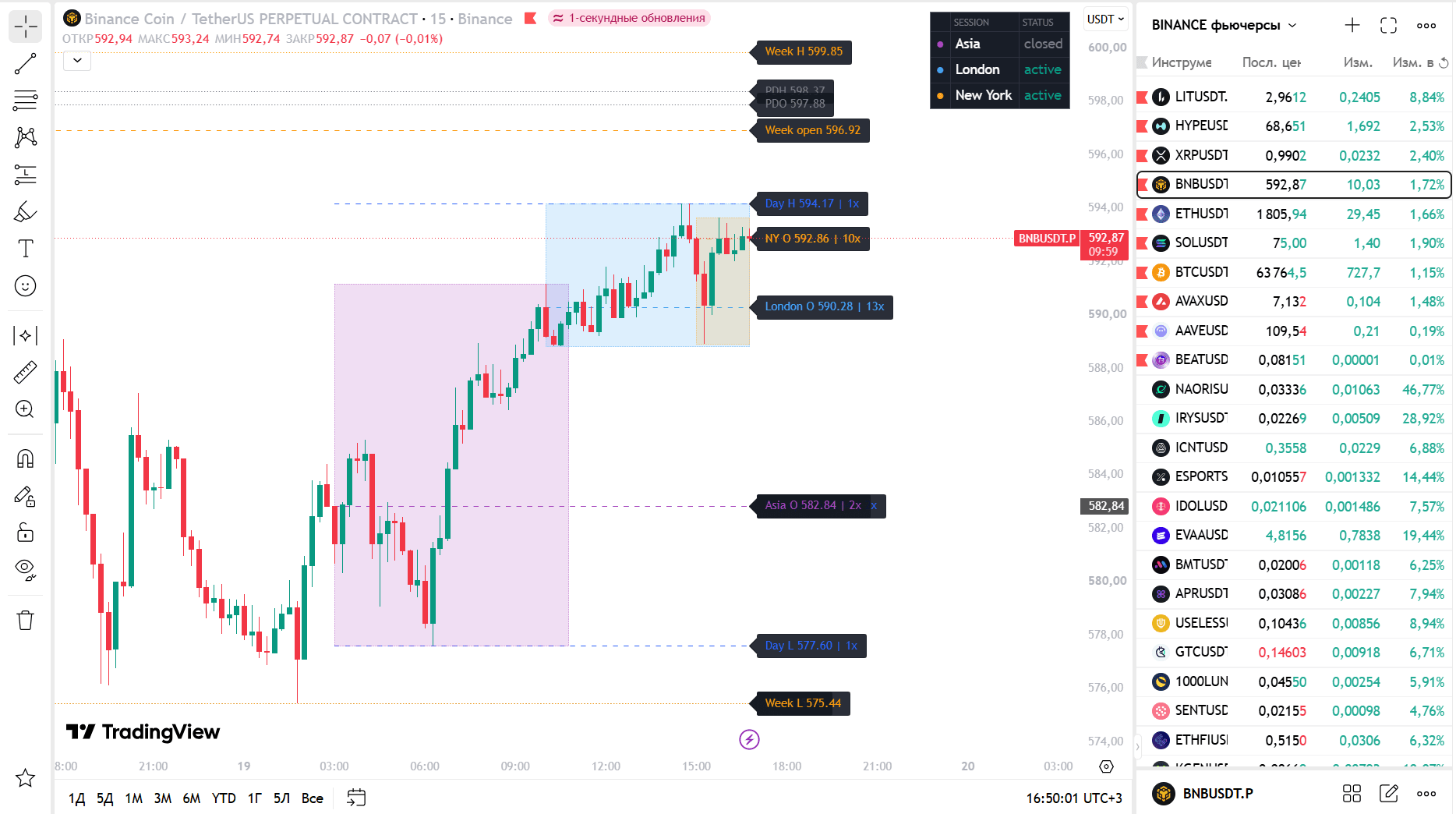
The panel draws a 24-hour strip of the UTC day, coloured by session, and a compact table with the status, local exchange hours, live UTC offset and a countdown for Sydney, Tokyo, London and New York.
It is a clock, not a signal tool: no levels, no zones, no arrows, no entries. You always know which session you are trading in, and when it ends.
What is inside
24-hour strip
- Two rows of twelve cells, one cell per hour of the UTC day, 00 to 23.
- Dark cell: outside every enabled session.
- Coloured cell: one enabled session covers that hour.
- Mint cell: two or more enabled sessions overlap.
- A light cell marks the current UTC hour.
Session table
- SESSION - name of the exchange session.
- STATUS - OPEN, CLOSED or OFF.
- HOURS - local exchange hours on a 24-hour clock.
- NEXT - "closes" while the session is running, "opens" while it is closed.
- IN - live countdown in HH:MM:SS.
- OFFSET - current UTC offset of the exchange, daylight saving aware.
Display
- Dark panel, muted colours, no glow, no background tint.
- Three text sizes.
- Drawn on the last bar, so it stays light on the chart.
On the chart
- Session tint - the session that is running now colours the chart background in its own colour.
- Session marks - a dotted vertical line at every session open, tagged SYDNEY, TOKYO, LONDON or NEW YORK.
- Optional session close marks.
- Marks are limited to the last N days (1-30) to keep the chart readable.
- Tint and marks need an intraday chart; the panel works on any timeframe.
What you get
- SOFLMARKET Session Clock.txt - Pine Script v6 source code (v1.0.0)
- README.txt - installation, every input with defaults, the time calculation, alerts and troubleshooting
- LICENSE.txt - SOFLMARKET Free Tool Licence v1.0
Requirements
- A TradingView account with Pine Script v6 support.
- No external libraries: the script is fully self-contained.
Installation
- Download the product files.
- In TradingView open the Pine Editor.
- Paste the supplied source into a new script.
- Save it and click "Add to chart".
- The panel appears in the bottom right corner.
Alerts
- Sydney session opens
- Tokyo session opens
- London session opens
- New York session opens
Each alert fires once, on the transition from closed to open, on the bar where the session starts. Alerts are evaluated on bar close.
Notes
- The clock is always UTC. The OFFSET column shows each exchange's current offset, so you can convert it to your own timezone.
- Session hours are the standard local exchange hours and can be changed in the inputs. Whole hours only: 09:30 cannot be expressed exactly.
- Session times are provided for convenience and may differ from the official hours of an exchange.
- The indicator visualises time, not price. It does not predict prices and does not promise results. Trading leveraged instruments carries a high risk of loss. This is not financial advice.
- Free of charge. Redistributing or publishing the source code is not allowed; see LICENSE.txt.
Что вы получите
3 файла · 29.07 KB
- SOFLMARKET Session Clock.txtTXT · 15.48 KB
- README.txtTXT · 9.99 KB
- LICENSE.txtTXT · 3.6 KB
Сниппеты кода
SOFLMARKET Session Clock - Free Trading Sessions Indicator
Это объявление показано на языке оригинала (английский).
Free TradingView session clock: a 24-hour UTC strip plus Sydney, Tokyo, London and New York status, live countdowns and four session-open alerts.
Продолжая, вы принимаете Условия использования.
Мгновенное скачивание
Теги
Частые вопросы
Доступ открывается сразу?
Да. Это цифровой товар - скачать его можно сразу после оплаты, прямо из своей библиотеки.
Можно ли использовать в коммерческих проектах?
Только для личного использования. Пользуйтесь сами - не в работе, которую продаёте или сдаёте клиенту, - и не перепродавайте и не распространяйте файл.
Какие условия возврата?
Запросить возврат можно в течение 30 дней. Если что-то не так, оформите заявку в своём заказе - её рассмотрит команда Getly.
Какие форматы и размеры файлов я получу?
Вы скачаете 3 файла - TXT - всего 29.07 KB.
Обновления бесплатны?
Да - когда продавец выпускает новую версию, вы можете бесплатно скачать актуальные файлы из своей библиотеки. Последние изменения смотрите в истории версий.
Цена
Бесплатно