3D Аддоны Blender
CAD Pro Suite
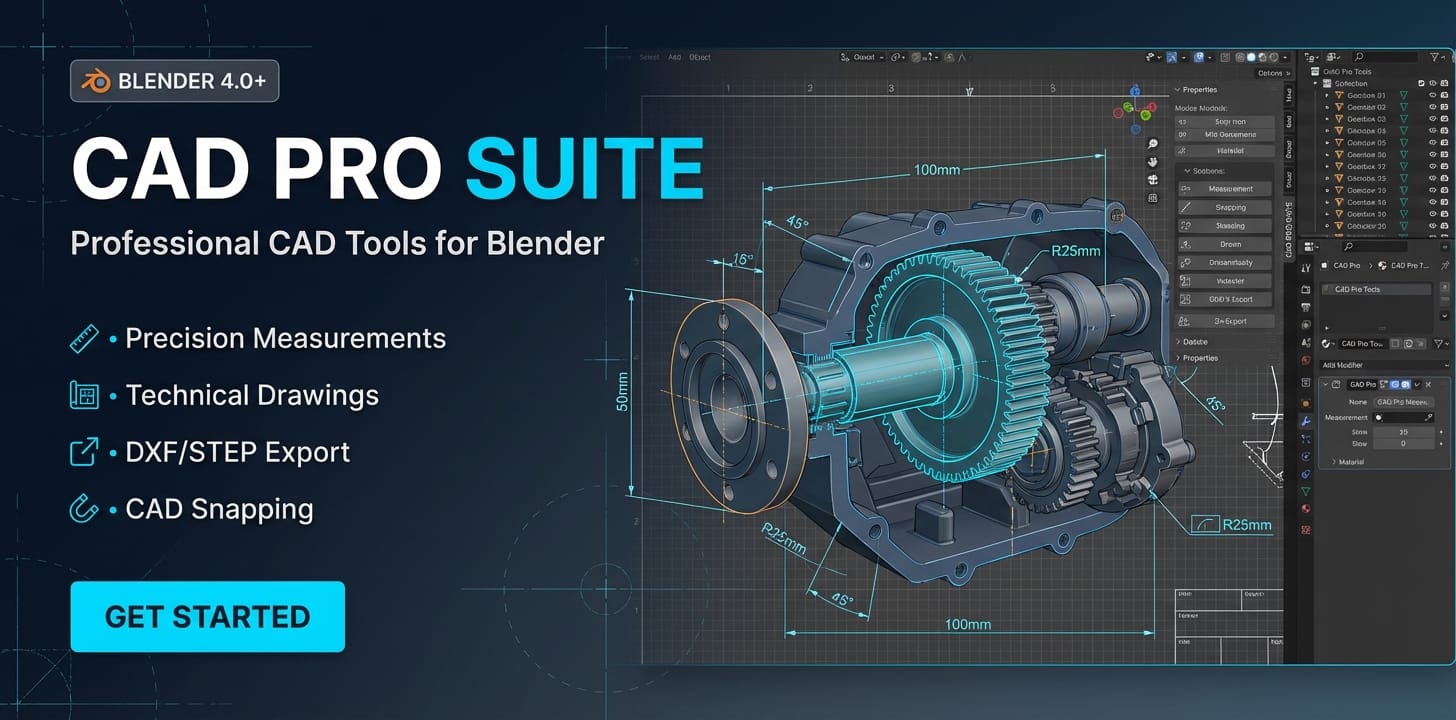
Профессиональный CAD-набор для Blender. Точные измерения, CAD-подобное выравнивание (снаппинг), технические чертежи с титульными блоками, инструменты для размеров и импорт/экспорт DXF/STEP/IGES — всё в одном аддоне.
Описание товара
CAD Pro Suite превращает Blender в профессиональную CAD-платформу с
инструментами точности инженерного уровня, возможностями
технического черчения и
поддержкой форматов данных, принятых в отрасли — функциями, которые обычно
встречаются
в AutoCAD или Inventor, теперь прямо внутри Blender.
Система единиц и точности
Работайте в любых единицах, которые вам нужны. Полная поддержка
метрической системы от микрометров до
километров и имперской от mils до ярдов. Вводите значения естественно —
введите «150mm», «6.5in» или «1m», и аддон поймёт. Доступно три
режима ввода координат: абсолютный, относительный (@50,25,0) и полярный
(@100<45). Настраиваемая десятичная точность от 0 до 6 знаков с
автоматическим преобразованием единиц между всеми поддерживаемыми типами.
CAD-подобное выравнивание (снаппинг)
11 профессиональных типов снапа для точного размещения объектов:
- Конечная точка, середина, центр
- Пересечение, перпендикуляр, касательная
- Ближайшая, квадрант, узел
- Параллель, продолжение
Привязка по углу с настраиваемыми шагами от 5 до 90 градусов.
Визуальные индикаторы снапа с настраиваемыми цветами и размером для
наглядной обратной связи.
Инструменты измерения
Измеряйте всё в вашей сцене с инженерной точностью:
- Измерение расстояния в 2D и 3D
- Измерение угла между точками или рёбрами
- Расчёт площади для выбранных граней
- Расчёт объёма для объектов mesh
- Измерение периметра
- Подбор радиуса и окружности
- Вычисление ограничивающего прямоугольника и центра масс
Все результаты отображаются в выбранной вами системе единиц с корректным
форматированием.
Инструменты размеров
Добавляйте профессиональные размеры к вашим моделям:
- Линейные, выровненные, угловые, радиусные, диаметральные, длина дуги, ординаты
- Три набора стилей — ISO, ASME, DIN
- Настраиваемые стрелки — замкнутые заполненные, открытые, точка, засечка
- Отображение допуска с верхней и нижней границами
- Пользовательский текст и суффиксы единиц
- Гибкое позиционирование текста —
3D Аддоны Blender
CAD Pro Suite
Профессиональный CAD-набор для Blender. Точные измерения, CAD-подобное выравнивание (снаппинг), технические чертежи с титульными блоками, инструменты для размеров и импорт/экспорт DXF/STEP/IGES — всё в одном аддоне.
Теги
Частые вопросы
Доступ открывается сразу?
Да. Это цифровой товар — скачать его можно сразу после оплаты, прямо из своей библиотеки.
Можно ли использовать в коммерческих проектах?
Покупка включает стандартную лицензию для личного и коммерческого использования. Возможные ограничения смотрите в описании товара.
Какие условия возврата?
Действует гарантия возврата денег в течение 30 дн. Если что-то не так, запросите возврат в своём заказе — продавец его рассмотрит.
Какие форматы и размеры файлов я получу?
Вы скачаете файлы в том виде, в каком их подготовил продавец (около 97.87 KB). Форматы указаны в характеристиках и описании товара.
Обновления бесплатны?
Да — когда продавец выпускает новую версию, вы можете бесплатно скачать актуальные файлы из своей библиотеки. Последние изменения смотрите в истории версий.
Цена
$9.99