Getly
DevOps та інфраструктура
PowerShell Registry Backup with Rollback for Windows AdminsPowerShell Registry Backup with Rollback for Windows Admins
Це оголошення показано мовою оригіналу (англійська).
Automatically export registry keys before a Windows update or policy change, then roll back by double-clicking a .reg file. No admin rights needed.
Що ви отримаєте: 1 файл · 6.67 KB · ZIP
Переглянути варіанти купівліОпис товару
Tired of exporting registry branches by hand before every Windows update or policy change?
This PowerShell script exports the key registry branches to a dated folder, writes a CSV report of what was saved, and shows how to roll back.
WHAT IT SOLVES
Manual export means opening regedit, finding the branch, right-click, export, inventing a filename, and hoping you typed the path correctly. Two minutes per branch and a real chance of a typo in the path.
The script does it in one command, names the folder with the date, and writes a report showing exactly which files were produced and how large they are.
WHAT IS INSIDE
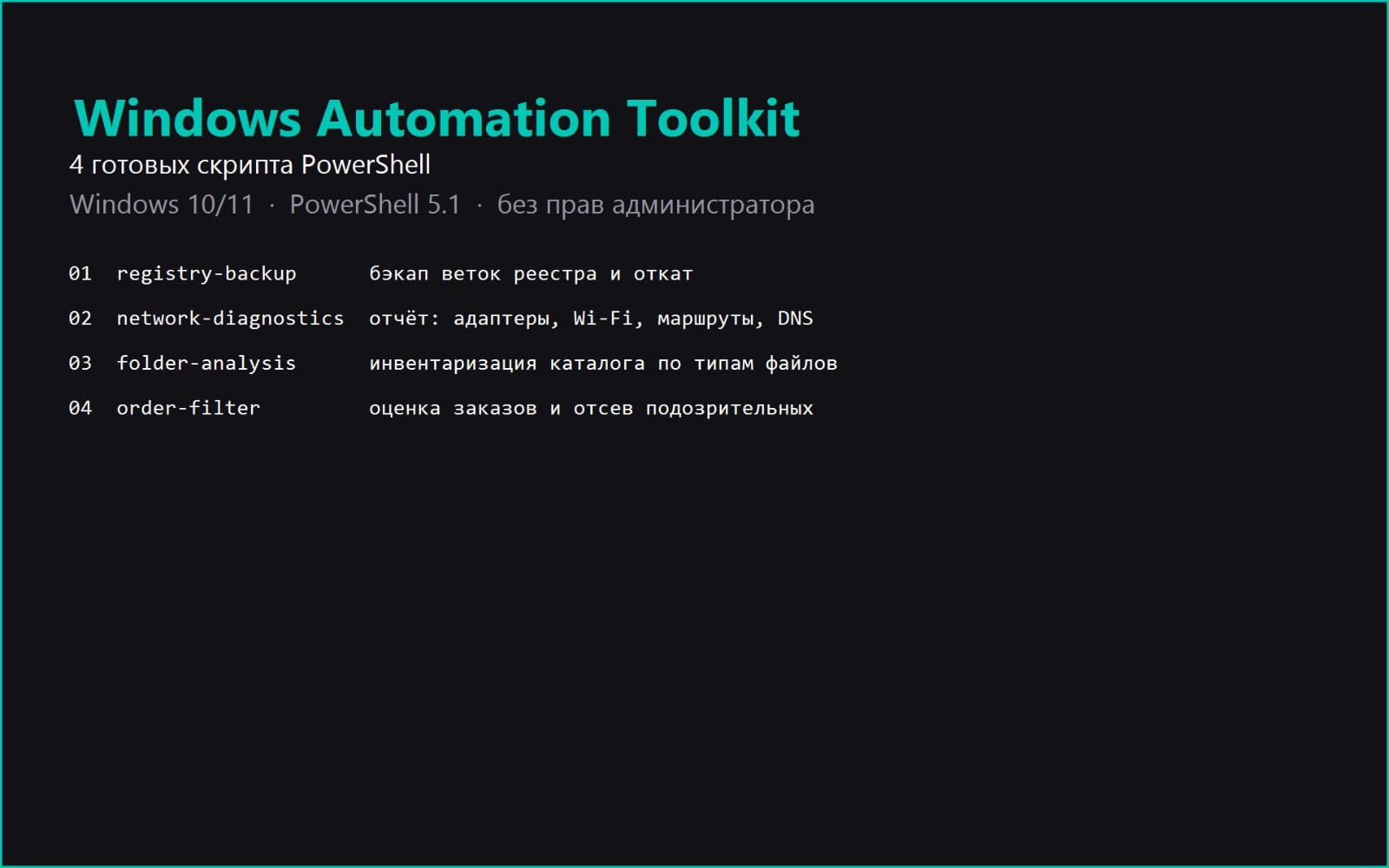
- bekap-reestria.ps1, the script itself, PowerShell 5.1 and newer
- INSTRUKCIYA.md, launch, requirements, rollback and a table of common errors
- LIZENZIYA.txt, terms of use
- primer-vyvoda.txt, real output from an actual test run
REQUIREMENTS
Windows 10 or 11, PowerShell 5.1 which is bundled with Windows. No administrator rights required, the script only reads data and writes copies.
HOW TO RUN
powershell -ExecutionPolicy Bypass -File .\bekap-reestria.ps1
Then roll back by double-clicking any .reg file and confirming the import.
BUGS FOUND AND FIXED DURING DEVELOPMENT
1. reg.exe rejects a registry path containing a colon. The PowerShell provider requires a colon after HKLM while reg.exe rejects it and fails with invalid key name. Paths are stored in reg.exe syntax from the start.
2. A .ps1 file without a BOM is read as ANSI by PowerShell 5.1, which breaks Cyrillic comments and crashes the parser. Saved as UTF-8 with BOM.
Both were verified by re-running the script and comparing the output before and after the fix.
Що ви отримаєте
1 файл · 6.67 KB
- Windows-Registry-Backup-Pack.zipZIP · 6.67 KB
DevOps та інфраструктура
PowerShell Registry Backup with Rollback for Windows AdminsPowerShell Registry Backup with Rollback for Windows Admins
Це оголошення показано мовою оригіналу (англійська).
Automatically export registry keys before a Windows update or policy change, then roll back by double-clicking a .reg file. No admin rights needed.
Входить до Getly ProОтримати Pro
Теги
Поширені запитання
Чи отримаю я доступ одразу?
Так. Це цифровий товар: ви можете завантажити його одразу після оплати, просто зі своєї бібліотеки.
Чи можна використовувати його в комерційних проєктах?
Так. Комерційне використання дозволено: користуйтеся в особистому бізнесі та в тому, що продаєте. Ви не можете перепродавати чи поширювати сам файл.
Яка у вас політика повернення коштів?
Ви можете запросити повернення коштів протягом 30 дн. Якщо щось не так, подайте запит зі свого замовлення, і команда Getly його розгляне.
Які формати та розміри файлів я отримаю?
Ви завантажите 1 файл - ZIP - загалом 6.67 KB.
Чи отримую я безкоштовні оновлення?
Так: коли продавець випускає нову версію, ви можете повторно завантажити свіжі файли зі своєї бібліотеки безкоштовно. Останні оновлення дивіться в журналі змін.
Ціна
$9.99