Getly
Getly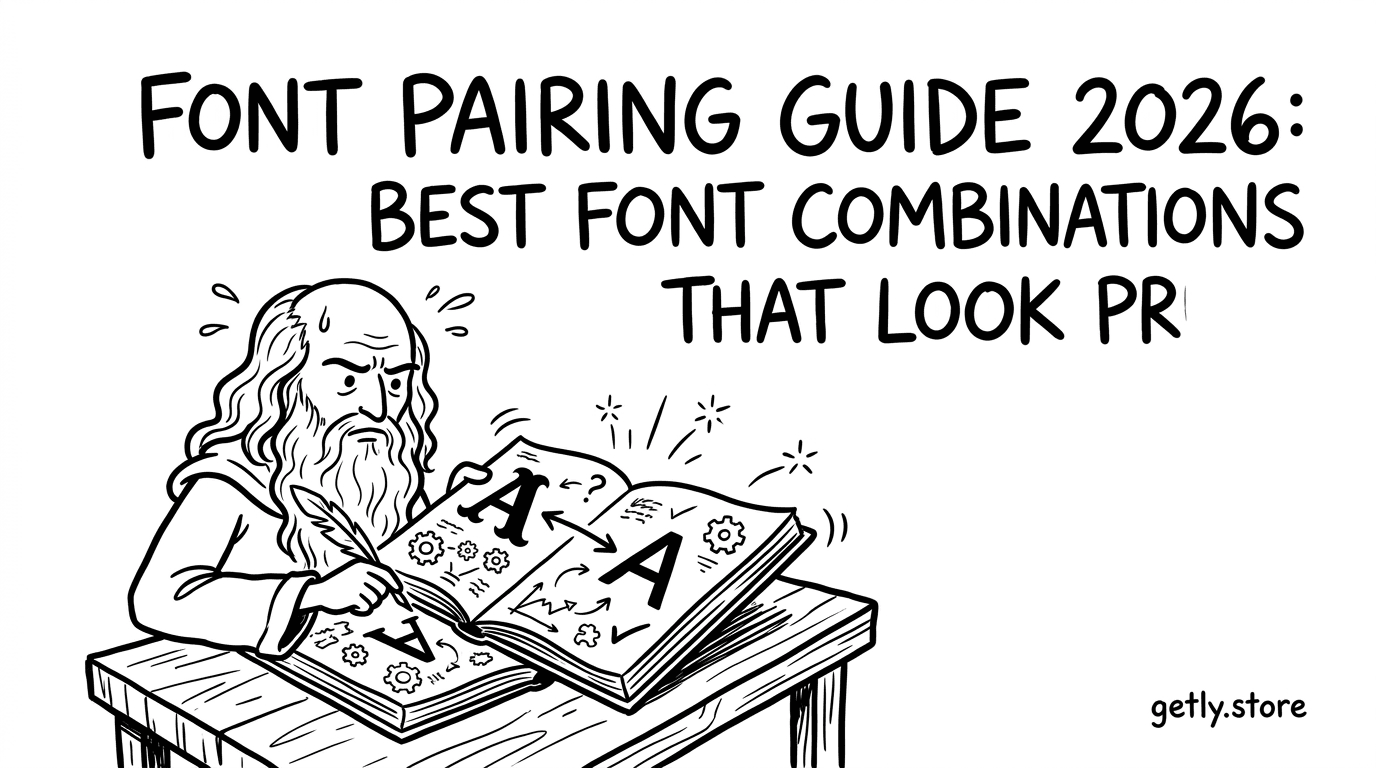
Когда шрифты «не совпадают», дизайн быстро теряет дорогой вид: рушится ритм, вылезает несоответствие по характеру и читаемость проседает. В этом font pairing guide 2026 собраны лучшие подходы к подбору пар и готовые схемы, которые делают макет собранным и современным.
Вместо абстрактных советов — конкретные правила, таблицы совместимости и примеры под разные задачи: бренд, UI, презентации, обложки и даже визуальные проекты.
- Лучшие пары шрифтов в 2026 строятся вокруг контраста: гарнитура для текста + гарнитура для акцента, объединённые общей геометрией.
- Современные modern sans serif fonts выигрывают с дисплейными шрифтами (но только при правильном интерлиньяже и весах).
- «Display fonts free download» — это ловушка: бесплатная гарнитура должна быть лицензируемой и читаемой на твоих размерах.
- Пары шрифтов тестируются не глазами, а сеткой: x-height, ширина букв, кернинг и масштабирование по брейкпоинтам.
- Портфель из 5–7 проверенных комбинаций экономит часы на каждый новый макет.
Что такое font pairing guide 2026 и как он работает
Font pairing guide 2026 — это практический способ подобрать две (или три) гарнитуры, чтобы они звучали как единый голос: один обеспечивает текстовую стабильность, второй — характер заголовков и визуальных акцентов. В 2026 ключ не в «красивости» отдельно взятых шрифтов, а в совместимости метрик и поведения на разных размерах.
Хорошее сочетание держит три вещи: читаемость, иерархию и ощущение бренда. Плохое — ломает тон: текст может быть слишком «холодным», а заголовок — слишком шумным, или наоборот.
Какие параметры шрифта решают совместимость
Чтобы пары выглядели профессионально, смотри на конкретные свойства:
- x-height (высота строчных) — влияет на «плотность» текста и баланс с дисплеем.
- ширина знаков (set width / proportions) — определяет, будет ли заголовок «съедать» строку.
- контраст по штриху — резкий контраст требует более деликатного компаньона.
- формы (закругления, терминалы, форма «a»/«g») — задают визуальный характер пары.
- весовые диапазоны (100–900) — дают управляемую иерархию без смены шрифта.
Зачем думать о поведении на брейкпоинтах
В 2026 большинство макетов живёт в адаптиве: заголовок на 28–36 px и на 44–56 px ведёт себя по-разному. Пара шрифтов считается рабочей, если:
- на мобильном тексте сохраняется мягкий ритм строк;
- заголовки не превращаются в «пиксельный шум»;
- между секциями сохраняется единая сетка отступов;
- кириллица не ломает пропорции (частая проблема с дисплеями).
Pro tip: Сделай «тестовый лист» из 6 блоков: H1, H2, абзац, буллеты, кнопка, подпись. Прогони через разные размеры (например, 320/768/1440) — и сравни пары только по этому листу.
Какие лучшие сочетания шрифтов работают в 2026
Лучшие font combinations в 2026 — это комбинации, где один шрифт стабилен в тексте (обычно sans serif), а второй добавляет выразительность (display, serif или более «характерная» sans). Такие пары не спорят, а распределяют роли.
Ниже — готовые шаблоны, которые можно брать как основу. Точные названия гарнитур меняются под твою библиотеку, но схема остаётся рабочей.
Схемы «текст + дисплей» для современного вида
Это самые надёжные комбинации для брендов, лендингов и контента. Их легко тиражировать на серию проектов.
- Modern sans serif + геометрический display — для технологичных брендов.
- Text sans (нейтральная) + humanist display — для медиа и культурных проектов.
- Sans для текста + serif в заголовках — для премиальности без перегруза.
- Sans для текста + condensed display — для сильной типографической динамики.
Схемы «одна семья + акценты весом»
Иногда лучший выбор — вообще не смешивать гарнитуры. В 2026 это выглядит особенно современно, если используешь разные веса и размеры внутри одной суперсемейства.
- Для заголовков: увеличь вес и слегка сузь трекинг (или оставь нейтральный, если гарнитура склонна к тесноте).
- Для кнопок: используешь medium/semibold и повышаешь читаемость за счёт line-height.
- Для подписей: regular или book, чтобы не спорить с контентом.
Результат: Такие «внутрисемейные» системы дают единый характер по всему сайту и сокращают расходы на дизайнерские правки в будущем.
Как выбрать modern sans serif fonts под твой бренд
Modern sans serif fonts в 2026 чаще всего становятся «скелетом» дизайна, потому что они дружелюбны к интерфейсу, хорошо держат адаптив и дают аккуратную типографическую иерархию. Но не все sans одинаковые: часть из них звучит строго, часть — мягко, часть — технологично.
Чтобы подобрать текстовую гарнитуру, выбери сначала характер бренда. И дальше — проверяй на кириллице и реальном контенте, а не на «ABC-строке» в макете.
Чек-лист выбора sans serif для текста
- Нейтральность: гарнитура должна быть предсказуемой в середине строки.
- Читаемость на 14–16 px: проверь точки, кривые, различимость «е/с», «р/ь» и «и/й».
- Качество кириллицы: если кириллица слабая, дисплей может «спасти» заголовки, но не текст.
- Отличимые веса: light/regular/semibold должны различаться без визуальных артефактов.
- Совместимость с акцентом: твоему дисплею нужны похожие по стилю формы или противоположная, но согласованная геометрия.
Примеры характеров и подходящие пары
Ниже — ориентиры, которые помогают выбирать не вслепую:
- Строгий технологичный стиль: geometric/neo-grotesk sans + condensed display или шрифт с прямыми терминалами.
- Дружелюбный бренд: humanist sans + display с более мягкими формами и округлёнными концами.
- Премиальность: текстовая sans (нейтральная) + serif заголовков с умеренным контрастом.
Частая ошибка: брать два шрифта из одной «премиальной моды» и забывать про кириллицу. В результате латиница выглядит отлично, а русский текст — сливается и теряет ритм.
Display fonts free download: как не попасть в типографическую ловушку
Скачивание «display fonts free download» может ускорить старт, но в 2026 важно помнить: бесплатная гарнитура должна быть лицензионно корректной и технически пригодной для твоего дизайна. Иначе риск — от проблем с коммерческим использованием до некрасивого поведения на экранах.
Правильный подход: сначала определяешь роль дисплея, потом тестируешь на реальных строках и на кириллице. Дальше — только совпадаешь контрастом и масштабом.
Как оценить display шрифт до покупки/использования
- Лицо в больших размерах: заголовки 44–72 px — проверка характерности и пропорций.
- Кернинг и пары букв: посмотри связки «Ав/Ти/Кр/ра» в 2–3 длинах.
- Стойкость к плохому рендерингу: проверь на разных ОС и в браузере.
- Поддержка кириллицы: наличие нужных символов, корректные формы «Ж/Ч/Ш».
- Лицензия: можно ли использовать в коммерческих проектах и в веб-встраивании.
Таблица: когда display шрифт усиливает пару, а когда ломает
| Если display шрифт… | Ты получаешь | Нужно сделать |
|---|---|---|
| контрастный по штриху | премиальный эффект | возьми спокойную text sans и аккуратно настрой line-height |
| condensed | силуэт «быстрее» | умеренный трекинг и контроль переносов |
| очень декоративный | мем/плакатный тон | используй только для 1–2 строк и ограничь палитрой |
| геометрический | современность | сопоставь округлости/углы с текстовой гарнитурой |
- Display шрифт — это «специя»: работает, когда ограничен ролью и размером.
- Тестируй кириллицу и кернинг — это главный фильтр качества в реальных макетах.
- Если лицензия неясна, безопаснее заменить гарнитуру, чем рисковать публикацией.
Типографические советы дизайнеров: кернинг, вес и ритм
Typography tips designers в 2026 всё больше завязаны на микро-детали: кернинг, трекинг, line-height и вес решают, будет ли пара выглядеть «дорого» или «как шаблон». Даже идеальная комбинация гарнитур проиграет, если ритм текста не выстроен.
Давай сделаем это практично: как настроить пару так, чтобы она держала и контент, и сетку.
Набор настроек, который почти всегда улучшает читаемость
- Line-height: стартуй с 1.45–1.7 для абзацев (зависит от x-height).
- Трекинг: для заголовков обычно 0…-1% (только если гарнитура не «тяжёлая»).
- Кернинг: включай авто-kerning (и проверяй спорные пары вручную).
- Вес: не увеличивай вес ради размера — лучше увеличить размер и оставить разумный вес.
- Абзацный отступ: если используешь «поля», держи их постоянными в модуле сетки.
Правило «иерархия сначала — стиль потом»
Самый быстрый способ привести дизайн в порядок — сначала решить иерархию. Например:
- H1: самый «сильный» контраст и самый крупный размер.
- H2: уменьшение размера + чуть меньший вес, но сохраняй тот же стиль.
- Абзац: регулярный вес с комфортным line-height.
- Подписи: сниженный размер, но не слишком маленький — иначе «шум» превысит смысл.
Pro tip: Когда сомневаешься между двумя парами, выбирай ту, где лучше читаются 3–4 строки «живого» текста (например, описание продукта) без изменения межстрочного.
Примеры лучших font combinations для сайтов, UI и презентаций
Лучшие font combinations — это те, которые дают предсказуемую систему для разных форматов. Сайт требует стабильной читаемости, UI — плотной разметки, презентации — выразительных заголовков, которые остаются читаемыми на расстоянии.
Ниже — практические сценарии с готовыми «формулами» настройки.
Коммерческий лендинг: формула для современного вида
Схема обычно такая:
- Text: neutral modern sans serif (регуляр/медиум).
- Headings: дисплей либо serif с умеренным контрастом.
- Акценты: один и тот же гарнитурный стиль — через вес и размер, без лишней смены.
Как проверить качество: прогоняй блоки с разной длиной текста (короткие и длинные описания) и убеждайся, что заголовок не «выталкивает» композицию.
UI и компоненты: как не сломать сетку
В UI шрифтов обычно меньше — и это плюс. Хорошая пара — та, которая стабильно выглядит в карточках, табах и на кнопках.
- Тексты в карточках: 14–16 px, line-height 1.5–1.6.
- Кнопки: semibold, высота строки ближе к 1.2–1.3, чтобы текст не «плыл».
- Состояния: hover/active делай изменением фона/контраста, а не сменой гарнитуры.
Презентации: где display шрифт даёт максимум эффекта
Для слайдов дисплей может работать как визуальный «якорь». Но он должен быть читаемым на экране проектора.
- Используй display только в заголовках и ключевых цитатах.
- Текст слайда делай спокойным: text sans serif в 18–24 px.
- Согласуй отступы между блоками, чтобы не ломать ритм.
Важно: Если ты делаешь презентации для клиентов, проверяй, что шрифты встраиваются (или используются с лицензией) — иначе на чужом устройстве всё «поедет».
Как быстро собрать набор «лучших» пар шрифтов для работы
Самый эффективный способ улучшить дизайн в 2026 — собрать персональный набор из 5–7 проверенных комбинаций, которые ты можешь применять сразу. Это экономит время и снижает риск ошибок, потому что каждая пара уже прошла тест на кириллице и разных размерах.
Дальше — настрой систему так, чтобы она масштабировалась под разные проекты: от лендинга до печатного постера.
Метод портфеля: 7 пар под 7 задач
- Технологичный бренд: text sans + geometric display.
- Медиа/культура: text sans + humanist display.
- Премиум: text sans + serif заголовков.
- Агрессивный акцент: text sans + condensed display.
- Минимализм: одна семья шрифтов с весами.
- Дружелюбный проект: округлённая humanist sans + мягкий акцент.
- Сильная типографическая цитата: text sans + дисплей только для 1–2 строк.
Организация файлов: чтобы не терять время на повтор
Собери простую структуру:
- Папка «Pairs» — каждая пара с тестовым листом и примерами.
- Папка «Styles» — стили H1/H2/Body/Button (названия одинаковые в Figma/Sketch/PS).
- Таблица «Когда использовать» — короткие правила под задачу.
- Плейбук по лицензиям — чтобы не забыть про коммерческое использование.
История из практики: команды, которые вводят единый типографический «портфель», обычно сокращают число итераций правок в макетах. Потому что дизайнеры перестают спорить «на глаз» и сравнивают фиксированный набор рабочих пар.
Если ты создаёшь визуальные сцены или UI с богатой графикой, полезно думать не только про шрифты, но и про весь конвейер. Например, при подготовке ассетов и экспортов для разных поверхностей (экраны/обложки/видео) ассет-пайплайн становится частью качества финального типографического результата — ровные масштабы и единые форматы помогают сохранять дизайн-ритм. Для таких задач часто используют инструменты экспорта ассетов, например Studio 3D Import/Export — Complete Asset Pipeline.
FAQ: font pairing guide 2026 и подбор шрифтов без ошибок
Какие лучшие font combinations для сайта на кириллице?
Лучшие варианты — text modern sans serif + заголовок, который сохраняет читаемость на больших размерах и имеет качественную кириллицу. В 2026 чаще всего выигрывают пары с общими геометрическими мотивами: например, нейтральная sans для текста и более характерная sans или serif для H1.
Можно ли использовать display fonts free download в коммерческих проектах?
Можно только при корректной лицензии. Перед использованием проверь условия: допускается ли коммерческое использование, веб-встраивание и создание производных работ. Если условия неясны — лучше заменить гарнитуру.
Как понять, что пара шрифтов «профессиональная»?
Профессиональная пара сохраняет иерархию без визуального шума: заголовок выделяется, но не спорит с текстом. Проверь ритм на 320/768/1440 и на реальных фразах (не «Lorem»): если переносы и кернинг выглядят ровно, пара рабочая.
Что важнее: контраст или совпадение стиля?
В 2026 приоритет — контраст ролей, а не «контраст ради контраста». Текст и заголовок должны звучать по-разному, но быть согласованными по пропорциям, округлостям и поведению на экране.
Сколько шрифтов нужно в одном дизайне?
Чаще всего достаточно 2 гарнитур: одна для текста, одна для акцента. В некоторых системах используется третья (например, моноширинный для кода), но если нет необходимости — оставайся на двух, чтобы не размывать бренд.
- Font pairing guide 2026 строится на метриках (x-height, пропорции, кернинг), а не на субъективной «нравится/не нравится».
- Современные modern sans serif fonts — отличный текстовый фундамент для большинства проектов.
- Display шрифты лучше ограничивать ролью: заголовки, цитаты, ключевые акценты.
- Тестируй пары на кириллице, реальных строках и адаптивных брейкпоинтах.
Если хочешь ускорить подбор шрифтов в следующем проекте, начни с портфеля из 5–7 проверенных пар и добавь тестовый лист для H1/H2/Body/Button — так ты быстрее придёшь к «дорогому» виду без долгих согласований. И если тебе нужен единый источник, где удобно собирать цифровые ассеты для дизайна под разные типажи работ, попробуй собрать свою коллекцию в одном месте — с каталогом и быстрым поиском по визуальным признакам это становится заметно проще.